
LoveMarkDown · LoveMarkDown 1.3.0 Direct
LoveMarkDown 1.3.0: Markdown and Images in One Document
Direct 1.3.0 adds MDZ archives with embedded images, archive editing and portable Markdown packaging. The public App Store version remains 1.2.5 while 1.3.0 submission is being prepared.
On this page
LoveMarkDown Direct 1.3.0 adds portable Markdown document archives. Keep a document and its image assets together, open the package in the familiar editor, and create a rendered copy when someone needs HTML, Word or PDF instead.
The new Universal Direct installer is signed and Apple-notarized for Apple Silicon and Intel Macs. The public Mac App Store version is still 1.2.5. Its 1.3.0 build has been uploaded, but compliance and review are not complete. Archive features described here currently belong to Direct 1.3.0.
For the format itself, read what MDZ is and when it helps a Markdown handoff.
Open the document, not an extraction folder
Open a supported .mdz through File Open, drag and drop, or Finder. Known
formats are recognized automatically; a package with multiple primary Markdown
documents may ask which one you want to read. Tabs and the path bar identify
the outer archive, rather than a temporary extraction directory or an internal
index.md filename.
Supported formats include ZIP-based MDZ documents and AME 7z documents.
Supported Markdown .zip packages can also be opened explicitly. LoveMarkDown
does not take over the default handler for every ZIP file.
Keep images with the Markdown
Single-document packages remain editable in Source, Split or Visual mode. Save writes back to the archive, keeping its embedded resources. Multi-document MDZip projects support read-only navigation instead of flattening several files into one editable document.
HTML, Word and PDF exports retain embedded images. Ordinary Markdown files, relative local images, the path bar and existing file actions remain available; an archive is an additional sharing option, not a mandatory workspace format.
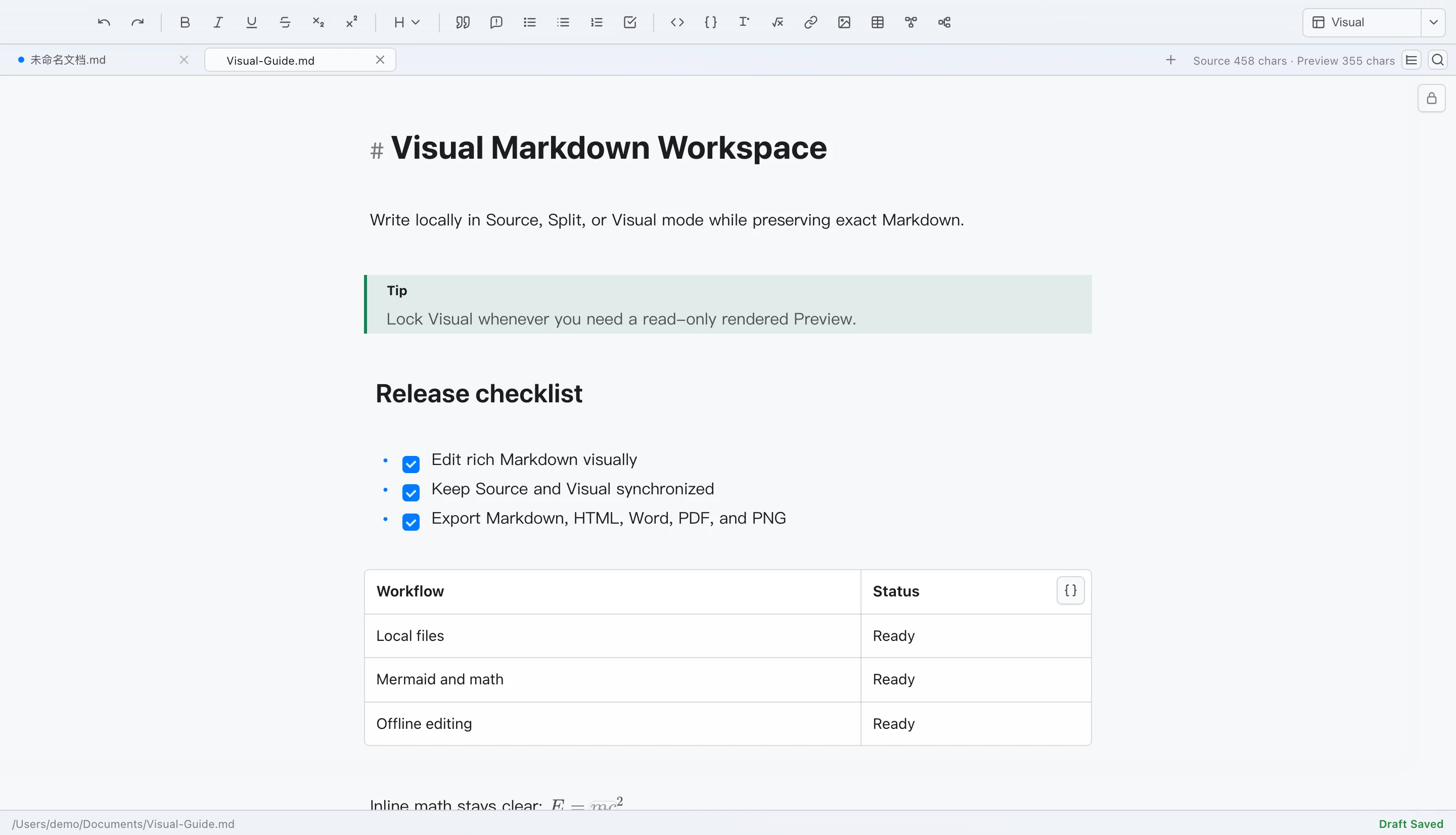
The editor below is the existing Source/Visual workspace captured for the 1.2 release. It illustrates the retained editing surface, not a new MDZ test result.
Choose the copy you need
Export MDZ defaults to ZIP/MDZip. Supported single-document output can use 7z or explicit ZIP compatibility choices, with optional password protection. Password-protected ZIP is a compatibility extension, not standard MDZip.
Export Markdown ZIP or a Markdown directory copy when you need supported linked documents, local images and attachments in a portable layout. Missing or inaccessible resources are reported, not silently omitted. Save As preserves the current format unless you explicitly choose a conversion; incompatible single-document conversions do not silently discard other project documents.
Password recovery is unavailable, and passwords are not automatically remembered. Large image-heavy archives can use substantial memory; prefer smaller packages on low-memory Macs. Local packaging and password protection do not automatically upload your document content to NgSense.
Pick the right release channel
| Channel | Current public version | Archive availability |
|---|---|---|
| Direct | 1.3.0 | Supported MDZ and Markdown ZIP workflows; signed updates after confirmation. |
| Mac App Store | 1.2.5 | The uploaded 1.3.0 build is not yet publicly approved. |
Choose a LoveMarkDown download, read the MDZ support notes, or check the local-document privacy policy.