
Webpages, images and videos
Combine live websites and local media in one ordered playlist, with timing for each item.
 Web Launcher - Kiosk Browser
 Kiosk browser · Digital signage
Combine live webpages, local images and compatible MP4 videos in one fullscreen playlist. Use a compatible Android tablet, commercial display or Android Box connected by HDMI. Move from a dashboard to a promotional image to a video, with the next item prepared before switching to minimize loading screens and black flashes.
Current US listing: Google Play 1.5.1
$1.99 USD · US Google Play installation price. Check your local Google Play listing for current price and availability.
Web Launcher / Android tablet
A team dashboard, a showroom page, or a cafe menu can have a fixed place to be seen. Web Launcher displays the page from its URL; the existing system still supplies the content and its updates. These illustrated settings suggest uses to test, not completed installations.
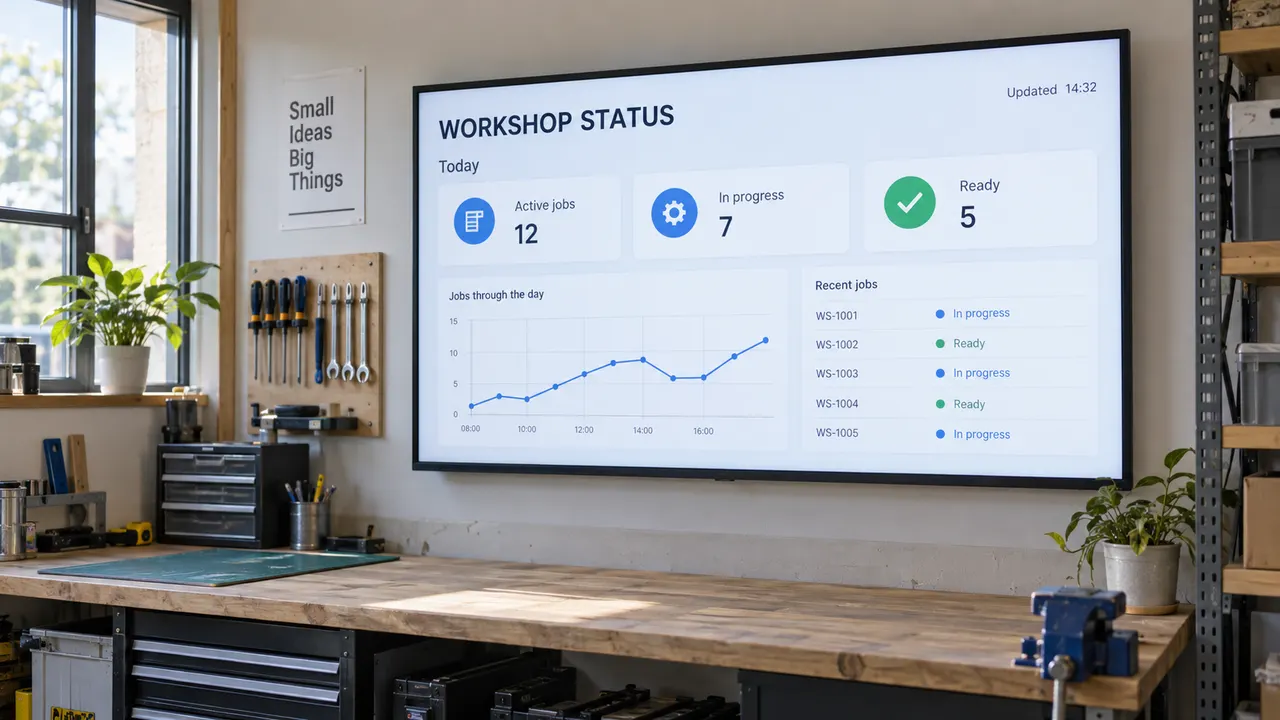
Instead of repeatedly exporting screenshots, add a trusted dashboard URL and preview it on the Android screen. Check login, timestamps, data updates, and navigation against the original system. Keep one enabled page visible or include it in a mixed playlist. The dashboard must provide its own updates; Web Launcher is not a backend connector or a built-in refresh service. The chart and timestamp pictured here are example content, not live customer data.
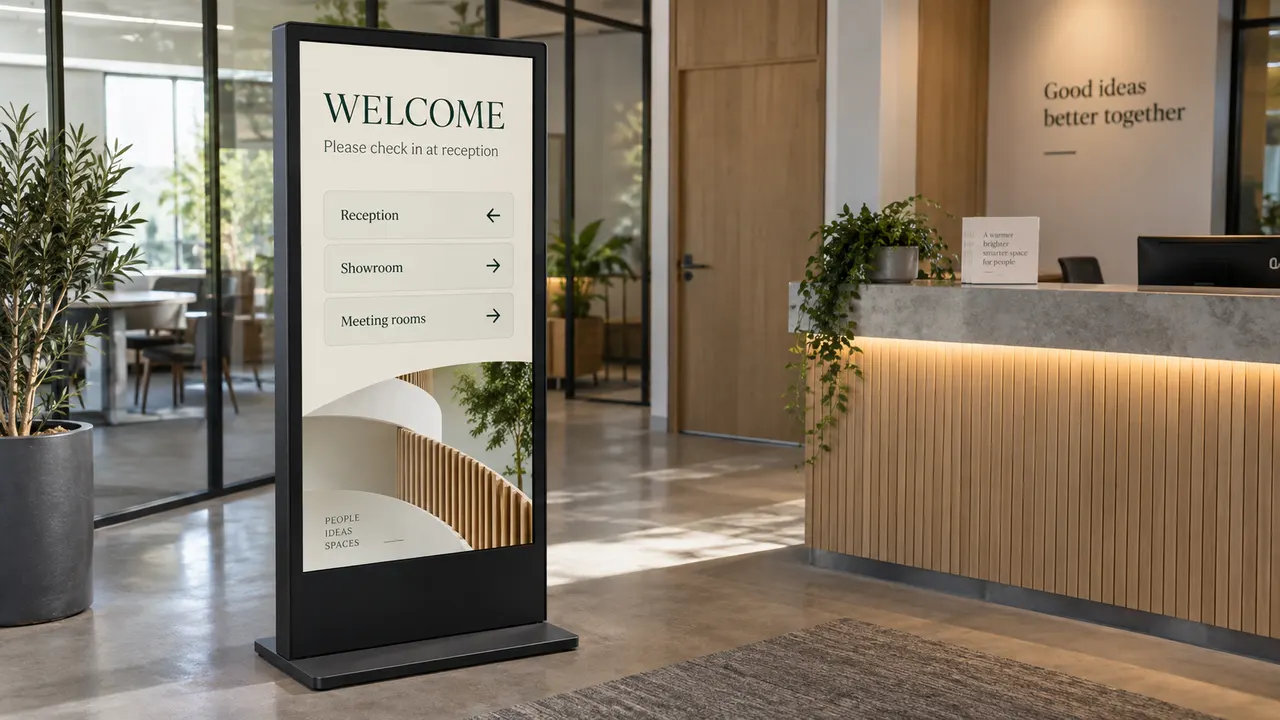
Display a product catalog, a detail page, or visitor directions from a site you maintain. On touch-capable hardware, visitors may browse when the webpage supports it; test links, back navigation, and shared-session behavior first. This illustration shows example showroom wayfinding, not a captured catalog or customer installation.
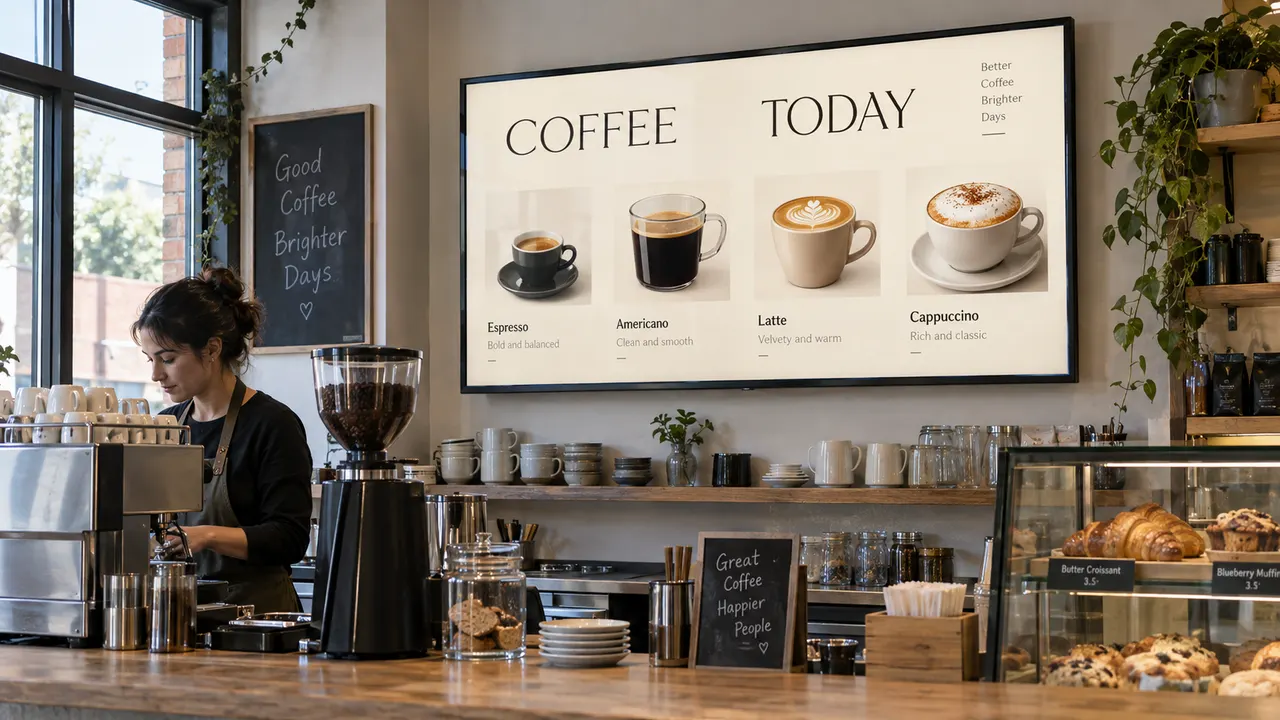
Show an existing menu, opening-hours page, or welcome page, with local images or compatible video when needed. Check readability, the current menu, and a complete playlist loop on the intended device. The cafe menu is illustrative example content, not an ordering or payment demonstration.
Web Launcher is a focused on-device player, not a remote signage CMS or a promise that every site or MP4 will render identically.
Add the URLs of existing webpages directly on the device. Import local files when a screen needs images or video alongside those pages.
The next playlist item is prepared before switching. If a webpage is not ready, the current usable item remains in view rather than being replaced with a bare loading screen.
Portrait layouts, authentication, autoplay, and complex web apps depend on the site, Android WebView, and hardware. Validate the actual combination before unattended deployment.
Interactive browsing needs both touch-capable hardware and a webpage that supports the intended actions. Login, forms, payment, and touch behavior are not guaranteed for every site. Test navigation and public-session privacy on the actual device; this is webpage display, not phone or desktop screen mirroring.
Web Launcher - Kiosk Browser turns compatible Android devices into fullscreen digital signage players: tablets, phones, commercial large screens, all-in-one displays, and Android Box devices connected to a monitor, television or projector by HDMI. Combine multiple webpages, local JPEG/PNG/WebP images and compatible MP4 videos in one playlist for a shop, reception, menu board, exhibition or information screen.
Show a live dashboard, switch to a local promotional image, play a video, then return to the webpage. Set a duration for each webpage or image (30 seconds by default), choose timed or play-once video playback, mute videos, and fit or crop local media to the screen. Imported images and videos can play offline; webpages still need access to their website or local network.
Upcoming webpages are preloaded and the next item is prepared before switching. Keeping current content visible helps make transitions smooth and minimizes loading screens and black flashes. Actual results depend on the website, connection, media format and display hardware.
For unattended use with the standard Android edition, configure startup and managed kiosk access. Choose Web Launcher as the default Home app to resume the display when Android reaches the home screen after reboot or unlock. For visitor exit restrictions, an administrator must provision the app as Device Owner, allow it in Android Lock Task mode and set a settings password. These are separate setup steps, not automatic effects of installation.
Choose the standard Android edition for compatible Android displays and Android Box devices, or explore Web Launcher TV: Kiosk Browser for remote-friendly controls and phone-browser setup on Android TV and Google TV.
Your screen can show a live webpage from an existing business system—not just a static poster or prerecorded video. Add the URL of a dashboard, schedule, or status page and let that page render its own content and updates. This is on-device webpage display, not phone or desktop screen mirroring, a backend integration, or a built-in data-refresh service. Test the page’s login, update behavior, and WebView compatibility on the actual display.
Web Launcher is listed on Google Play. Locally imported media is copied into the app’s private library, while webpages still depend on their sites and Android WebView. Test the actual file format, decoder, network, and device; the app is not a remote device-management service or a guarantee of offline webpages.
Want a page to try before using your own? Open the NgSense sample welcome display. It is example webpage content, not a Web Launcher screenshot or proof that your own site and device will work together.
Read the official privacy policy before placing authenticated or sensitive content on a shared display.
Explore the Android display and Android Box features, TV feature list, and mixed playback and dedicated display options. The editions are separate apps and purchases. The standard Android app covers compatible Android display devices, including Android Box setups; the TV edition is specifically adapted for Android TV and Google TV, with remote controls and phone-browser setup. Choose by the device system, not by screen size or its HDMI connection.
Start with a trusted webpage or a local media file. Configure the playlist on the device; a remote signage CMS is not required for a simple screen.
Enter a trusted HTTP or HTTPS page, or import a JPEG, PNG, WebP image or compatible MP4 through Android's file picker. Preview each item before saving.
On screen: Your page or selected file becomes an item in the on-device playlist.
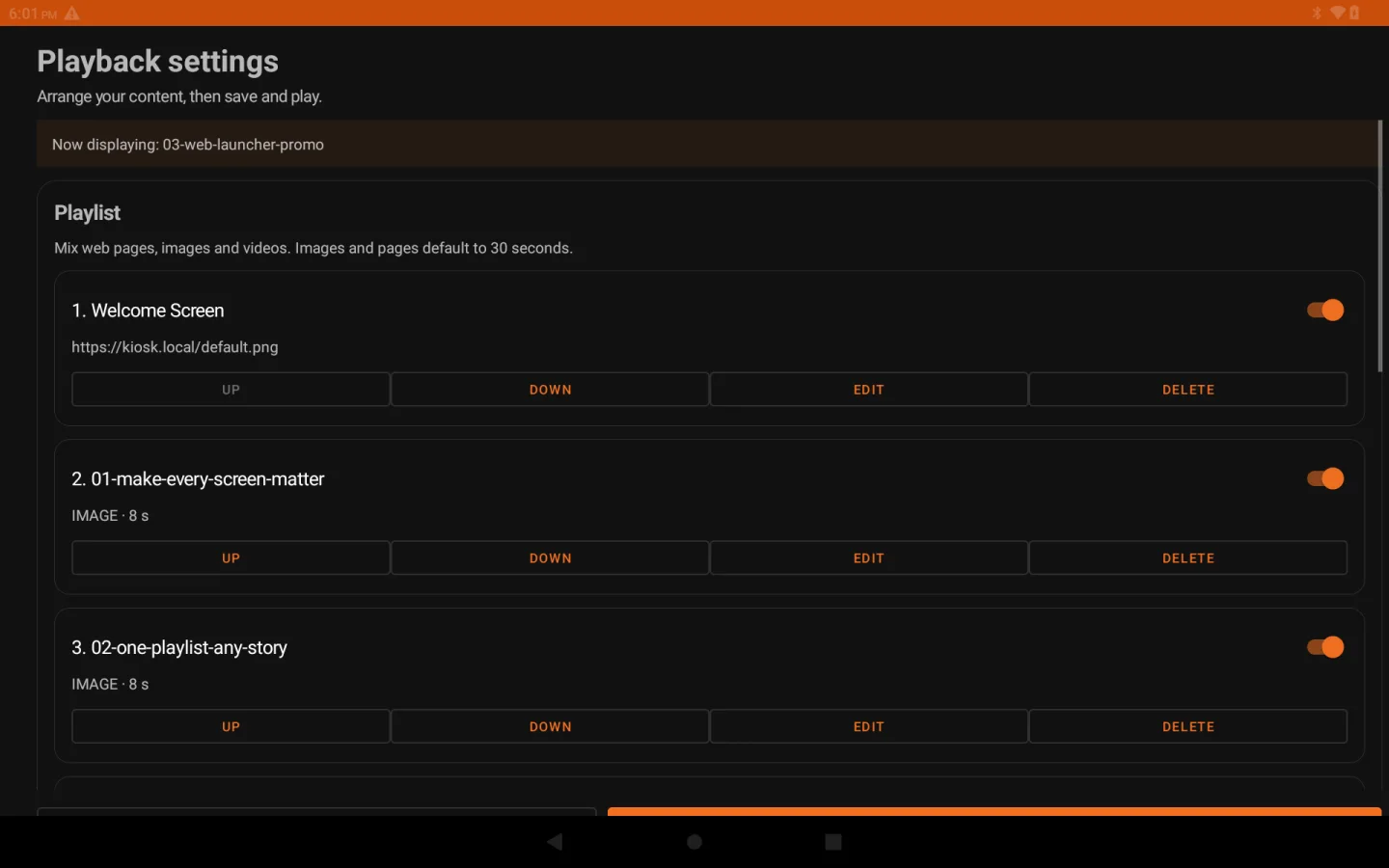
Reorder items, enable or pause each one, and set a display time. Webpages and images start at 30 seconds; video can advance when playback ends.
On screen: One enabled item stays on screen; multiple enabled items rotate in order.
Choose system, portrait, or landscape orientation, then save and play. The app prepares the next item while the current one remains visible.
On screen: The screen advances when the next item is ready; check the complete loop on the target device.
These landscape app captures come from an Android 13 R2 test build, not the final 1.5.1 package. The tablet frames are for presentation; test your own sites and media on the target device.
The built-in Welcome Screen shown on the test tablet before adding your own webpages or media.
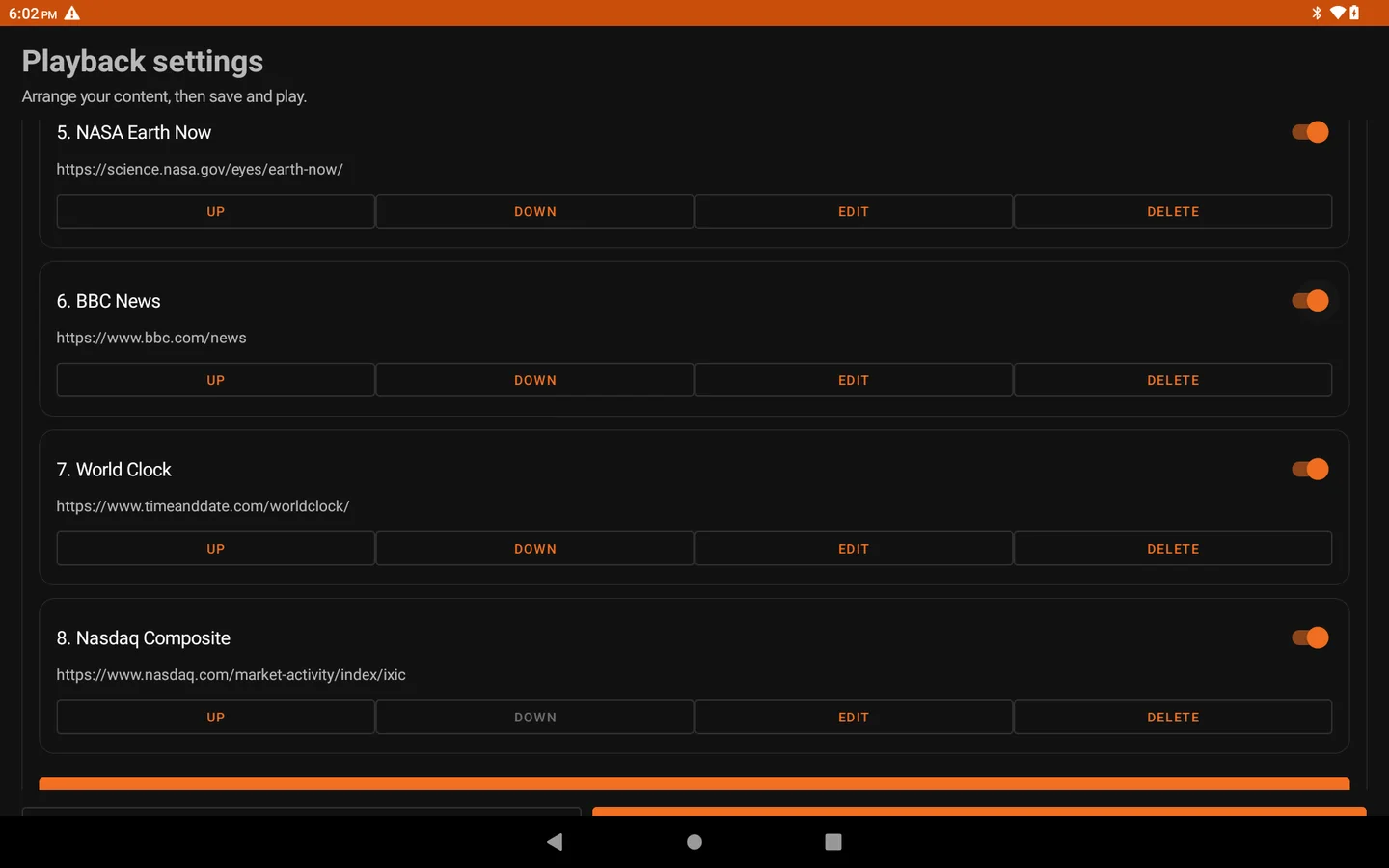
See how several trusted webpages appear in the ordered on-device playlist.
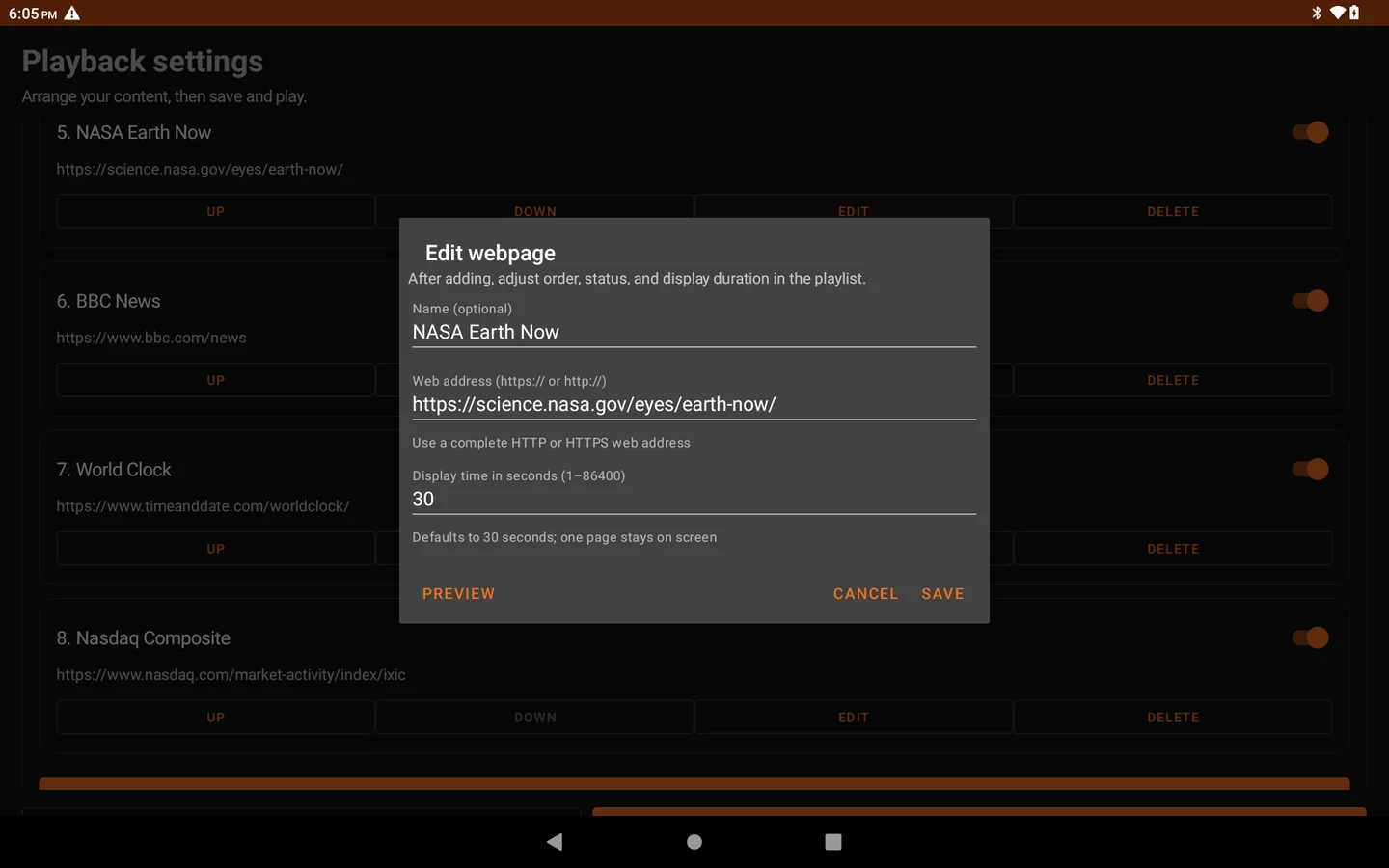
The tablet editor exposes an address, item name, duration, and Preview action.
For compatible Android tablets, commercial displays, all-in-one screens and Android Box devices connected by HDMI. Explore how each feature can work for your display.
Combine live websites and local media in one ordered playlist, with timing for each item.
Prepare the next item while keeping current content visible, reducing loading screens and black flashes.
Follow the device orientation or choose portrait or landscape playback.
Preview, reorder and save content on the device. Imported images and videos can play offline.
Protect your display configuration with an optional settings password.
Configure default Home startup on supported devices. Anti-exit locking requires separate authorized Android management.
Device policy, network conditions, local media decoding, and webpage behavior all affect a dedicated display installation.
The app targets Android devices from API 21, but older devices and OEM-specific kiosk behavior need hands-on validation.
Use HTTP(S) URLs you trust. Authentication and cookies are shared across WebViews in the app; separate per-page accounts are not isolated.
Import JPEG, PNG, WebP, or compatible MP4 files through Android's picker. Video decoding depends on the device; test the exact files and full playlist before unattended use.
The app can follow the system or lock portrait/landscape playback. The site still needs to fit that viewport.
Administrator provisioning as Device Owner and Lock Task allowlisting are required for managed kiosk restrictions. Screen pinning is a separate, user-exitable Android feature. Validate support on the actual device; a normal installation, default Home selection or settings password alone does not provide full device lockdown.
Your webpages, local images and videos in one fullscreen TV playlist. Prepare the next item before switching for smooth transitions with fewer loading screens and black flashes.
Google Play review in progress. Check the store for availability.
Webpages, local images and videos in one timed playlist, with content prepared before switching.
Scan a QR code to edit and upload from your phone over the local network. No companion app needed.
Edit, preview and arrange content, pause playback and seek videos with the remote.
Keep imported images and videos on the TV for offline playback.
Preview changes before saving and protect configuration with an optional password.
Configure default Home startup on supported firmware. Managed locking requires separate authorization.
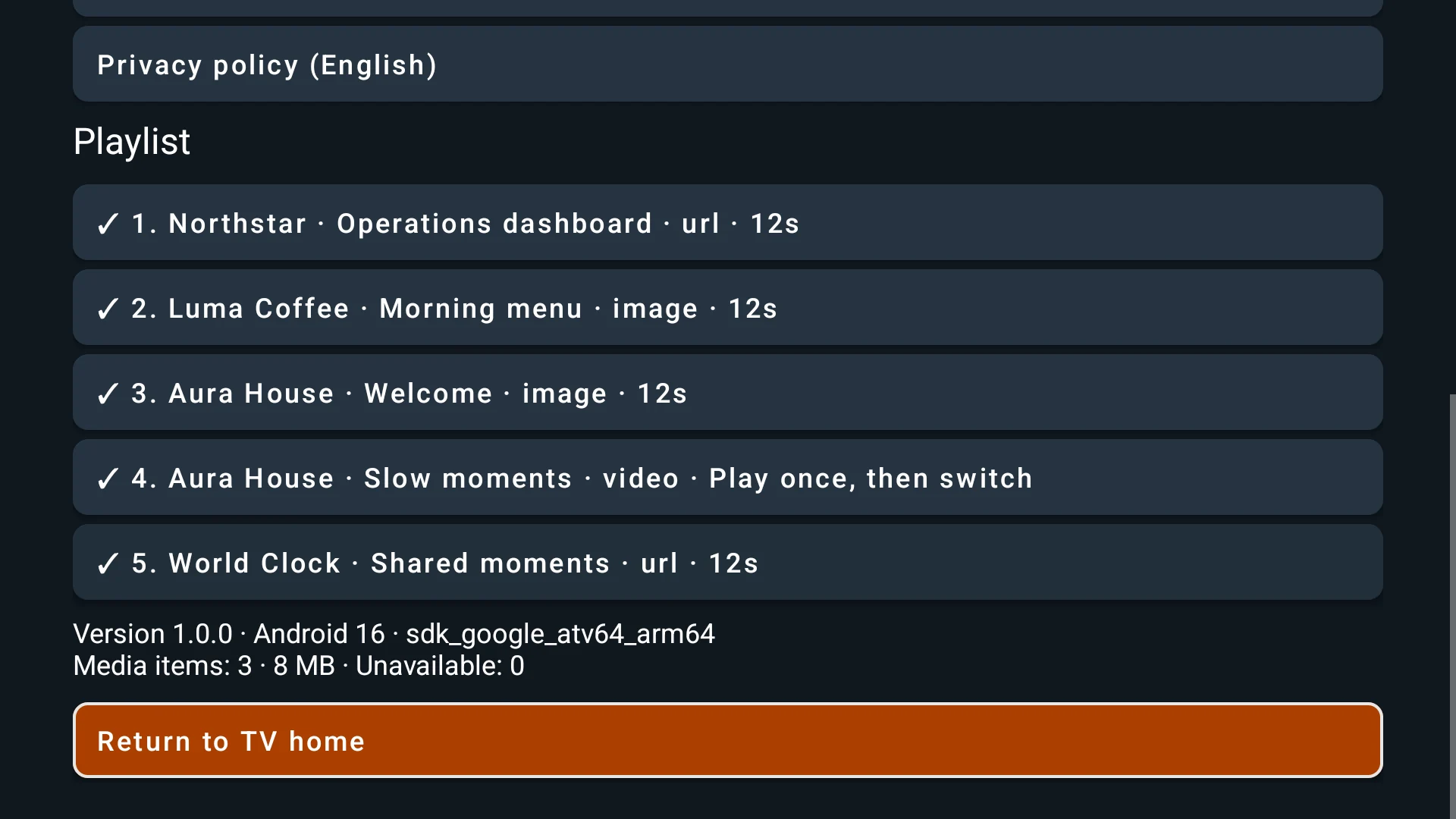
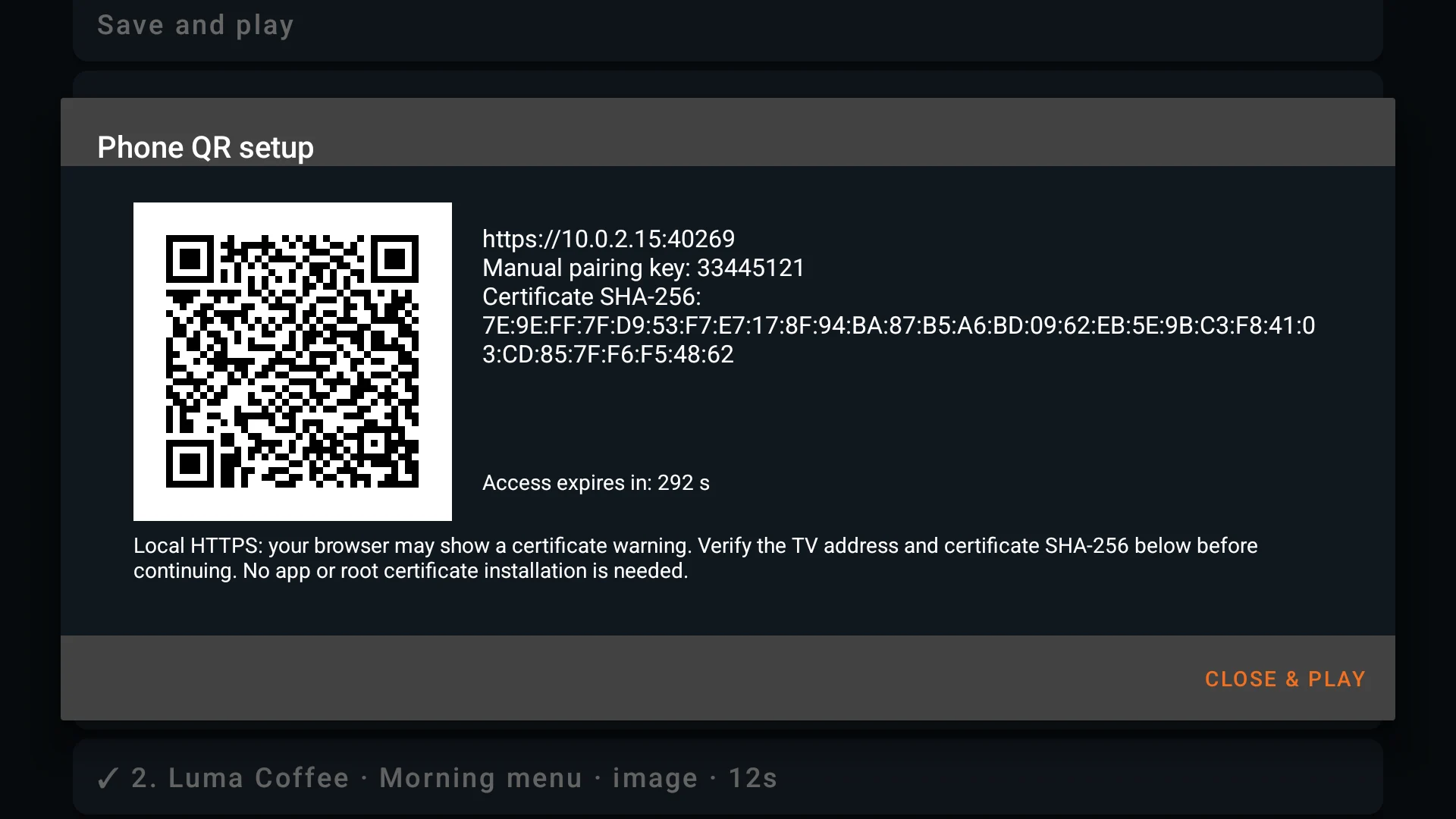
Actual Android TV emulator captures from the signed preparation build, not physical-TV compatibility certification. The pairing invitation shown has been revoked. Playback and transitions depend on the website, network, media and device. Phone setup uses local HTTPS with a TV-generated certificate, which may trigger a browser certificate warning.
Startup needs compatible default Home settings; installation alone does not enable it. Return to TV home opens the original system desktop while retaining startup configuration. Read the startup and exit guide.
The TV edition is designed for Android TV and Google TV devices running Android 7.0 or later, with Google Play and a working Android WebView. Ordinary installations keep standard system navigation until you explicitly configure default Home or authorized managed mode. It is a separate purchase from the phone/tablet edition, with no shared purchase entitlement, app account, ads or subscription required.
Start with one page, plan a menu and promotion loop, or find help for the step that is not working.
Add a trusted address and check loading, layout and page updates on the intended screen.
Decide when the menu can leave the screen, replace imported offers, and check the loop before opening.
Define content approval, notice retirement and screen checks before choosing a local player or managed workflow.
Check webpage loading, imported local media and the actual Android device.
Webpage playback, screen setup, and where to get the app.
Yes. The current Google Play release can import JPEG, PNG, and WebP images or compatible MP4 videos through Android’s file picker, then rotate them with HTTP or HTTPS webpages in one playlist. Imported media is copied into the app’s private library. Video decoding depends on the device, and webpages still need their own network access; test the exact files and sites on the intended display.
No. For a simple display, add existing webpage addresses or import local images and compatible MP4 videos directly on the device. The app manages the on-device order and duration; it does not provide remote content management or cloud playlist deployment.
Web Launcher can follow the system orientation or lock playback to portrait or landscape. Webpages must still be responsive, and imported images or video may show empty bands when fitted to a different screen shape. Preview each item on the actual display before leaving it unattended.
The next page is prepared while the current page remains visible. If the next page is not ready, Web Launcher keeps a usable current page on screen and retries a failed item later. Third-party websites can still show their own asynchronous loading states, so test important pages on the target device.
Web Launcher is available on Google Play. Check the listing on your Android device for regional price and compatibility.
Follow the existing setup guide, preview a trusted page on your Android device, and check it before adding more playlist items.