
LoveMarkDown · LoveMarkDown 1.3.2
LoveMarkDown 1.3.2: More Reliable MDZip Documents
LoveMarkDown 1.3.2 is available through Direct download and the US Mac App Store, with improved MDZip interoperability, archive links and saving.
On this page
LoveMarkDown 1.3.2 is available as a signed, notarized universal Direct download and on the US Mac App Store. This is a summary of an already published release, not a new release today. Check your local storefront for availability.
What changed
- Improved MDZip 1.2.0 metadata, Unicode paths and document entry points.
- Better preservation of additional archive files and unknown metadata on save.
- More reliable chapter links, heading anchors and links to already-open archives.
- Fixes for archive saving with macOS file permissions and restored-document startup.
Single-document archives can be edited; multi-document MDZip projects remain read-only. These improvements do not imply support for every file called MDZ.
Portable files, explicit security choices
Standard MDZip output is unencrypted. Password-protected ZIP and 7z are separate compatibility choices, not standard MDZip encryption. Keep passwords safe: LoveMarkDown does not provide password recovery.
HTTPS images remain enabled unless remote images are turned off for the MDZ file. HTTP images require permission through the document notice. External document links ask for confirmation before opening in your browser.
Choose an installation channel
The Direct installer supports Apple Silicon and Intel Macs on macOS 12 or later. Direct updates use the signed NgSense updater; Store installations use Apple-managed updates. Windows and Linux are not included in this release.
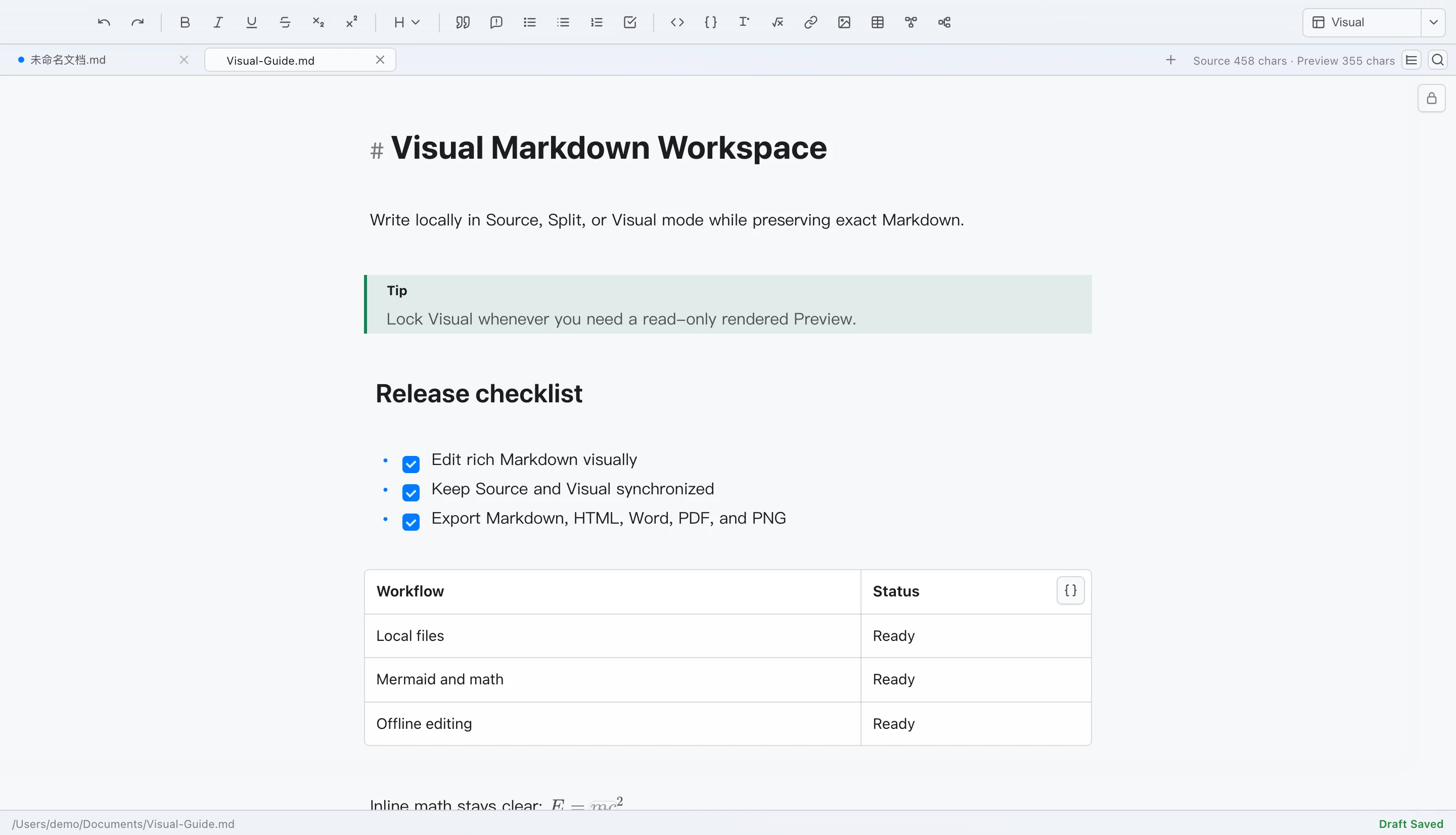
The illustration above is retained from version 1.2. It is not a new capture or an export-fidelity test. Later local Mermaid styling experiments are not part of the published 1.3.2 installer.
Download LoveMarkDown, read the MDZ support notes, or review the privacy policy before choosing a channel.