
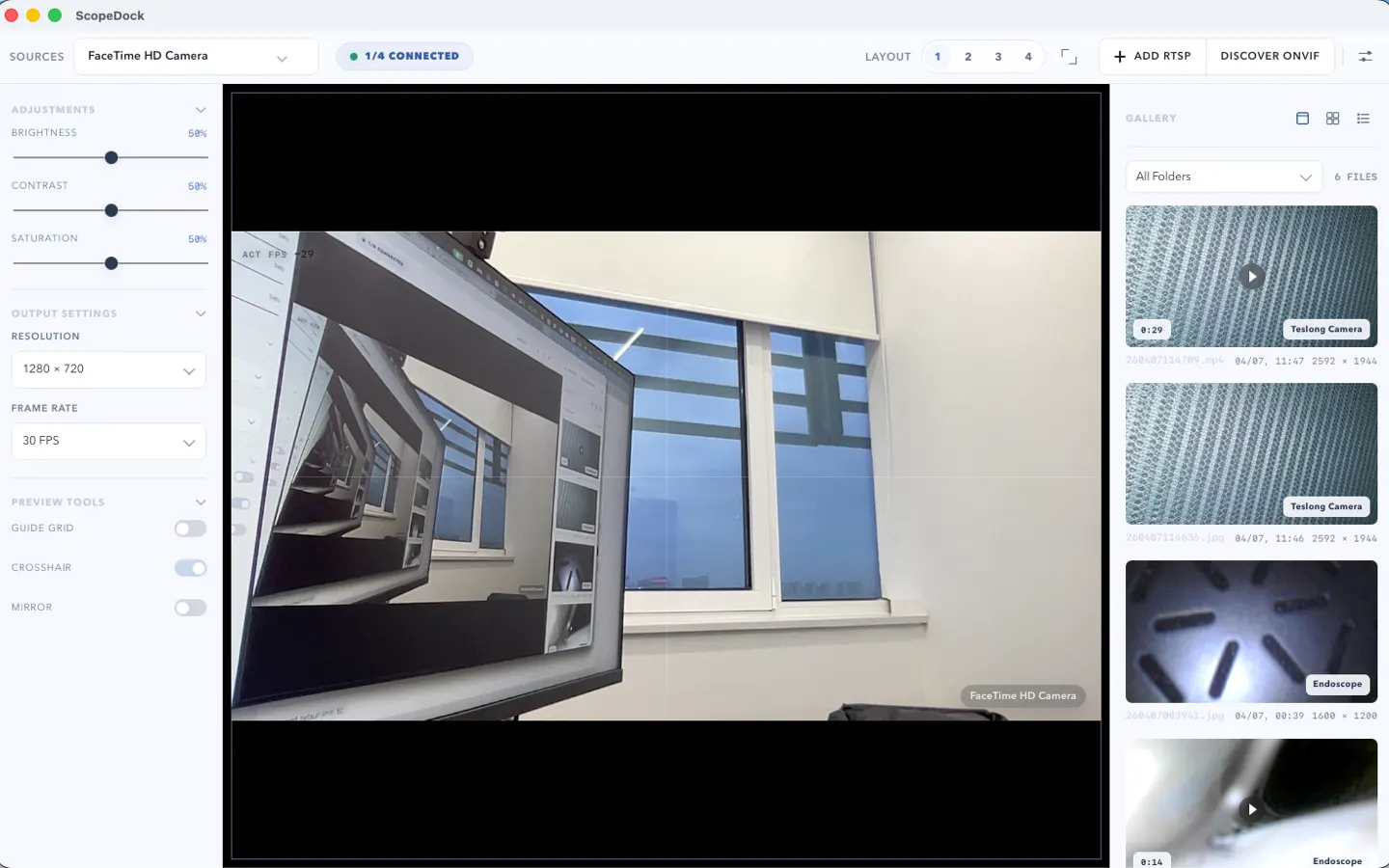
Main workbench screenshot
See the core camera workspace used for local preview, inspection, snapshots, and recording.
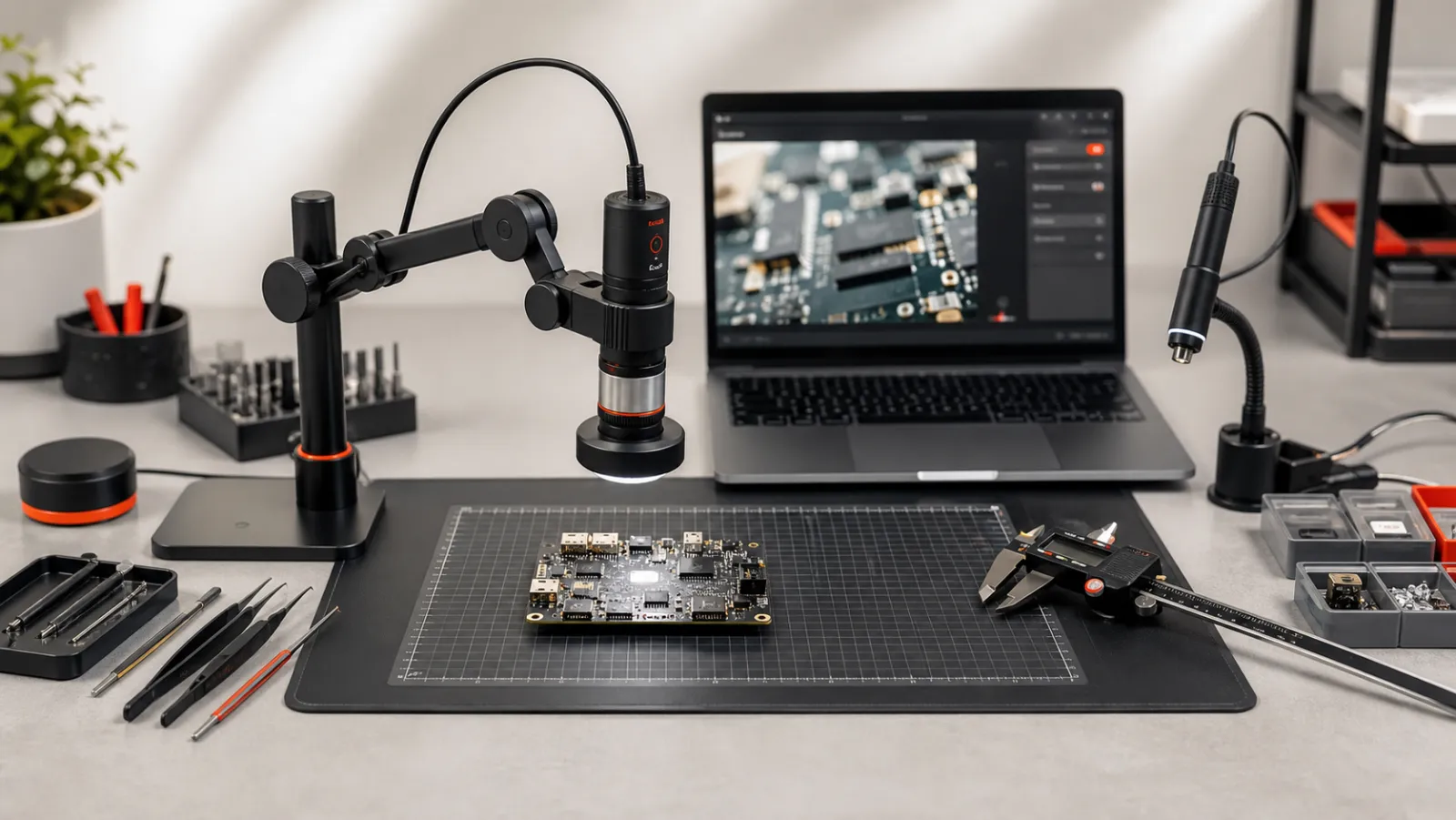
Preview microscopes, endoscopes, RTSP streams, and ONVIF-discovered cameras, compare up to four sources, then save snapshots or recordings locally. Version 1.1.1 includes separate Apple Silicon and Intel direct downloads.
ScopeDock is a local-first desktop camera workspace for microscopes, endoscopes, RTSP inputs, and ONVIF-assisted discovery. It is designed for bench work, repair inspection, education, QA, and short technical capture sessions where users need fast preview and clear local file handling without adopting a surveillance or livestream production system.
ScopeDock 1.1.1 adds an Intel Mac direct-download build, keeps a separate Apple Silicon direct-download build, and continues the 1.1 series improvements to RTSP preview, snapshots, and recording stability. The existing Mac App Store version remains available as a separate installation path.
Review the main workbench, multi-source layout, capture history, and network camera setup before installing.
See the core camera workspace used for local preview, inspection, snapshots, and recording.
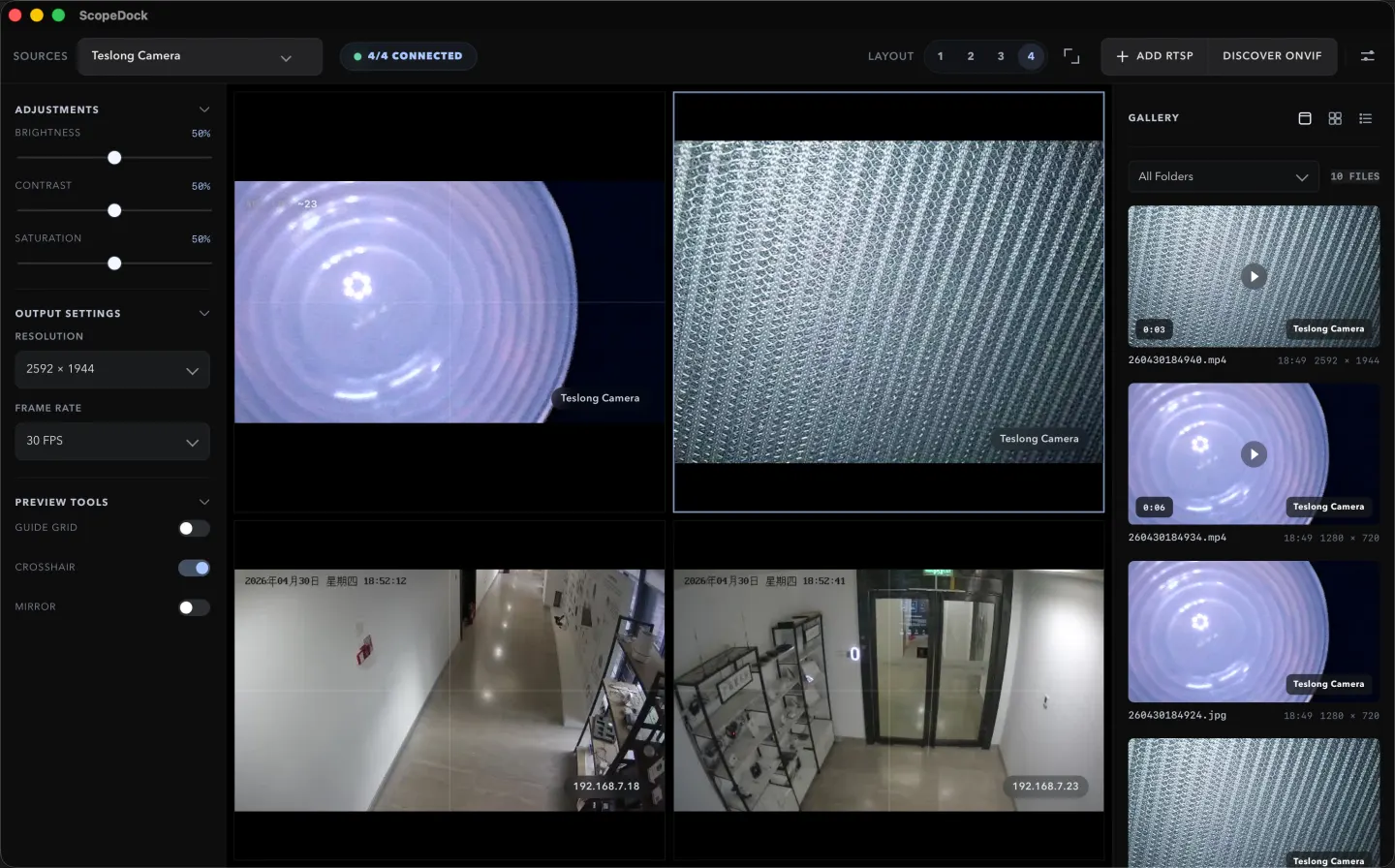
This screen shows how ScopeDock handles multiple sources without turning the interface into a surveillance-style wall.
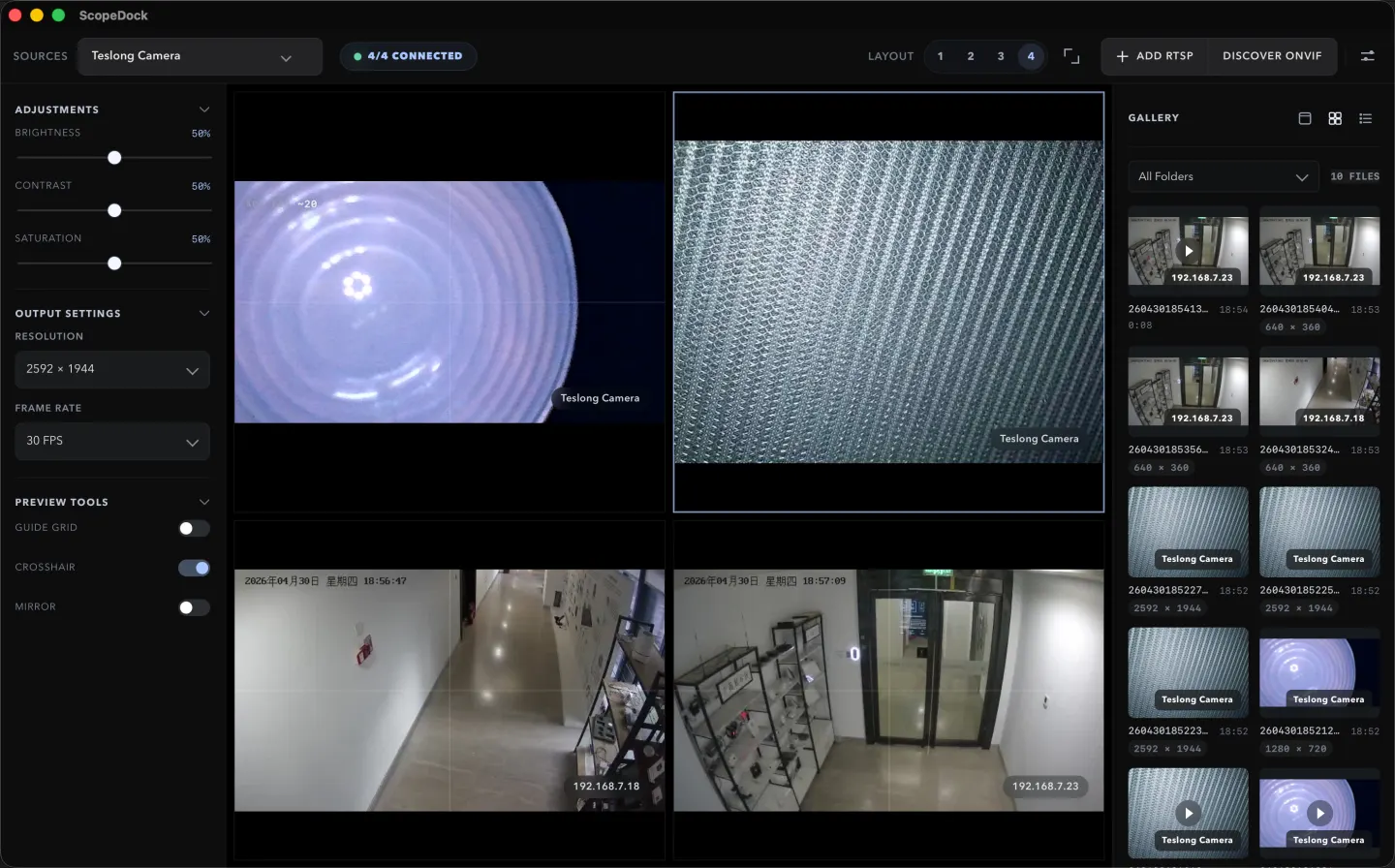
This view proves the local capture and review loop with a real product screen instead of a conceptual workflow panel.
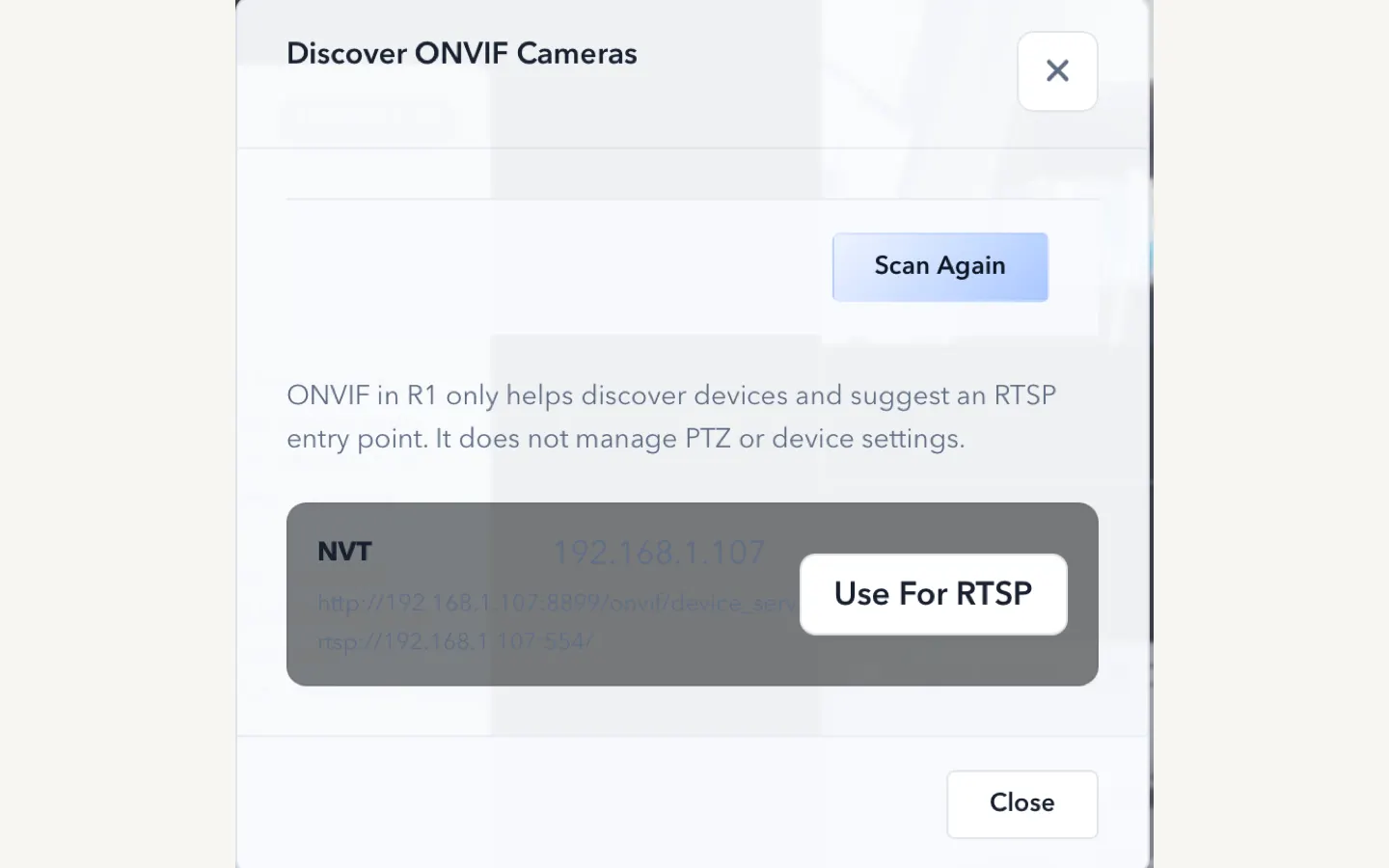
This setup capture makes network-source support tangible and shows how protocol setup actually appears inside ScopeDock.
These short answer blocks are designed to be scannable by people, search engines, and AI retrieval systems.
What it is
ScopeDock is positioned for microscopes, endoscopes, RTSP sources, and ONVIF-assisted setup.
Supports today
ScopeDock 1.1.1 is available for macOS as separate Apple Silicon and Intel direct downloads. The App Store build is unchanged in this release.
Best for
The product is designed for short, practical camera sessions rather than always-on monitoring.
Not designed as
ScopeDock is designed for focused inspection and capture sessions rather than always-on monitoring or broadcast production.
Check whether ScopeDock matches your camera source, inspection workflow, Mac, and privacy expectations before downloading.
Start from common inspection camera types without bending your workflow around tools built for livestreaming or security operations.
Handle up to four sources in a layout that stays readable for short capture sessions and technical review.
Keep preview, snapshot, recording, and file access oriented around the device and local machine rather than a default cloud path.
ScopeDock 1.1.1 is intentionally focused on the workflows global users most need to evaluate quickly, with separate macOS direct downloads and a stronger RTSP preview and recording path.
Work with compatible USB microscopes and other UVC-based camera devices.
Add RTSP endpoints directly, use continuous preview, choose supported preview resolution and frame rate after connection, and rely on improved recording save behavior.
Reduce friction when standards-based discovery is available on the target device.
Keep source count intentionally lightweight so the workspace stays useful for review and capture.
Save stills and recordings as part of short inspection sessions and evidence capture.
Work with saved media and local storage paths without turning the app into a cloud content system.
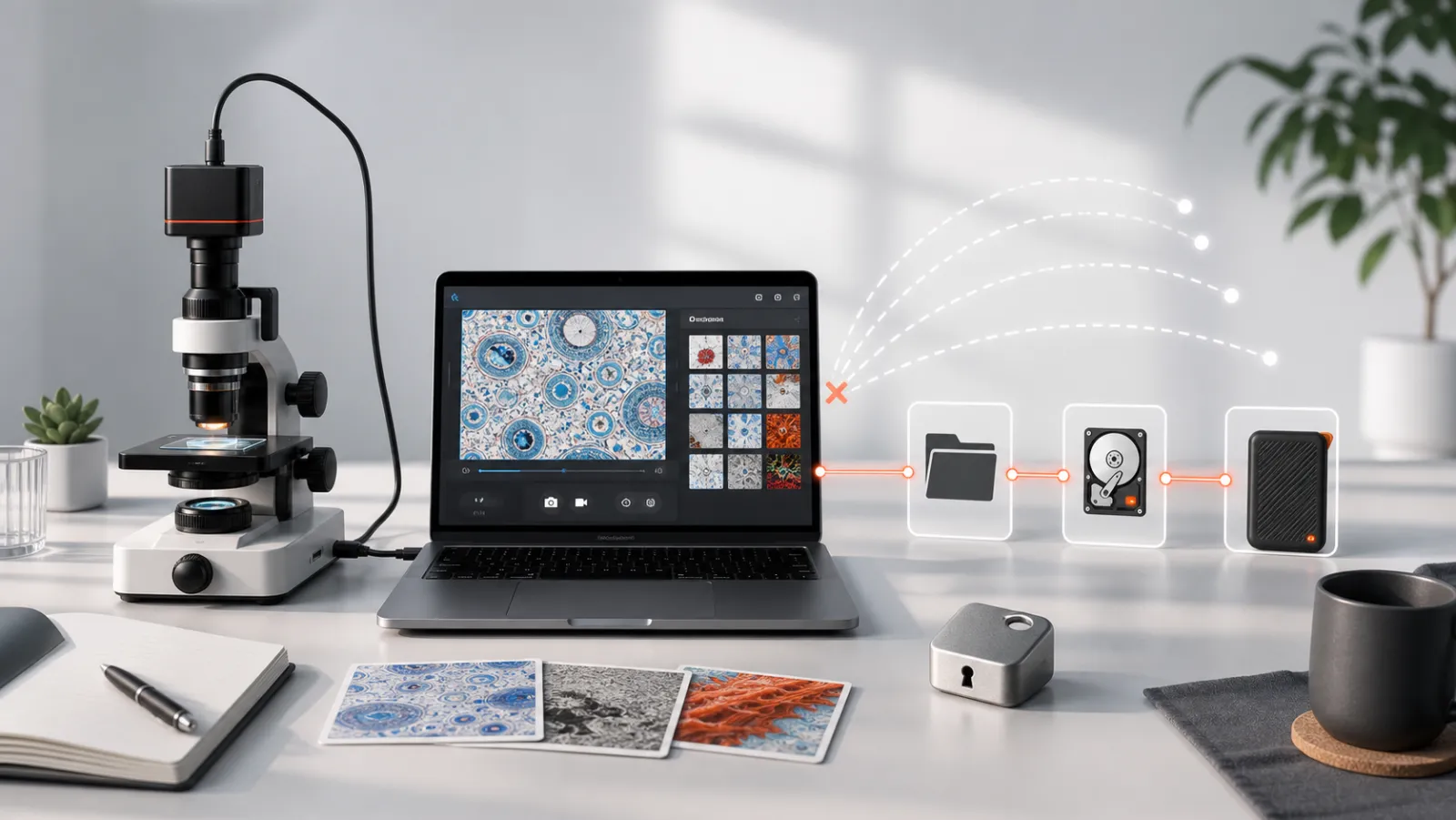
Camera input, preview, snapshots, recordings, and local storage should feel like one controlled desktop loop.
See the connect, preview, inspect, capture, and local review loop before choosing a download.
Start from a USB device or add RTSP / ONVIF-capable cameras depending on your setup.
Use a clean workspace for one or more sources without needing a dense control-room layout.
Save snapshots and recordings locally when you need evidence, notes, or workflow continuity.
Confirm the current Mac, protocol, source-count, and workflow boundaries before downloading.
macOS is the current released platform, with future platform expansion handled when it is real rather than implied.
ScopeDock supports USB UVC, manual RTSP input, and ONVIF discovery. Network camera compatibility can still vary by device implementation.
Use up to four simultaneous sources in manageable multi-source inspection layouts.
ScopeDock is not designed as a large surveillance wall or a livestream production workstation.
ScopeDock fits individual camera users as well as teams evaluating a lightweight local inspection workflow.
Great when you need a faster local viewer for soldering, analysis, or small-parts inspection work.
Useful for practical internal inspections, narrow-space diagnostics, and local camera review.
Works well for lightweight documentation and quick evidence capture in repair or bench workflows.
Check device support, privacy boundaries, and workflow fit before rolling the app into a shared bench or review process.
ScopeDock is not meant to be confused with a surveillance platform or a livestream production stack.
The default expectation is local work with no default cloud dependency.
The product stays oriented around inspection and capture instead of dashboards, alerts, or broadcast-style controls.
Terms, layout, and support copy stay focused on camera inputs, compatibility, capture, and practical next steps.
One of the most important questions is whether ScopeDock uploads video or mixes simple usage measurement with product feedback.
ScopeDock does not automatically upload videos, images, full RTSP URLs, LAN IP addresses, or media paths.
Product usage measurement stays lightweight and separate from feedback or support messages.
Feedback uses a separate contact path so product questions and follow-up requests stay clear.
These are the first evaluation questions users tend to ask before or during download.
No default cloud upload flow is part of the product positioning. ScopeDock is presented as a local-first tool. It does not automatically upload videos, images, full RTSP URLs, LAN IP addresses, or media paths, and the website keeps feedback separate from anonymous usage measurement.
The current site explains support around USB UVC devices, improved RTSP manual input, and ONVIF discovery workflows. Exact compatibility can still vary by device implementation, especially for network cameras.
Yes. ScopeDock 1.1.1 continues to include the 1.1 series RTSP preview and recording improvements, including continuous video stream preview, preview resolution and frame rate choices after connection, improved RTSP recording save behavior, better thumbnails, and clearer connection, authentication, and timeout error messages. Network camera compatibility can still vary by device implementation.
The website currently describes ScopeDock as supporting up to four sources in a lightweight multi-source layout. That limit is part of keeping the product focused on practical inspection work rather than dense surveillance-style grids.
Not yet. ScopeDock is currently available on macOS, and Windows availability will be published when it is ready.
Start with download if you already know your setup, or check compatibility and support first if you need a little more certainty.