
Start here if
You need to confirm fit, solve setup issues, or understand product boundaries.
Support is treated as a core page, not a footer-only afterthought.
Start with the failure you can observe: device detection, macOS camera permission, RTSP connection, ONVIF discovery, or local file handling.
These blocks help you choose the right next step without guessing.
Start here if
Support is treated as a core page, not a footer-only afterthought.
Fastest help path
The page now mirrors how real users evaluate and troubleshoot ScopeDock.
Feedback boundary
This keeps product feedback and support requests clear and easy to follow up.
Current language scope
The support architecture is already prepared for future high-value translations.
The best support page helps users choose the right help lane first, then escalate cleanly when needed.
Confirm platform scope, protocol coverage, and known limits before assuming the product should match every camera path.
Decide whether you are troubleshooting USB UVC, USB microscope, endoscope, RTSP preview or recording, ONVIF discovery, or local file and capture behavior.
Camera permissions, local storage, and network reachability are common root causes in early evaluation workflows.
Use compatibility issue for device detection or protocol behavior, setup issue for macOS permission or first-preview blockers, and feature request when the current workflow works but needs a new capability.
If the guides do not resolve the issue, use Contact and include camera type, protocol, Mac model or chip, macOS version, ScopeDock version, expected behavior, and actual behavior. Do not send passwords, private LAN details, or full RTSP URLs.
This page focuses on fast orientation, next steps, and the most common setup questions.
Users should quickly know whether to re-check compatibility, read a guide, or send feedback.
Contact and support messages stay separate from basic site usage measurement.
English support is available now, with room to add high-value translated help pages later.
Use the lane that matches the failure first. If the documented path still does not match your device, send compatibility feedback with symptoms and source type, not private credentials.
Confirm the device is attached directly or through a reliable adapter, appears to macOS as a USB UVC camera, and is not locked by another app. This is the right lane for USB microscopes, endoscopes, otoscope-style cameras, and inspection cameras. If the vendor requires a private driver-only app, ScopeDock compatibility may be limited.
Check macOS camera permission for ScopeDock, then quit and reopen the app before testing one source again. Permission problems are setup issues, not proof that every USB microscope, endoscope, or UVC camera is unsupported.
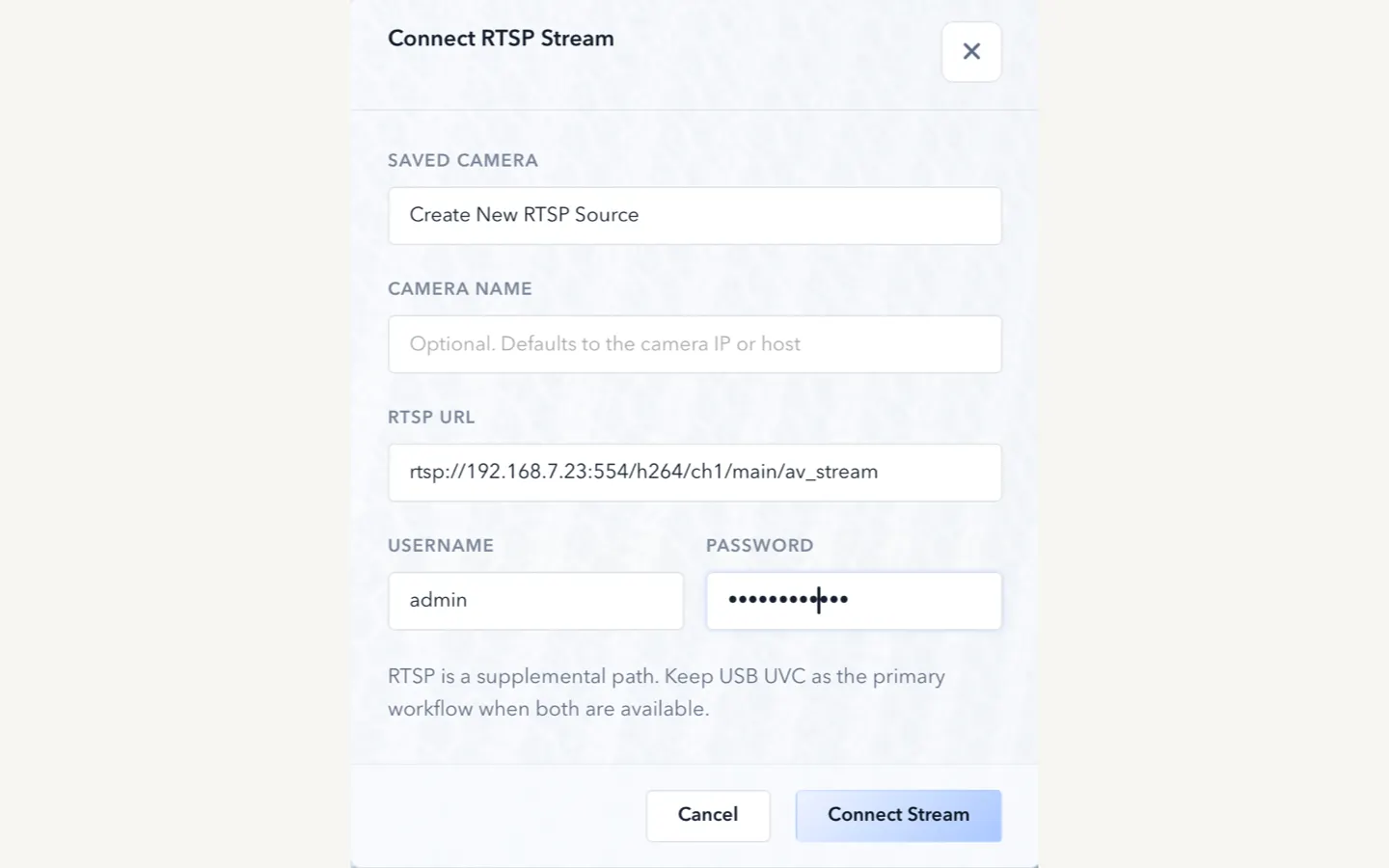
Confirm the full RTSP URL format, username and password if required, local network reachability from the Mac, and whether the device actually exposes a standard RTSP stream. Do not send full private URLs or passwords in feedback.
ONVIF discovery depends on device support and local network visibility. If discovery fails, manual RTSP can still be the correct path when you already know the stream URL.
Check local storage assumptions, file handling expectations, and whether the workflow needs more product guidance rather than protocol debugging.
Confirm whether the question is really about current platform availability, especially if you need Windows or Linux.
Send feedback when a USB microscope, endoscope, UVC camera, RTSP camera, or ONVIF device behaves differently from the documented path after these checks. Include source type, Mac model or chip, macOS version, ScopeDock version, expected behavior, and actual behavior; remove private credentials and internal addresses.
Use Contact when the current path works but you need a different capture, layout, onboarding, or device workflow. Keep feature requests separate from compatibility feedback so follow-up stays clearer.
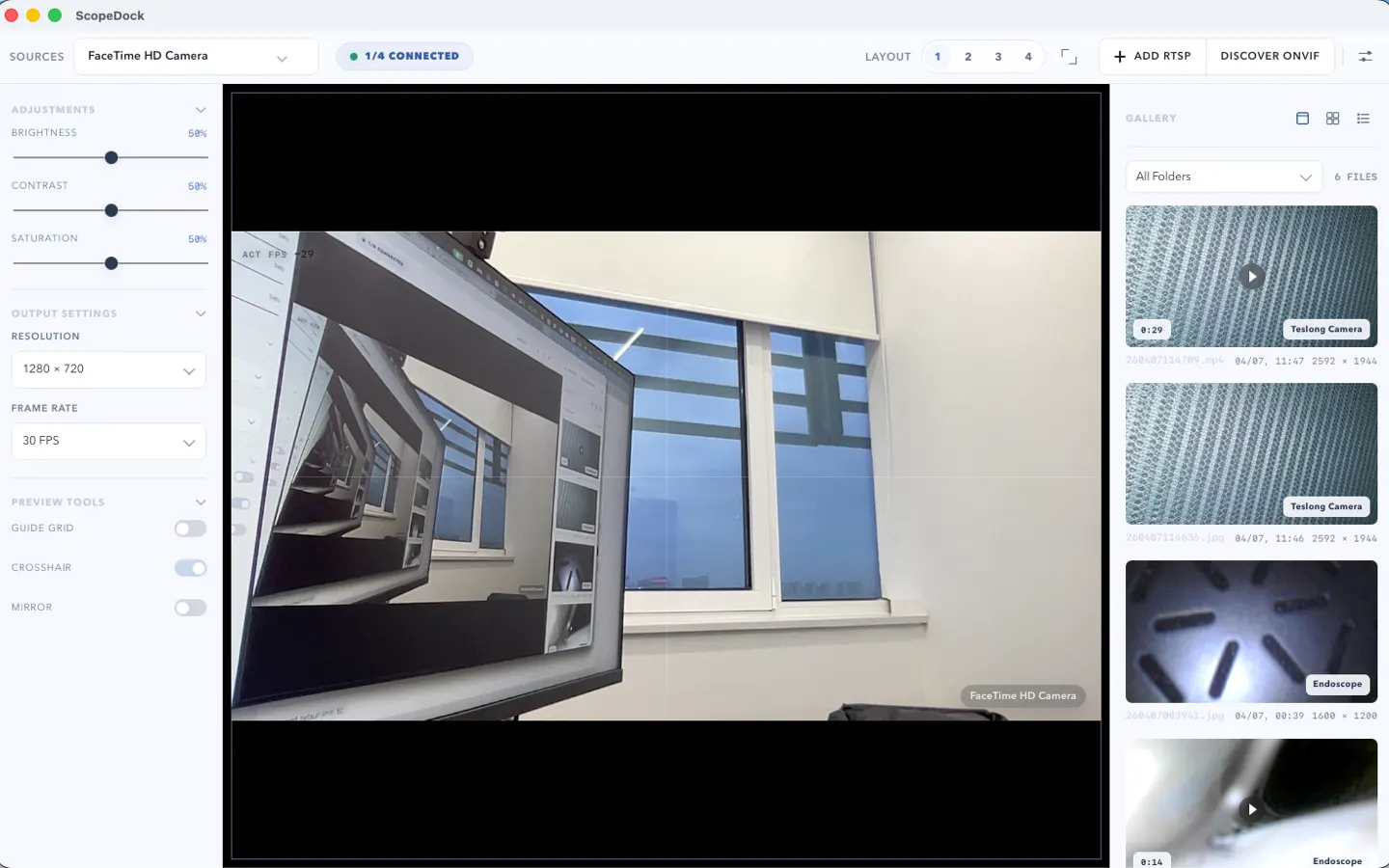
These screenshots make the support page feel more operational by showing the real setup, history, and network-source surfaces.
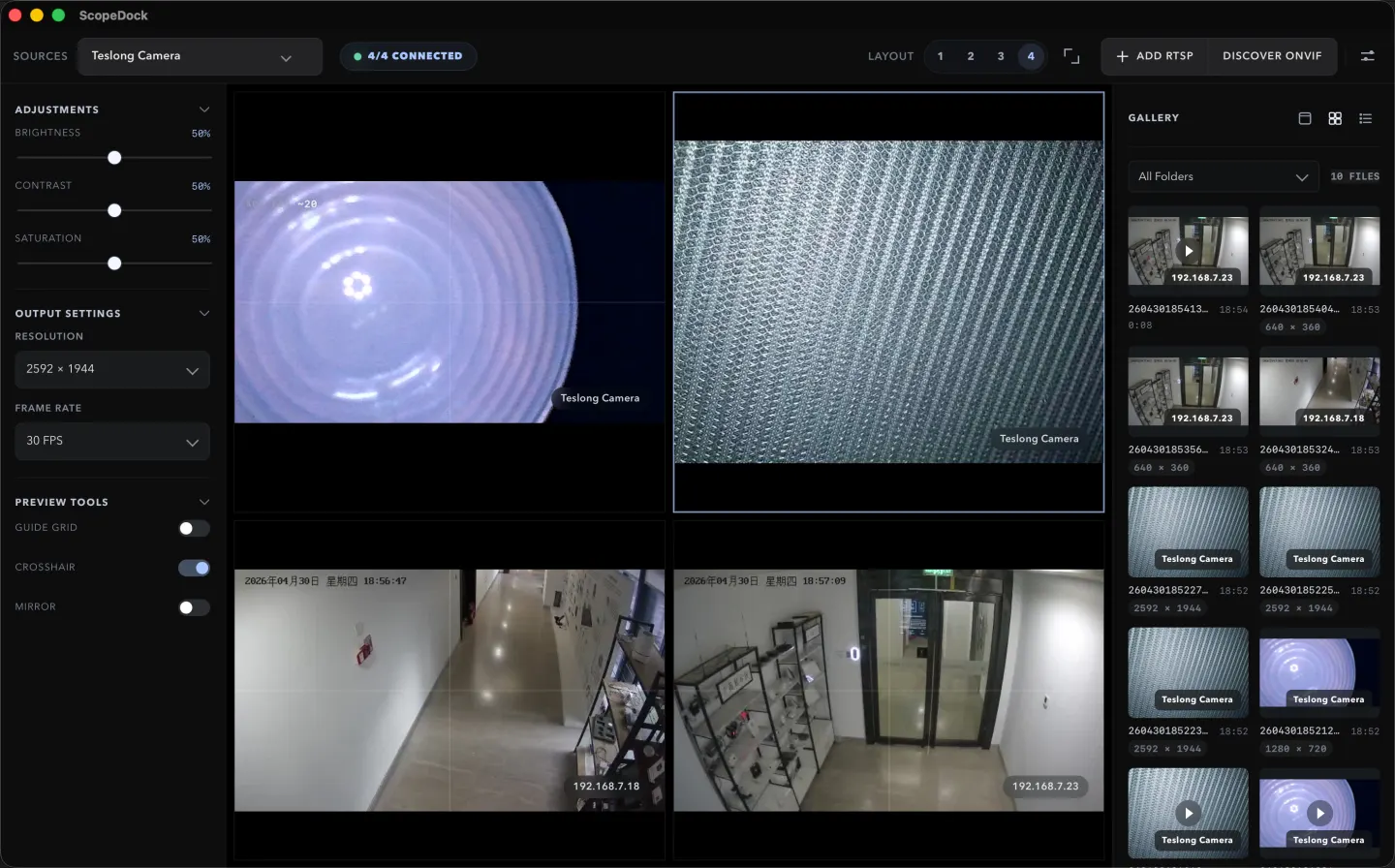
This support screenshot gives file, recording, and history questions a real product anchor instead of a temporary mock.
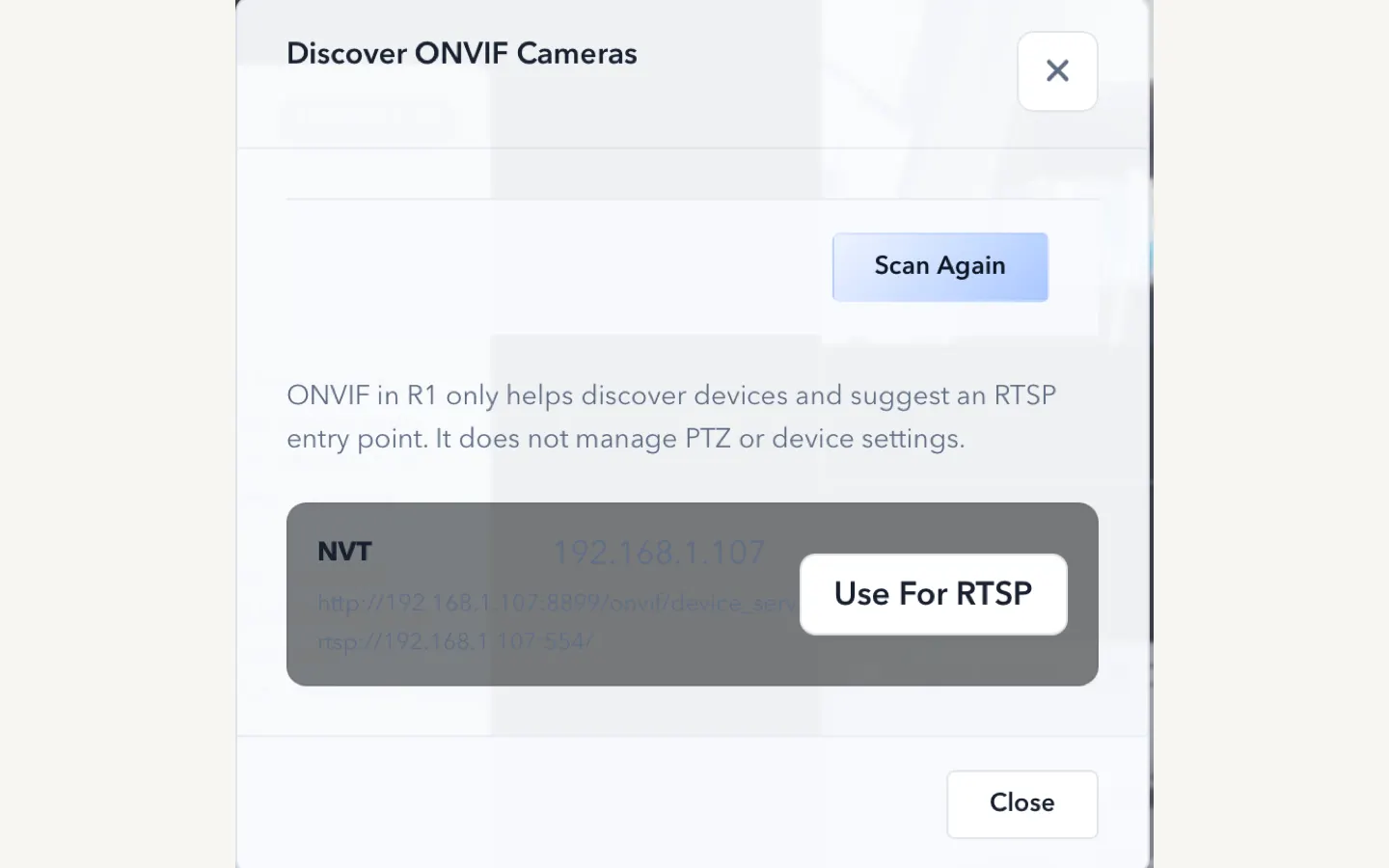
This screen helps the support page explain network-camera setup and troubleshooting with the real interface.
This setup view makes support content more practical by showing how devices and sources actually get added.
These posts should sit close to support because they answer the most common evaluation and onboarding questions.
ScopeDock 1.1.1 provides separate direct-download builds for Apple Silicon and Intel Macs while keeping the 1.1 series RTSP preview, snapshot, and recording improvements.
Read article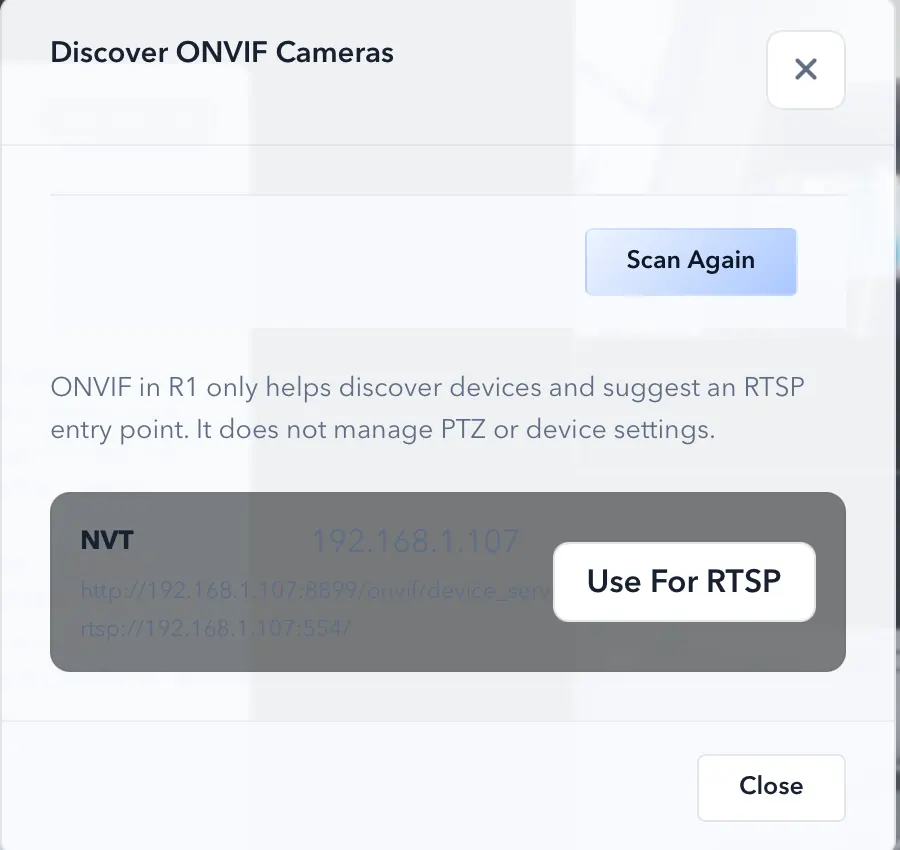
ONVIF discovery and manual RTSP solve different setup problems. ONVIF can make camera onboarding lighter, while RTSP is the direct path when you already know the stream endpoint.
Read article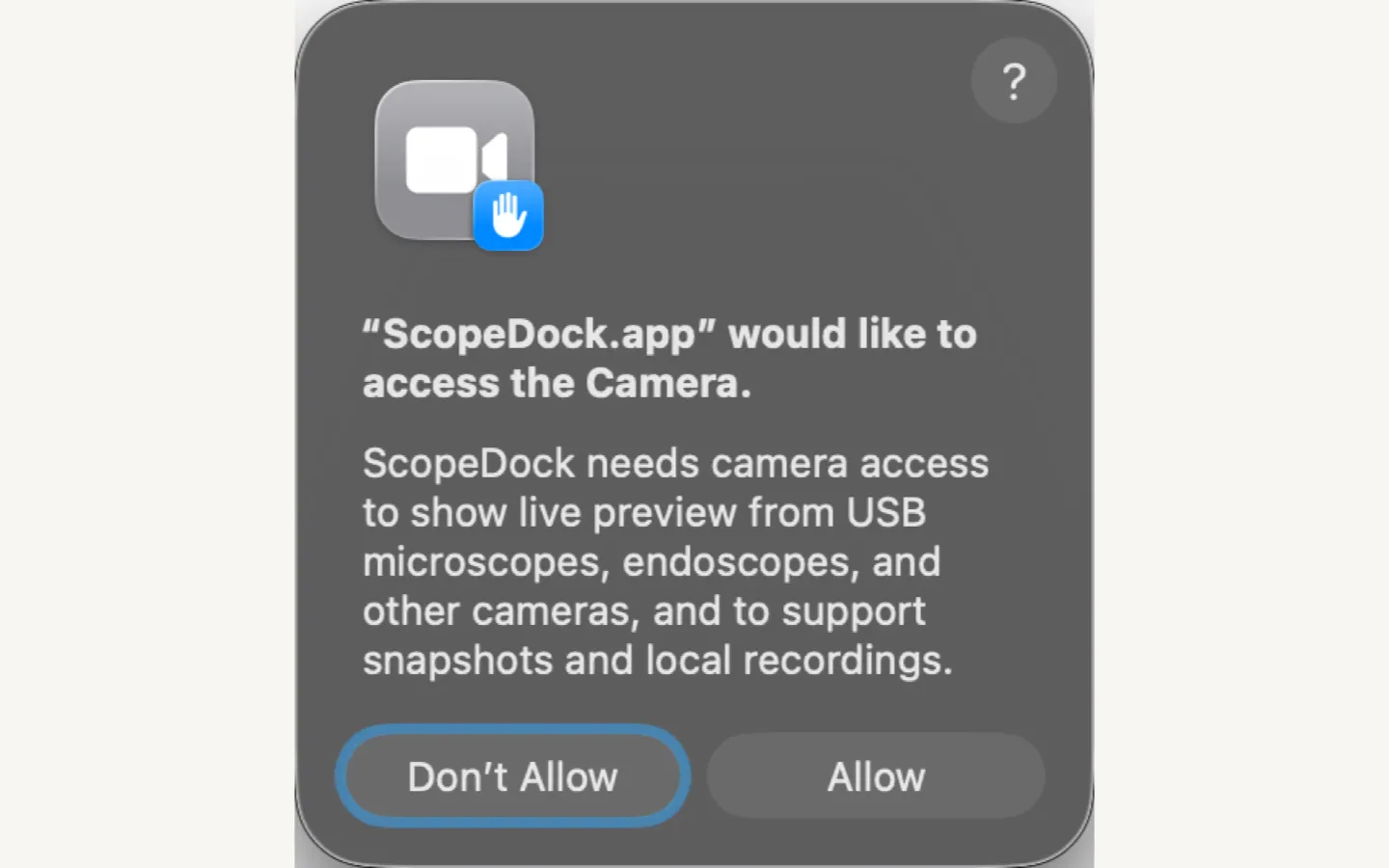
Need macOS camera support for a USB microscope, endoscope, or UVC camera? Start with camera permission, source type, device protocol, and whether macOS exposes the device as a standard camera before assuming ScopeDock or the device is unsupported.
Read articleSupport starts by clearing up the most common questions before users have to write in.
No default cloud upload flow is part of the product positioning. ScopeDock is presented as a local-first tool. It does not automatically upload videos, images, full RTSP URLs, LAN IP addresses, or media paths, and the website keeps feedback separate from anonymous usage measurement.
The current site explains support around USB UVC devices, improved RTSP manual input, and ONVIF discovery workflows. Exact compatibility can still vary by device implementation, especially for network cameras.
Yes. ScopeDock 1.1.1 continues to include the 1.1 series RTSP preview and recording improvements, including continuous video stream preview, preview resolution and frame rate choices after connection, improved RTSP recording save behavior, better thumbnails, and clearer connection, authentication, and timeout error messages. Network camera compatibility can still vary by device implementation.
The website currently describes ScopeDock as supporting up to four sources in a lightweight multi-source layout. That limit is part of keeping the product focused on practical inspection work rather than dense surveillance-style grids.
Not yet. ScopeDock is currently available on macOS, and Windows availability will be published when it is ready.
Tell us which ScopeDock version and camera source you are using, what you expected, and what happened. Remove passwords, private URLs, local paths, and sensitive content before sending.