
Available today
ScopeDock is available on the Mac App Store for macOS.
Windows and Linux are not available yet.
Download the released macOS app, confirm platform status, and review current compatibility details for USB UVC, RTSP, and ONVIF workflows.
Download is live, while compatibility, requirements, and known limits remain part of the evaluation flow.
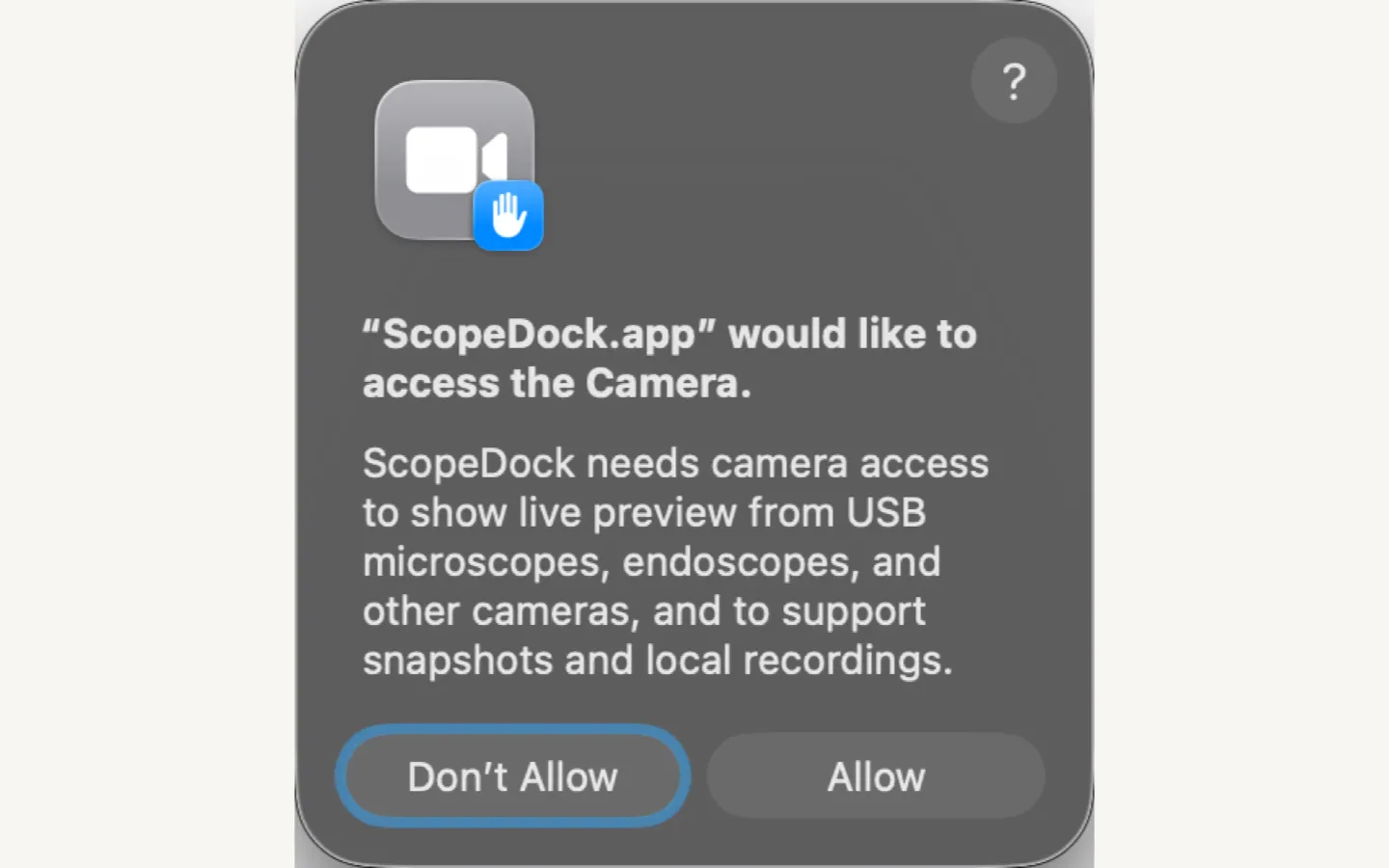
Use this page to confirm whether ScopeDock fits your platform, camera type, and workflow before you download.
These points help you decide whether ScopeDock fits before you install.
Available today
Windows and Linux are not available yet.
Connectivity
These are the compatibility anchors users need before they spend time on setup.
Before you install
Those factors matter most when the workflow includes RTSP, ONVIF, or local recording.
Current boundary
Known limits are presented directly so the download page stays honest.
This page shows where ScopeDock is available today and where support has not launched yet.
Current released platform with download guidance, permissions notes, and compatibility details.
Not available yet. Check the blog and support pages for future rollout notes.
Not available yet. Compatibility and packaging details will be published when support is ready.
This table gives a more literal compatibility snapshot for readers who want facts faster than marketing language.
| Platform | Status | Details | Note |
|---|---|---|---|
| macOS | Available on the Mac App Store | Current public release target with local camera permissions and file access workflows documented. | Primary production release path. |
| Windows | Planned | Not yet available. Public download should only appear when the build and support story are ready. | Coming later. |
| Linux | Planned | Not yet available. Compatibility details will be published when support is ready. | Coming later. |
These are the checks a practical user should make before starting a real setup.
Check 1
ScopeDock is available on macOS through the Mac App Store. Windows and Linux are not available yet.
Check 2
Decide whether your workflow is USB UVC, RTSP manual input, ONVIF discovery, or a lightweight multi-source mix.
Check 3
Camera access, local storage, and network reachability all matter when the workflow becomes real.
Check 4
If your setup is uncertain, move to Support or Contact before assuming the app should fit every device variation.
Protocol and source support belongs on the download page because it helps people judge fit before setup.
Compatible USB camera devices and many USB microscopes can enter the workflow through a UVC path.
Manual RTSP input supports network camera workflows that need local viewing and capture.
Device discovery helps speed up setup when the network camera environment exposes ONVIF services.
The current product direction supports up to four sources in a lightweight workspace.
This table is meant to be easy to scan, quote, and compare during evaluation.
| Capability | What it covers | When it matters |
|---|---|---|
| USB UVC | Compatible USB camera devices and many USB microscopes can enter the workflow through a UVC path. | Best fit when your camera behaves like a standard local USB path. |
| RTSP | Manual RTSP input supports network camera workflows that need local viewing and capture. | Best fit when you need local access to an IP camera without adopting a surveillance suite. |
| ONVIF discovery | Device discovery helps speed up setup when the network camera environment exposes ONVIF services. | Useful when discovery support exists and you want setup to feel lighter. |
| Multi-source layout | The current product direction supports up to four sources in a lightweight workspace. | Supports lightweight side-by-side source review without turning the UI into a dense wall. |
Users should be able to decide quickly whether the app fits their device and workflow before spending time on setup.
Plug in compatible USB microscopes and camera devices that expose a UVC interface.
Add manual RTSP sources when your workflow depends on IP cameras or networked inspection devices.
Use ONVIF device discovery to speed up camera onboarding where discovery support is available.
The current product direction supports lightweight multi-source layouts rather than large surveillance grids.
The download page should still point users toward the right diagnosis path when a setup is not immediately clear.
Re-check whether the camera exposes a USB UVC path and whether macOS permissions were granted correctly.
Confirm local network reachability, standards support, and whether your device behaves like the common happy path described on the site.
Review local storage assumptions and then move into Support if file handling or capture expectations still feel unclear.
These screenshots make the download page more concrete by showing the actual workbench, permissions flow, and setup path before installation.
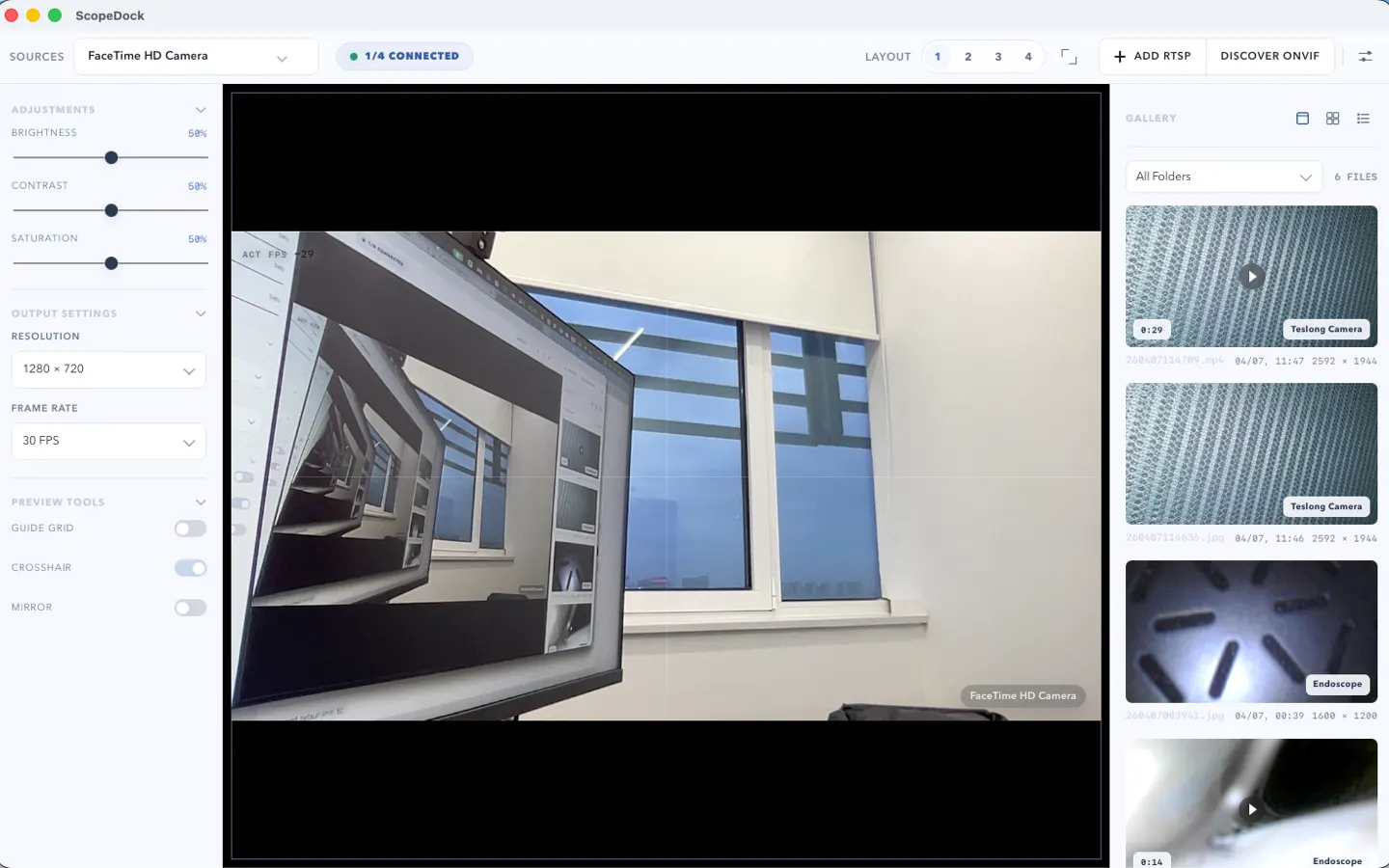
This download-page screenshot shows the real workspace people are evaluating before they choose to install.
This first-run screen helps explain permission requirements with the real product UI.
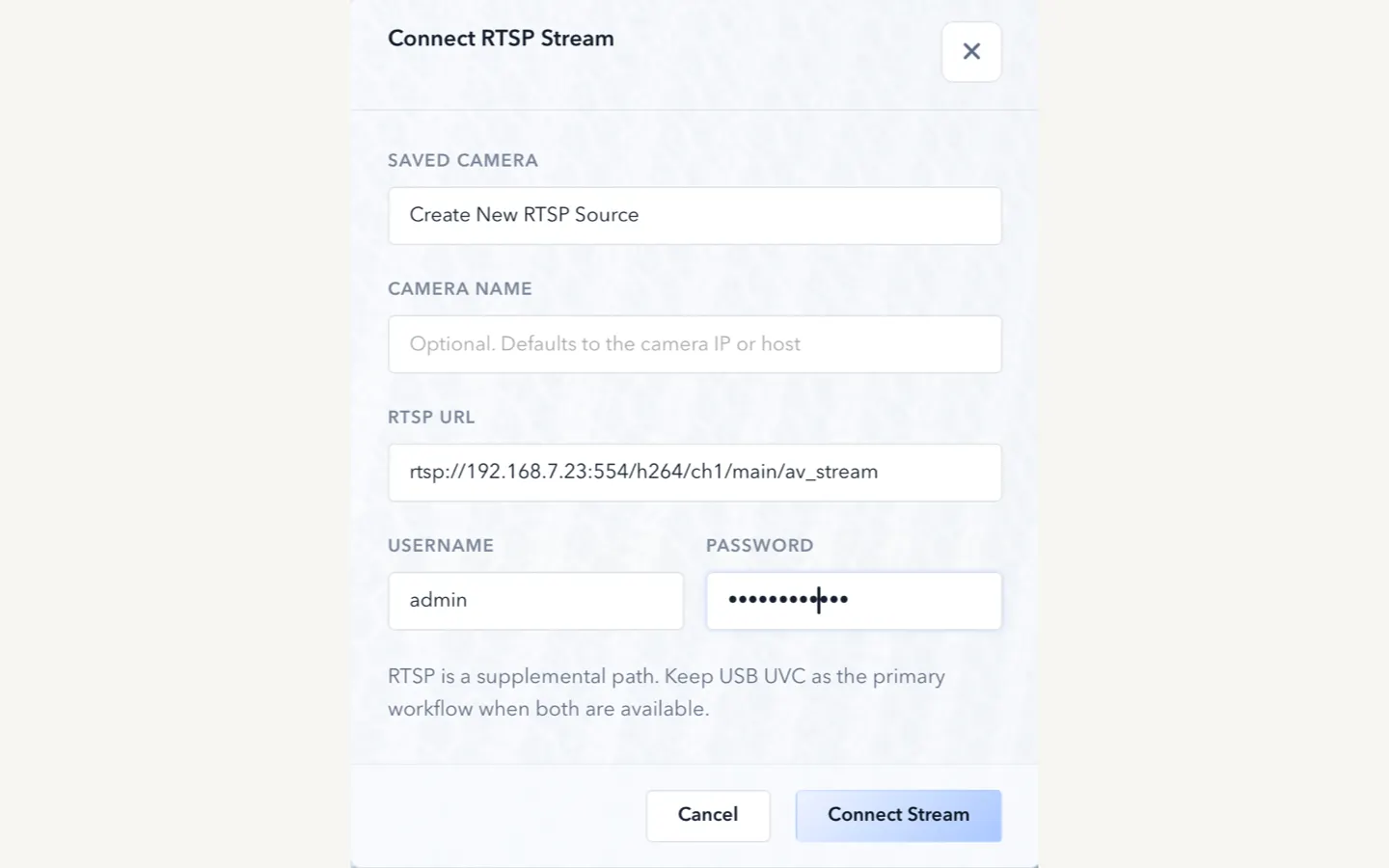
This onboarding capture shows how sources are actually added, which makes the download page more useful before installation.
These guides answer the most common pre-download and early-evaluation questions.
ONVIF discovery and manual RTSP solve different setup problems. ONVIF can make camera onboarding lighter, while RTSP is the direct path when you already know the stream endpoint.
If a camera is not showing up in ScopeDock on macOS, the first checks are usually permissions, source type, and whether the device behaves like a standard local camera path.
Before downloading ScopeDock on macOS, check platform scope, source type, permissions, storage expectations, and whether your workflow matches a lightweight local-first inspection tool.
These answers handle the questions users most often ask before or during a first installation attempt.
No default cloud upload flow is part of the product positioning. ScopeDock is presented as a local-first tool, and the website keeps that boundary clear in both product and support copy.
The current site explains support around USB UVC devices, RTSP manual input, and ONVIF discovery workflows. Exact compatibility can still vary by device implementation, especially for network cameras.
Yes. The current first-stage product messaging includes RTSP manual input as one of the core connectivity paths for lightweight inspection workflows.
The website currently describes ScopeDock as supporting up to four sources in a lightweight multi-source layout. That limit is part of keeping the product focused on practical inspection work rather than dense surveillance-style grids.
Not yet. ScopeDock is currently available on macOS, and Windows availability will be published when it is ready.
Use Support for guidance or Contact if you need to ask about a specific workflow, device family, or deployment context.