
ScopeDock · Free browser tool

Is Camera permission really the blocker?

Separate macOS Camera access from USB UVC, RTSP, and ONVIF source checks before changing settings or downloading again.

Three fixed choicesNo camera detailsNo storage
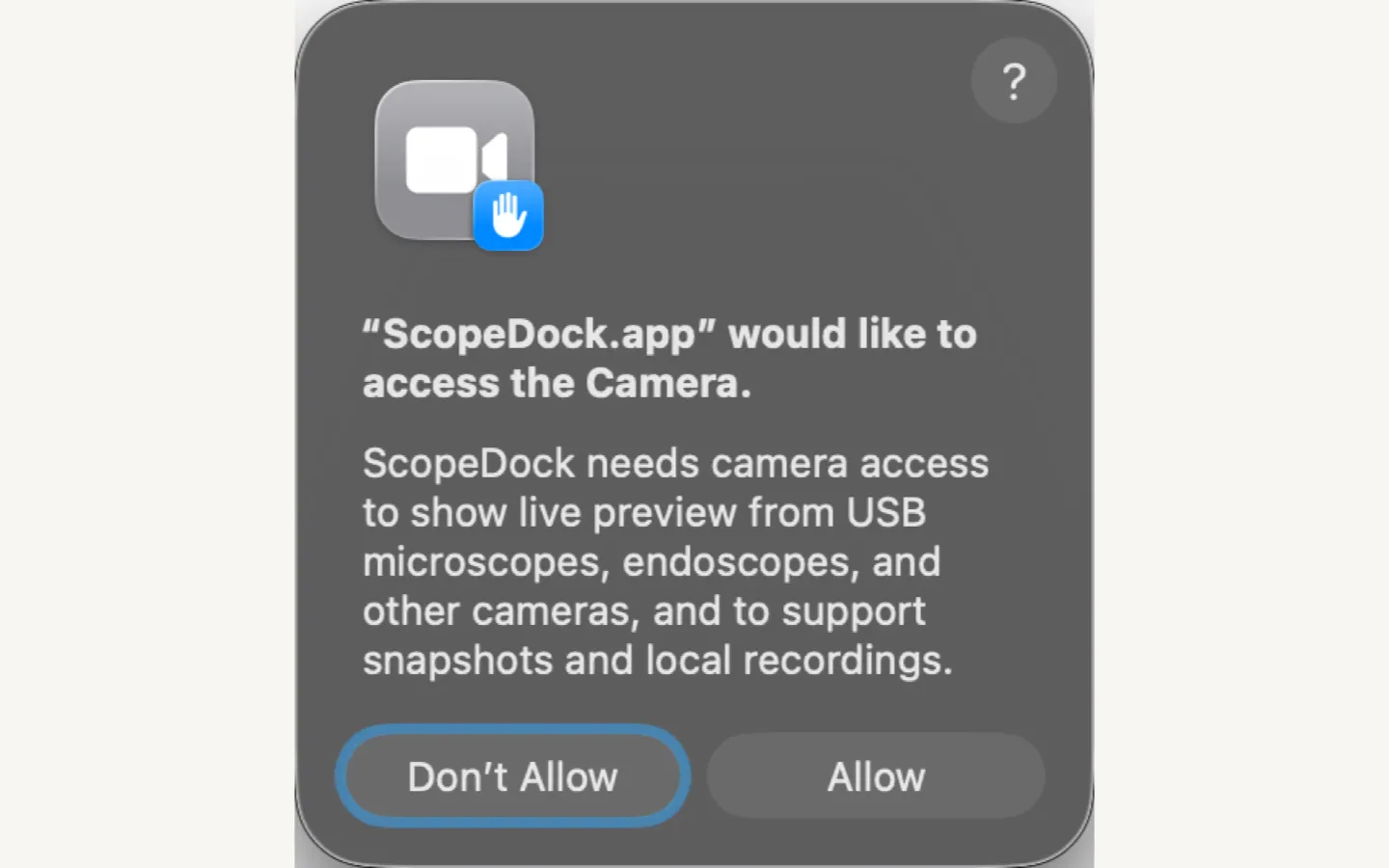
macOS permission path
ScopeDock first-run macOS Camera permission guidance.
ScopeDock permission guidance shown with a real product screen. Device behavior can still vary.
Private permission check

Separate permission issues from source-path issues.

Choose three fixed answers. The checklist runs in this browser and never asks for a camera name, network address, credential, serial number, or file path.

01 What connection path are you checking?
02 What does macOS show for ScopeDock Camera access?
03 What can you observe right now?
No camera details leave this page. Only fixed, anonymous result buckets can enter aggregate analytics.
Quick answer

Camera access and camera connectivity are different checks.

Use the path that matches what macOS and ScopeDock can actually observe.

Local source

USB UVC

Start with System Settings > Privacy & Security > Camera, then quit and reopen ScopeDock after a permission change.
Network stream

RTSP

Camera permission may not be the blocker. Check local reachability, the endpoint, and authentication without sharing them here.

Local discovery

ONVIF

Camera permission may not control discovery. Confirm the same LAN and ONVIF support, then compare the manual RTSP path.

FAQ

Permission and privacy boundaries

What the quick check can establish, and what still needs a local device test.

Does this tool change Camera permission on my Mac?

No. It only explains the next documented check. Open System Settings yourself when a USB camera path may need Camera access.

Does the checklist collect a camera name, URL, IP address, or password?

No. It accepts only three fixed choices and never asks for a device name, network address, credential, serial number, or file path.

Does macOS Camera permission control RTSP or ONVIF sources?

Not necessarily. RTSP and ONVIF are network paths, so local reachability, endpoint details, authentication, and discovery support may be the relevant checks instead.

Does a successful result guarantee camera compatibility?

No. The result is troubleshooting guidance, not hardware diagnosis or a model-specific compatibility promise.