
Choose the correct LoveMarkDown download
Compare signed Apple Silicon and Intel Direct installers with the current public Mac App Store release.
LoveMarkDown 1.0.0 is a free local Markdown editor for Apple Silicon Macs with live preview, relative images, Mermaid, math, and export to Markdown, HTML, Word, PDF, and PNG.
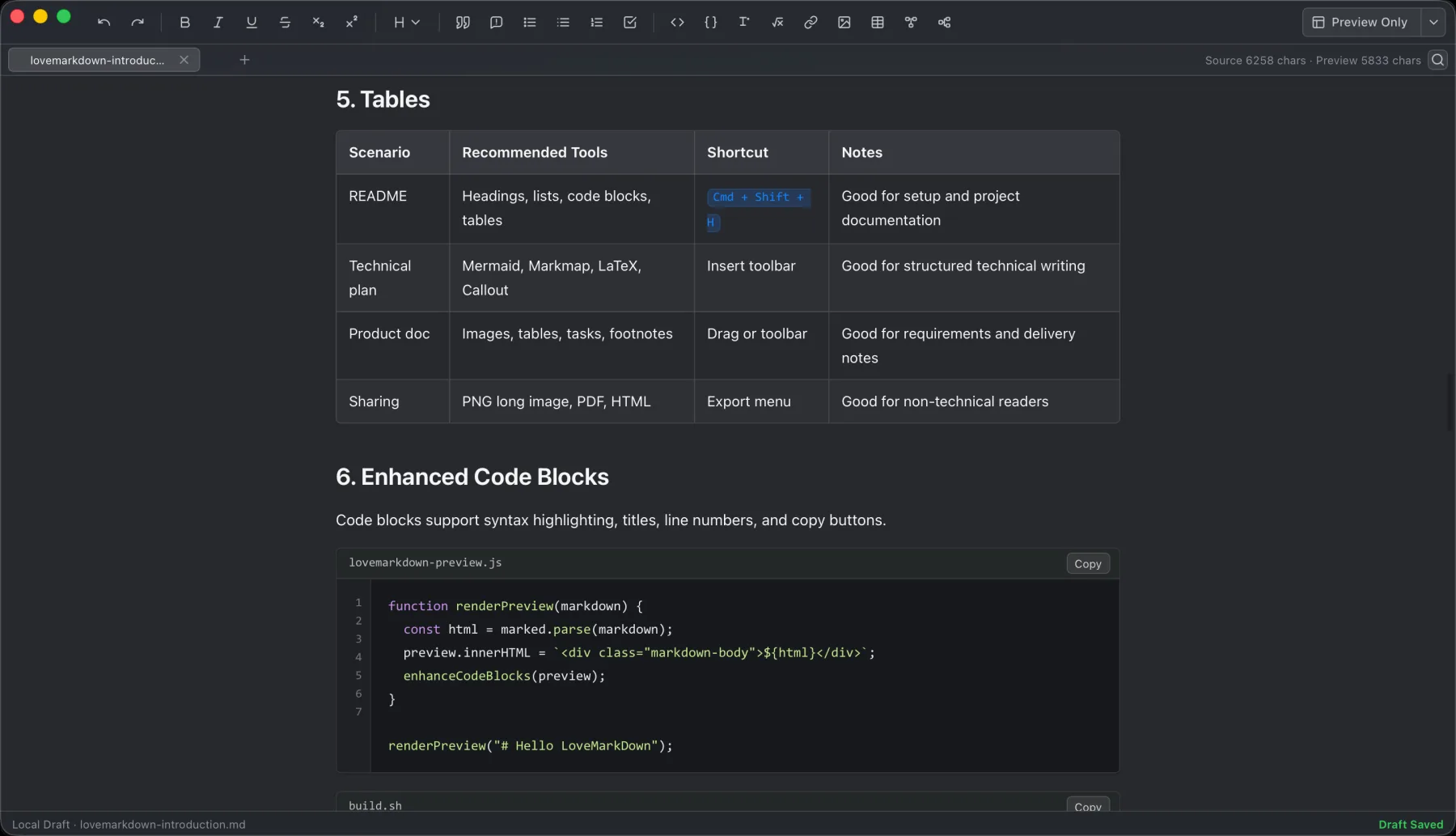
LoveMarkDown combines local Markdown editing with live preview, technical rendering, and portable export.
LoveMarkDown 1.0.0 is now available free on the Mac App Store. It is a focused local Markdown editor for Apple Silicon Macs running macOS 12 or later.
The first release is built around a short desktop workflow: open a local Markdown file, write with a live preview, save back to the file, and export a portable copy when you need one.
LoveMarkDown 1.0.0 includes:
.md, .markdown, and Markdown-like text filesThe original 1.0.0 App Store build was for Apple Silicon Macs. That release did not include an Intel build, Windows version, mobile app, or browser version. For current channel requirements, see the LoveMarkDown download page.
LoveMarkDown fits people who work with README files, technical notes, product documentation, study material, diagrams, and local Markdown folders. It is designed for a focused individual writing workflow rather than a shared online workspace.
It is not a cloud publishing suite. LoveMarkDown 1.0.0 does not promise cloud sync, AI writing, collaborative editing, an account system, or mobile support.
Markdown content stays centered on files that you choose on your Mac. LoveMarkDown does not automatically upload Markdown text, file names, or complete local file paths.
Anonymous Matomo analytics are limited to predefined product events and coarse attributes. They do not include document text or source URLs. Feedback is sent only when you choose Help -> Send Feedback, and contact information is optional.
Web-to-Markdown is the explicit network exception: it requests a webpage only after you enter a URL and start a conversion. Ordinary local editing does not require that network request.
View LoveMarkDown on the Mac App Store. This article documents the original 1.0.0 release; check the current download options for today’s version and channel requirements.
Before installing, you can review the LoveMarkDown product page, support guide, and privacy policy.
No. LoveMarkDown does not automatically upload Markdown content, file names, or complete local file paths. Network access is limited to explicit actions such as converting a URL with Web-to-Markdown or sending feedback that you choose to submit.
Yes. The app can preview nearby image assets referenced with relative paths when those files are available from the opened document’s location.
LoveMarkDown 1.0.0 can export Markdown, HTML, Word, PDF, and PNG copies.
No. The original 1.0.0 App Store release was for Apple Silicon Macs running macOS 12 or later. Check the current download page before choosing a newer build.
Choose the product, support, compatibility, or privacy path that matches what you need next.
Compare signed Apple Silicon and Intel Direct installers with the current public Mac App Store release.
See the local file workflow, live preview features, real screenshots, export formats, and platform requirements.
Find help for opening files, relative images, export, Web-to-Markdown, and sending feedback.
More NgSense release notes, setup guides, and local-first workflow articles.
LoveMarkDown 1.2.5 adds a compact path bar, nearby Markdown browsing, and clearer file actions. Choose the universal Direct download or the public Mac App Store release.
Read article To open one Markdown file on Mac, Control-click it in Finder, choose Open With, and select a Markdown editor. You can also choose a default app for supported Markdown extensions.
Read article LoveMarkDown 1.2.2 adds an explicit way to ask macOS to use LoveMarkDown as the default editor for common Markdown file extensions, plus more reliable Finder Open With registration.
Read articleDownload Direct 1.2.5 in one universal package for Apple Silicon and Intel, or choose public App Store 1.2.5 with Apple-managed updates.