
Choose the correct LoveMarkDown download
Compare signed Apple Silicon and Intel Direct installers with the current public Mac App Store release.
LoveMarkDown 1.1.2 adds inline Find & Replace with Edit and Preview highlighting, compact Markdown source line numbers, and native Save destination selection for untitled documents.
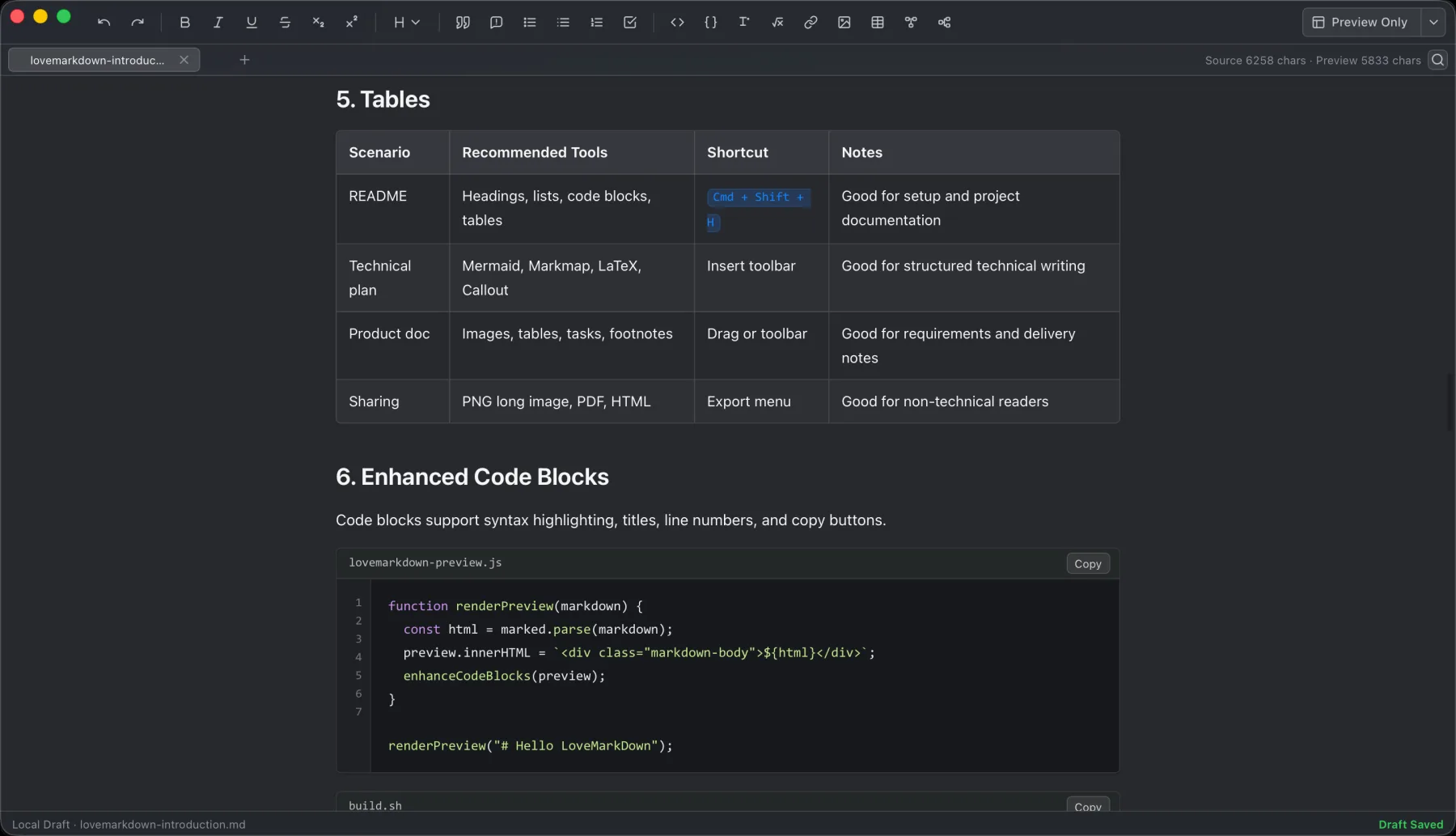
LoveMarkDown combines local Markdown editing with live preview, technical rendering, and portable export.
LoveMarkDown 1.1.2 is now available free on the Mac App Store for Apple Silicon Macs running macOS 12 or later. This update improves the small, frequent actions that matter when a local Markdown document is already open: finding text, replacing text, reading source structure, and saving a new document.
Find and Replace opens inside the document workflow instead of taking you to a separate modal window. The find bar shows a live result count, lets you move to the previous or next match, and closes without changing the document layout more than necessary.
Matches are highlighted in both the Edit source and the Preview. That makes it easier to confirm not only that a term was found, but also where it appears in the rendered document.
Use these shortcuts on macOS:
Cmd+F opens Find.Cmd+R replaces the current match.Cmd+Shift+R replaces all matches.The replacement controls stay close to the find field, so a short correction does not require leaving the document or setting up a separate search tool.
The Markdown source editor now includes a compact line-number column. The numbers stay aligned while you scroll, resize the window, encounter blank lines, or work with long lines that wrap in the editor.
This is useful for technical notes and documentation because a source reference remains understandable while the document changes shape. The line numbers are an editor aid; they are not inserted into the Markdown file and do not change exported content.
When a new untitled document has not been saved before, Cmd+S or Save opens the native destination picker. You choose the location and filename through the normal macOS save flow.
For an opened local file, Save continues to write back to that file. Draft autosave remains available for recovery, but it does not replace the user’s decision about where a new document should live.
The app icon has improved edge spacing so its visible artwork sits more consistently inside Finder and App Store surfaces. This is a visual polish change; it does not change the local document workflow.
LoveMarkDown remains a local-first Markdown editor with no account required for its core workflow. It continues to support local files, live preview, relative images, Mermaid, math, and export to Markdown, HTML, Word, PDF, or PNG.
This update adds no new data collection, permissions, or automatic document upload. Web-to-Markdown still uses the network only when you enter a URL and ask the app to convert that page. See the LoveMarkDown Privacy Policy for the complete boundary.
Get LoveMarkDown 1.1.2 on the Mac App Store, or review the LoveMarkDown product page before installing.
For file opening, saving, Find & Replace, relative images, export, Web-to-Markdown, and feedback, use LoveMarkDown Support.
Choose the product, support, compatibility, or privacy path that matches what you need next.
Compare signed Apple Silicon and Intel Direct installers with the current public Mac App Store release.
See the local file workflow, live preview features, real screenshots, export formats, and platform requirements.
Find help for opening files, relative images, export, Web-to-Markdown, and sending feedback.
More NgSense release notes, setup guides, and local-first workflow articles.
LoveMarkDown 1.2.5 adds a compact path bar, nearby Markdown browsing, and clearer file actions. Choose the universal Direct download or the public Mac App Store release.
Read article To open one Markdown file on Mac, Control-click it in Finder, choose Open With, and select a Markdown editor. You can also choose a default app for supported Markdown extensions.
Read article LoveMarkDown 1.2.2 adds an explicit way to ask macOS to use LoveMarkDown as the default editor for common Markdown file extensions, plus more reliable Finder Open With registration.
Read articleDownload Direct 1.2.5 in one universal package for Apple Silicon and Intel, or choose public App Store 1.2.5 with Apple-managed updates.