
Choose the correct LoveMarkDown download
Compare signed Apple Silicon and Intel Direct installers with the current public Mac App Store release.
LoveMarkDown 1.1.4 adds H1-H6 document navigation, tab and Finder actions, more reliable local images, and clearer PDF and PNG exports.
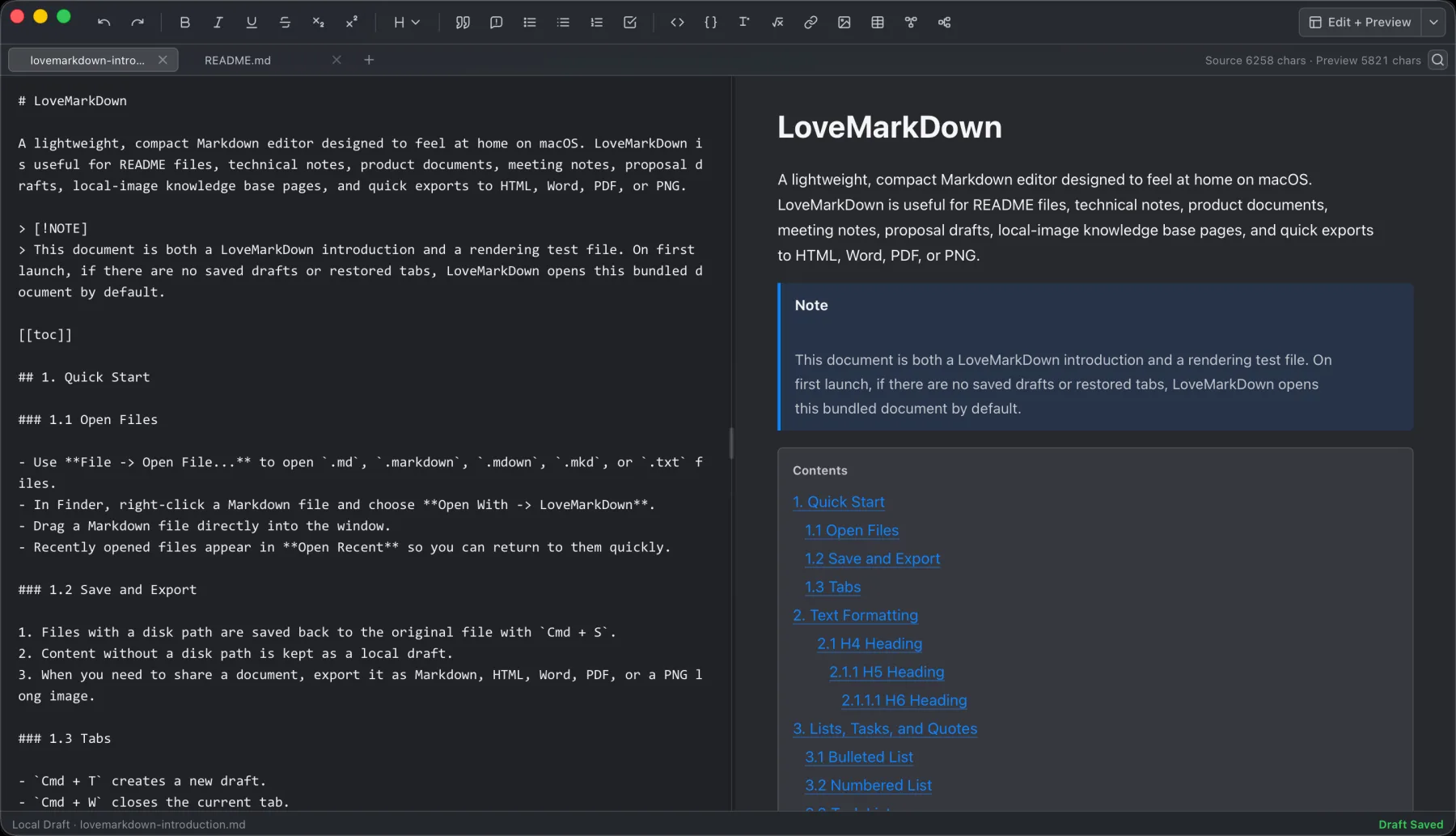
LoveMarkDown combines local Markdown editing with live preview, technical rendering, and portable export.
LoveMarkDown 1.1.4 introduced the improvements described below. The current public releases are App Store 1.2.5 and signed, Apple-notarized Direct 1.2.5 in one universal build for Apple Silicon and Intel Macs.
This release makes long local documents easier to navigate, adds practical Finder and tab actions, improves local image compatibility, and produces clearer PDF and PNG exports. It also restores familiar native Mac window behavior without changing LoveMarkDown’s local-first, account-free workflow.
The new document outline reads H1-H6 headings from the current file. Use it to scan the document structure and jump directly to a heading in Edit, Preview, or split view.
Open the outline from the workspace or press Command-Shift-O. The outline is navigation for the file you already opened; it does not require a repository, workspace, vault, or project import.
Right-click a saved document tab to copy its path, rename the file, reveal it in Finder, reload it from disk, or close it. Path-dependent actions remain disabled for an untitled document.
Reload protects unsaved work by asking for confirmation when the document has been modified. The native File menu also includes Show in Finder for saved documents, making it easier to move between the Markdown file and nearby image assets.
Relative image references now handle more real-world files, including images whose extension does not match their actual format. LoveMarkDown also understands safe Pandoc image width, height, class, and ID attributes without exposing that attribute text in Preview or exported output.
The privacy boundary is unchanged: the app works with user-selected local files and does not automatically upload Markdown content, file names, or full local paths.
PDF export keeps searchable text through the primary native PDF path and avoids the previous image double-compression. PDF and PNG output is sharper, while preview and export image shadows are lighter.
LoveMarkDown continues to export Markdown, HTML, Word, PDF, and PNG copies. Export creates a separate portable artifact; it does not silently replace or upload the original local document.
The custom title bar can be dragged again, and double-clicking it zooms or restores the window as expected on macOS. A native About LoveMarkDown panel now shows the packaged icon and current version.
These changes make the app feel more consistent with the Mac without adding an account system, cloud workspace, or collaborative editing layer.
Direct-download builds can check a signed update feed, show the version and release notes, and install only after the user chooses to proceed. This update path applies to Direct download installations only.
Mac App Store builds continue to use App Store-managed updates. The current public App Store version is 1.2.5.
Use the LoveMarkDown download page to choose the signed and notarized Apple Silicon or Intel DMG and verify its SHA-256 checksum.
You can also view LoveMarkDown on the Mac App Store, read LoveMarkDown Support, or review the LoveMarkDown Privacy Policy.
No. Version 1.1.4 is a historical release. The current public releases are App Store 1.2.5 and Direct 1.2.5, with separate update paths.
For the current release, use the universal Direct 1.2.5 DMG on either an M-series or Intel Mac running macOS 12 or later. The 1.1.4 DMGs were separate historical packages.
No. Signed in-app update checks and installation apply only to Direct download builds. Mac App Store installations use Apple’s update system.
No. Ordinary editing, preview, saving, and export remain centered on user-selected local files. LoveMarkDown does not automatically upload Markdown content, file names, or full local paths.
Choose the product, support, compatibility, or privacy path that matches what you need next.
Compare signed Apple Silicon and Intel Direct installers with the current public Mac App Store release.
See the local file workflow, live preview features, real screenshots, export formats, and platform requirements.
Find help for opening files, relative images, export, Web-to-Markdown, and sending feedback.
More NgSense release notes, setup guides, and local-first workflow articles.
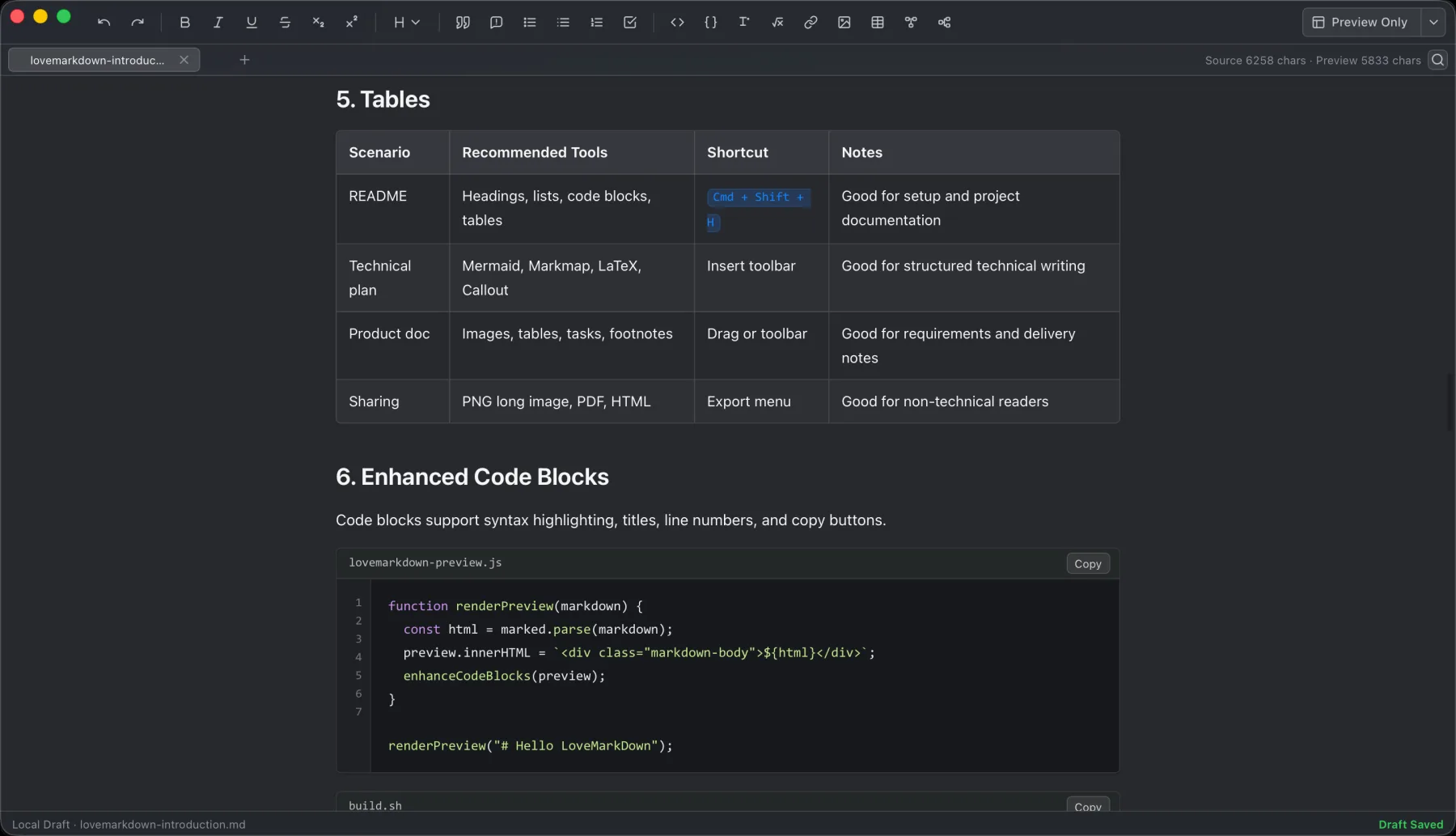
LoveMarkDown 1.2.5 adds a compact path bar, nearby Markdown browsing, and clearer file actions. Choose the universal Direct download or the public Mac App Store release.
Read article To open one Markdown file on Mac, Control-click it in Finder, choose Open With, and select a Markdown editor. You can also choose a default app for supported Markdown extensions.
Read article LoveMarkDown 1.2.2 adds an explicit way to ask macOS to use LoveMarkDown as the default editor for common Markdown file extensions, plus more reliable Finder Open With registration.
Read articleDownload Direct 1.2.5 in one universal package for Apple Silicon and Intel, or choose public App Store 1.2.5 with Apple-managed updates.