
Choose the correct LoveMarkDown download
Compare signed Apple Silicon and Intel Direct installers with the current public Mac App Store release.
LoveMarkDown is a lightweight Markdown editor for Mac that opens local files directly, adds live preview for technical Markdown, and exports to Markdown, HTML, Word, PDF, or PNG without requiring a repository, workspace, vault, or cloud account.
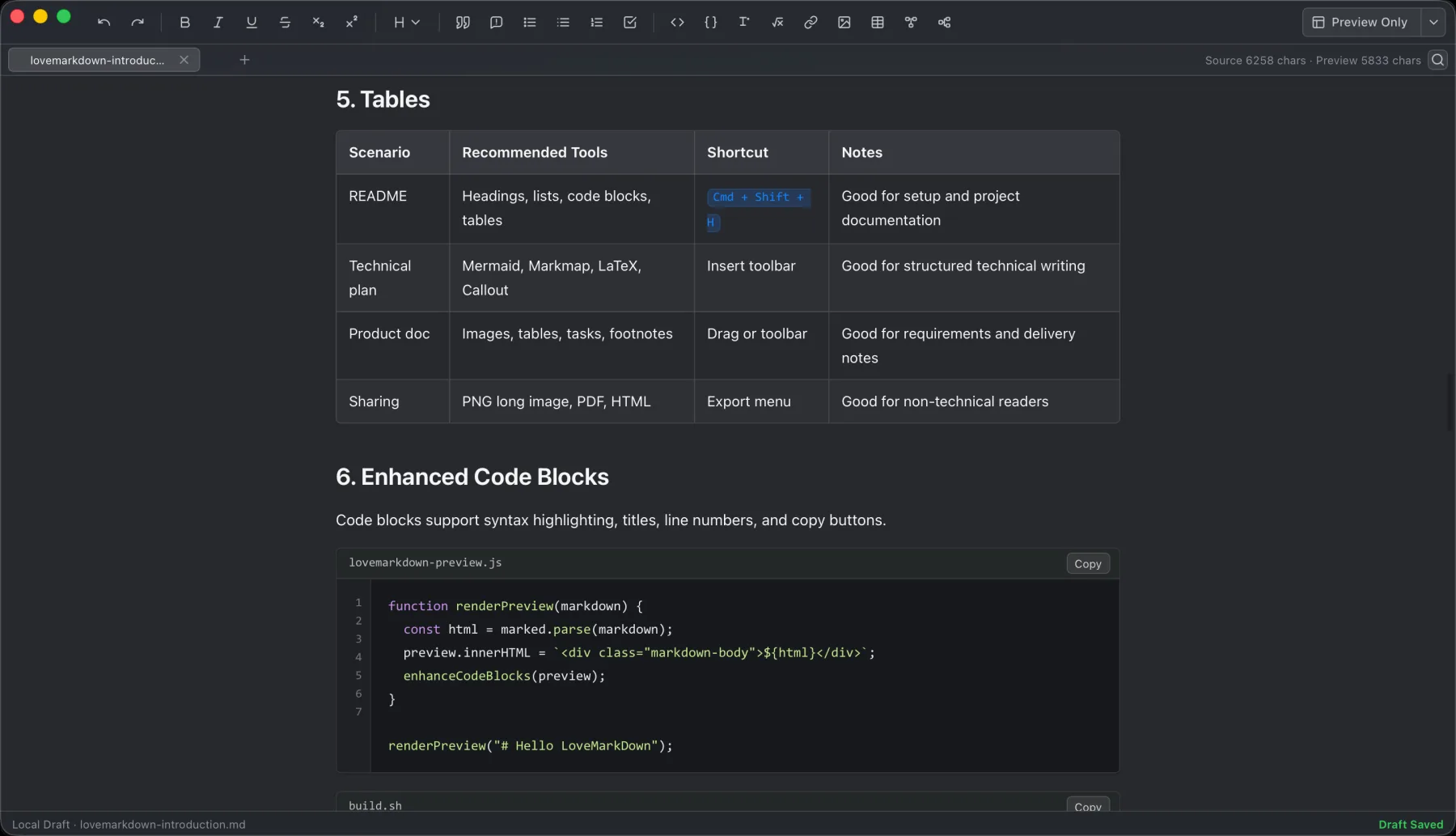
LoveMarkDown combines local Markdown editing with live preview, technical rendering, and portable export.
LoveMarkDown is a lightweight Markdown editor for Mac built around a direct file workflow: open a local Markdown document, write with a live preview, save back to the file, and export a portable copy when you need one. You do not have to create a repository, workspace, vault, or cloud account before you can begin.
That makes LoveMarkDown a practical fit when the document already exists on your Mac and the task is straightforward: update a README, review a Markdown note, render a diagram, check nearby images, or produce a PDF or Word copy for someone else.
The tradeoff is intentional. LoveMarkDown focuses on individual local writing and export; it is not positioned as a cloud publishing platform, a team collaboration service, or a repository-wide knowledge system.
LoveMarkDown opens .md, .markdown, and Markdown-like .txt files from the File menu or by drag and drop. Once a file is open, Save writes back to that local document.
This file-first model removes a common source of friction for short tasks. If someone sends you one README file, or you need to update a note outside a code repository, you can open that file directly instead of first importing its folder into an app-specific project.
Your existing file system remains the source of organization. LoveMarkDown does not require you to move the document into a proprietary library before editing it.
The editor keeps source and rendered output close together, so you can check the result while you write. The current release supports common Markdown structures such as headings, lists, tables, task lists, links, and code blocks.
For technical notes and product documentation, the preview also handles:
These features matter most when Markdown is more than plain prose. A README with code, a technical note with a diagram, or a study document with formulas is easier to review when the rendered structure stays visible during editing.
LoveMarkDown does not turn preview into hosted publishing. The preview is there to help you read and verify the local document before saving or exporting it.
Markdown is portable, but the person receiving the document may not use a Markdown editor. LoveMarkDown can export the current document to several formats without changing the original source file.
| Export format | Practical use |
|---|---|
| Markdown | Keep an editable text copy for another Markdown workflow |
| HTML | Share a rendered document that can open in a browser |
| Word | Hand the content to someone reviewing it in an office document workflow |
| Create a fixed-layout copy for review or archive | |
| PNG | Capture a visual copy of the rendered document |
The useful distinction is between Save and Export. Save continues the local Markdown workflow; Export creates a separate copy for a reader or system that needs another format.
This workflow is deliberately small. It works well for one-off edits and focused documents because there is no separate project state to configure or maintain.
LoveMarkDown is a good fit when you:
It is less suitable when your real requirement is simultaneous team editing, automatic cloud sync, hosted publishing, repository-wide code intelligence, or a cross-document knowledge graph. Those workflows need systems designed around shared state or a larger document collection, while LoveMarkDown is designed around the file in front of you.
Ordinary writing stays centered on user-selected local files. LoveMarkDown does not automatically upload Markdown text, file names, or full local file paths.
Network behavior is limited and explicit. Web-to-Markdown requests a webpage only after you enter a URL and start the conversion. Anonymous Matomo analytics use predefined product events and coarse attributes rather than document text or source URLs. Feedback is sent only when you choose to submit it.
You can review the full boundary in the LoveMarkDown privacy policy and find file, image, and export help in LoveMarkDown support.
LoveMarkDown Direct 1.2.5 is available as one signed and Apple-notarized universal download for Apple Silicon and Intel Macs running macOS 12 or later. The Mac App Store also offers public version 1.2.5 with Apple-managed updates.
Before installing, compare the full capability and platform boundaries on the LoveMarkDown product page. If your main concern is avoiding project setup, read why a lightweight Markdown editor does not always need a workspace or vault.
Yes. A README stored as a local Markdown file can be opened directly without importing its repository or creating a workspace first.
Yes. LoveMarkDown can preview nearby image assets referenced with relative paths when those files are available from the opened document’s location.
LoveMarkDown can export Markdown, HTML, Word, PDF, and PNG copies. Direct version 1.1.4 improves searchable PDF output and produces sharper PDF and PNG files.
No. Git and repository setup are not required for the core open, edit, preview, save, and export workflow.
No. The current product is focused on individual local Markdown writing, preview, and export. It does not claim collaborative editing, automatic cloud sync, or hosted publishing.
Choose the product, support, compatibility, or privacy path that matches what you need next.
Compare signed Apple Silicon and Intel Direct installers with the current public Mac App Store release.
See the local file workflow, live preview features, real screenshots, export formats, and platform requirements.
Find help for opening files, relative images, export, Web-to-Markdown, and sending feedback.
More NgSense release notes, setup guides, and local-first workflow articles.
LoveMarkDown 1.2.5 adds a compact path bar, nearby Markdown browsing, and clearer file actions. Choose the universal Direct download or the public Mac App Store release.
Read article To open one Markdown file on Mac, Control-click it in Finder, choose Open With, and select a Markdown editor. You can also choose a default app for supported Markdown extensions.
Read article LoveMarkDown 1.2.2 adds an explicit way to ask macOS to use LoveMarkDown as the default editor for common Markdown file extensions, plus more reliable Finder Open With registration.
Read articleDownload Direct 1.2.5 in one universal package for Apple Silicon and Intel, or choose public App Store 1.2.5 with Apple-managed updates.