
Work on the source. Choose how to share it.
Keep an editable local document, use the view that suits the task, and prepare a separate copy for the reader. File handling and output checks are part of the workflow, not a cloud workspace.
Start with a local document
Open a file you already have rather than importing a repository, vault, or workspace. Work on local Markdown, use tabs and the compact path bar to revisit nearby documents, and save back to the source. New untitled documents use the native Save destination picker; recovery drafts do not replace deliberately saving a file.
Finder Open With and the default-editor request are separate choices. Changing the default for supported Markdown extensions requires macOS confirmation; it never happens automatically. Follow opening Markdown in Finder or the save checks.
Choose Source, Split, or Visual
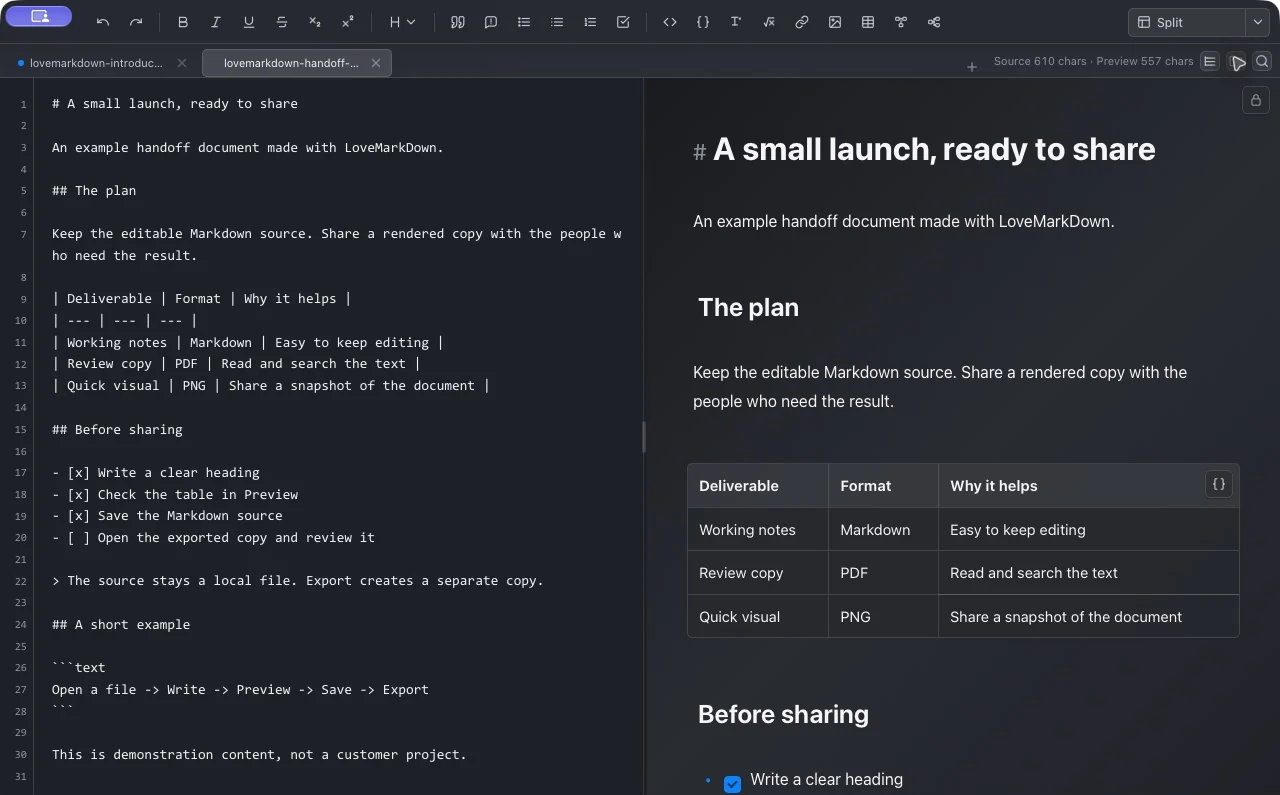
Use Source for Markdown syntax, Split to compare source and rendering, or editable Visual Markdown for direct document work. Lock Visual when you need read-only Preview. An H1-H6 outline helps navigate headings; inline find and replace stays in the document context.
Keep images and technical content in context
Preview relative local images, tables, task lists, code blocks, Mermaid, and math. Moving a Markdown file without its nearby images can break references. Check both the source location and the visible preview before assuming an image or export is missing.
Remote image references may contact their hosts during preview or export. Web-to-Markdown fetches a page when you start conversion; local-first does not mean every feature is offline. Read the product privacy policy.
Package a portable Markdown document
The documented Direct 1.3.0 archive workflow supports supported ZIP-based MDZ and AME 7z documents. Single-document packages can be edited and saved; multi-document MDZip projects are read-only. Supported export paths can package linked local resources; missing resources are reported rather than silently omitted.
Formats and implementations differ. Password-protected ZIP is a compatibility extension, not standard MDZip; password recovery is unavailable. Check MDZ support and limits rather than assuming every archive is editable or that a package replaces a backup.
Export a reader copy, then inspect it
Choose a format for the next reader: editable Markdown, browser-oriented HTML, Word, PDF, or PNG. Keep the editable master and open the actual exported file. Preview alone cannot establish page breaks, checklist fidelity, image handling, or compatibility with another app.
Inspect a real source-to-export example
Our public handoff document has an editable Markdown source, a LoveMarkDown Split-view capture, an excerpt from its actual PNG export, and the complete PDF output. Download and compare the files instead of judging export quality from the editor alone.
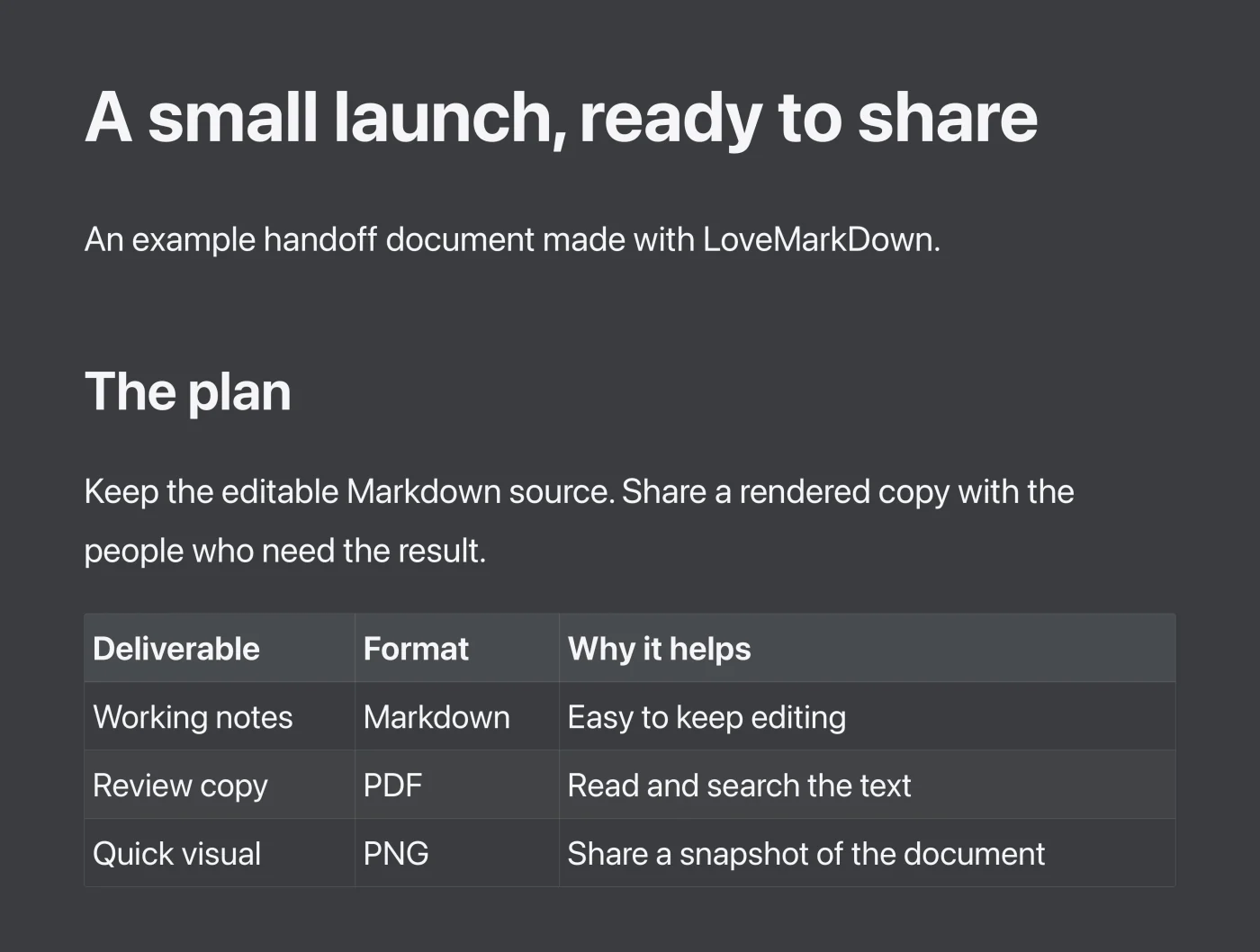
- The source and the PNG excerpt share the launch heading and deliverables table. The PNG shown here is an output excerpt, not a screenshot of a PDF viewer.
- The full PDF is a separate one-page output with text and embedded fonts. The editable source remains available separately.
- In this archived PDF, the task entries appear as a bullet list rather than displaying the Markdown checkbox states. Inspect task-list formatting in the file you plan to share.
Capture context and test coverage
- Product-page editor captures
- October 16, 2026; LoveMarkDown Direct 1.3.0; macOS 27.0.1 (26A434); Apple Silicon. Split and Visual show the public sample. Network access was denied during capture and the bottom path strip was cropped out. The linked older Split capture below is retained as historical evidence.
- Original PDF creation metadata
- 2026-09-22 at 13:07:06 UTC. This is the file's recorded creation time, not a new export test date.
- PDF producer metadata
- macOS Version 26.6.2 (Build 25G83), Quartz PDFContext. This identifies the PDF's recorded renderer, not a cross-version compatibility test.
- App version, build, and Mac architecture
- Not recorded with the original export. The example must not be attributed to the current LoveMarkDown release or to both Mac architectures.
- Document coverage
- Our own heading, paragraph, table, checklist, quotation, and short code example. No customer document or private image path is included.
- The new 1.3.0 editor screenshots do not re-date or re-verify the archived PNG or PDF exports. No new Word, HTML, PDF or PNG export was tested in this capture session.
- The PNG illustration is cropped; use the full PDF and source for the complete document. The editor screenshot and output are different captures, not a continuous recorded session.
- This example does not establish Word or HTML export fidelity, relative-image handling, Mermaid, math, or long-document pagination. Check those structures in your own exported format.
- File metadata and a demonstration document are not a signed benchmark or a guarantee of identical output in another viewer.
Example documentation reviewed 2026-10-16. This is not a new device or export test date.
The archived sample PDF changes checkbox states into a bullet list, and the PNG is an excerpt. These are documented limits, not perfect-fidelity claims. Follow the export guide for format selection and troubleshooting.
Try one document before moving a library.
Check the current installation channels, then test your own Markdown, images, and reader copy. Export examples are not a guarantee for every document.