
Check your Mac and camera
Compare Apple Silicon and Intel downloads, macOS requirements, and USB, RTSP, or ONVIF source support.
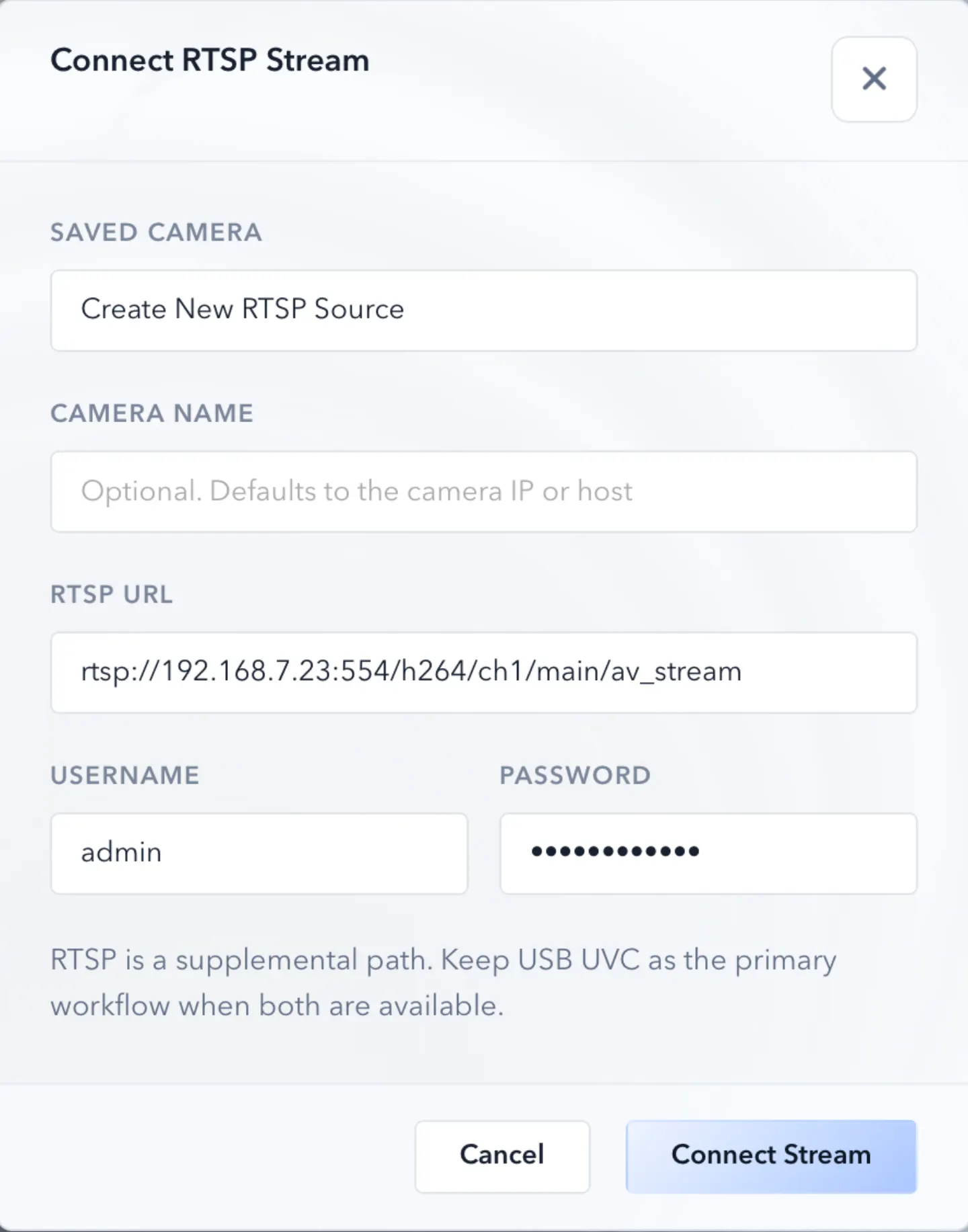
Looking for an RTSP viewer for macOS or a Mac RTSP viewer? ScopeDock fits lightweight local preview, snapshots, and short inspection recordings when you do not need an NVR, surveillance wall, or livestreaming studio.
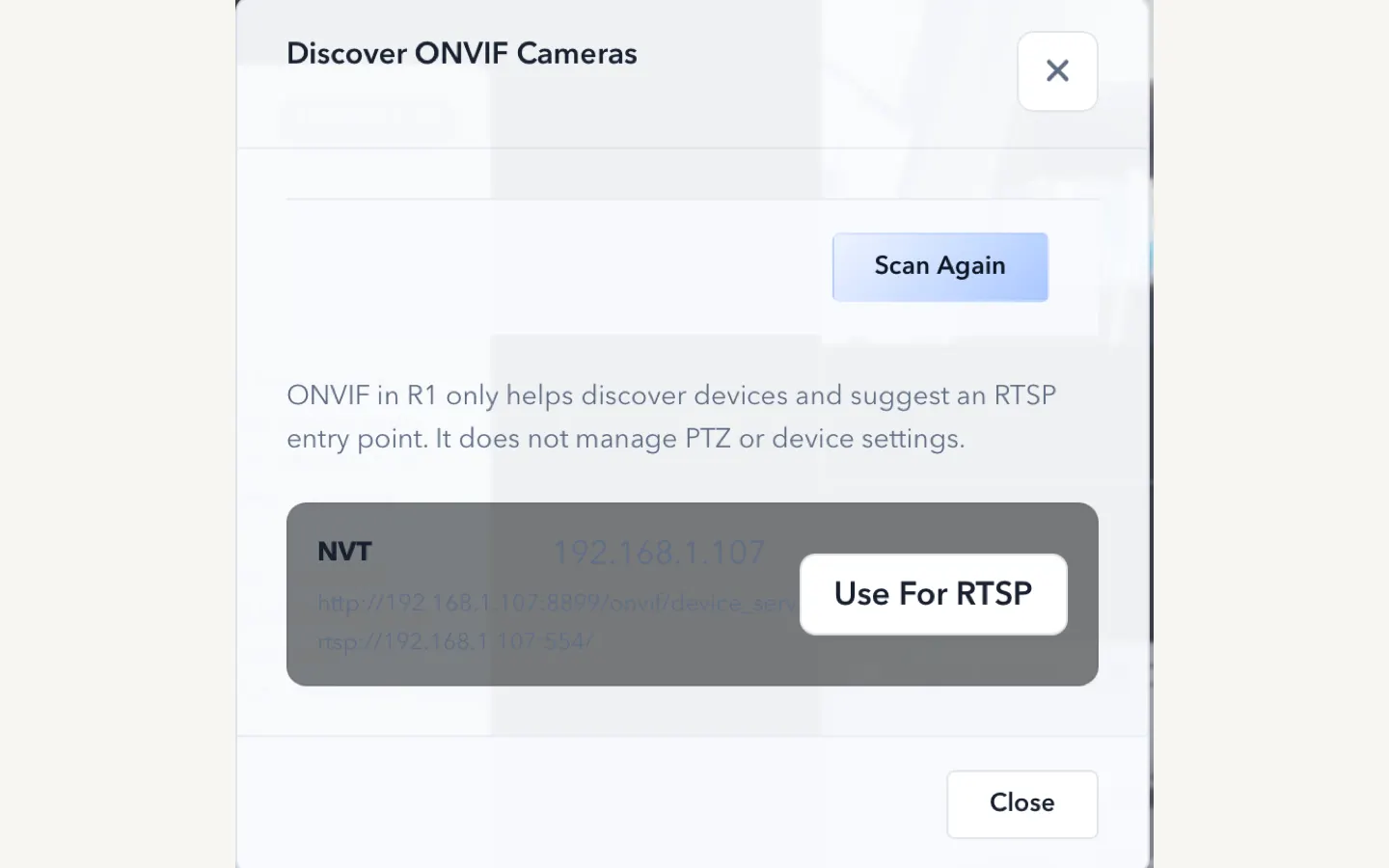
ScopeDock keeps camera preview, snapshots, and short recordings in a focused Mac workspace.
If you need an RTSP viewer for macOS or a Mac RTSP viewer, the best first answer is simple: use a lightweight inspection viewer when you want to open an IP camera stream locally, check the image, take snapshots, or record short clips. ScopeDock fits that Mac inspection use case. It is not meant to replace a surveillance NVR, a large camera wall, or a livestreaming studio.
For many Mac users, the search is not really about RTSP as a protocol. It is about finding an RTSP camera viewer on Mac that opens a camera stream quickly without installing a heavy monitoring stack. If that is your situation, start with the category fit first: ScopeDock is for local camera preview and inspection capture, not 24/7 security operations.
That distinction matters because many users search for “RTSP viewer for Mac” or “best RTSP viewer for Mac” when the real question is more specific:
If you are comparing RTSP viewer options on Mac, first decide which category you actually need.
| Category | Best for | Usually too much when |
|---|---|---|
| Lightweight inspection viewer | Bench inspection, repair review, microscope or endoscope-adjacent work, short local recordings, small multi-source review | You need always-on monitoring, role-based operations, or a large camera wall |
| Surveillance / NVR system | Persistent monitoring, security operations, many cameras, remote management, retention policies | You only need to open one RTSP stream, inspect something, and save a local clip |
| Livestreaming tool | Scene switching, broadcast layouts, overlays, production audio, streaming destinations | You are not producing a stream and only need local preview, capture, and review |
For ScopeDock, the intended fit is the first category: a local-first inspection viewer for Mac workflows where RTSP is one possible source path.
If that describes your workflow, start with Download and Compatibility to choose the correct Mac build and check whether RTSP, ONVIF, or USB UVC is the right source path. If you are still comparing Mac RTSP viewer categories, continue reading before downloading.
If you prefer Apple’s store flow, use the Mac App Store listing. If you want the newest direct-download package split for Apple Silicon and Intel Macs, use Download and Compatibility instead.
A practical RTSP viewer for macOS page should answer the setup question before asking you to install anything:
ScopeDock fits the first four-point inspection path when the stream is reachable and the goal is local review. If you are still finding the stream URL, read How RTSP camera workflows fit into ScopeDock and How ONVIF discovery differs from manual RTSP.
Use the lightweight viewer path when your goal is local inspection. Use the other paths only when your workflow clearly needs them.
| If your intent is | Best next step | Why |
|---|---|---|
| Open one RTSP stream on Mac | Start with Download and Compatibility | You can choose Apple Silicon, Intel, or App Store before testing the stream. |
| Compare RTSP, USB UVC, and ONVIF fit | Read the download page first | It puts platform, source type, and privacy boundaries in one place. |
| Troubleshoot a specific device | Use Support | Device behavior, credentials, and local network reachability are easier to diagnose with context. |
After installation, test one reachable RTSP stream before building a multi-source layout. Confirm the stream URL, credentials, and local network path, then use ScopeDock for local preview, snapshots, or short recordings. If discovery is the unclear part, compare manual RTSP with the ONVIF setup guide before assuming the camera is unsupported.
If RTSP does not connect on the first attempt, treat it as a setup and compatibility check before assuming the viewer category is wrong. Confirm the full RTSP URL format, credentials, local network reachability from the Mac, and whether the camera exposes a standard RTSP stream. Some devices only expose video through vendor-specific apps or private protocols, and ScopeDock should not be presented as a universal decoder for every private camera path.
Use the RTSP URL, authentication, and timeout troubleshooting lane when the stream fails after those checks. If you send compatibility feedback, include the source type, camera model if you can share it, macOS version, ScopeDock version, expected behavior, and actual behavior. Do not send passwords, full private RTSP URLs, local IP addresses, or sensitive media paths.
RTSP tells you how the video stream is delivered. It does not tell you what category of software will fit your workflow best.
For example, these are very different needs:
All of them may involve RTSP, but they should not automatically lead you to the same kind of app.
If the workflow is inspection-oriented, the viewer should do a few things well:
That is where a lightweight inspection viewer has an advantage. It does not try to become a giant monitoring suite. It focuses on the workflow from connection to review to local capture.
A lot of RTSP tools are shaped by surveillance use cases. That often means:
Those capabilities are not bad. They just solve a different problem.
If your workflow is microscope review, endoscope viewing, repair inspection, product QA, or lightweight documentation, that kind of tool can feel bigger and heavier than necessary.
ScopeDock fits when the RTSP stream is part of a local-first inspection workflow. The idea is simple:
That is why ScopeDock is a better fit for users who want to inspect, compare, or document rather than run a full monitoring system.
If you want to evaluate that fit directly, start with the ScopeDock product page and then use the download page to check platform scope and setup expectations.
For RTSP specifically, the practical check is whether you already have a reachable stream URL, credentials if required, and a Mac on the same network path. ScopeDock can help with lightweight local viewing and capture once that source path is available; it should not be treated as a replacement for network design, camera fleet management, or long-retention security recording.
ScopeDock is not positioned as:
This is an important boundary. The best product page and blog content should explain not only when the app fits, but also when it does not.
Instead of asking “Which RTSP viewer has the most features?”, ask:
If the answer is inspection, review, focus checking, documentation, or short recordings, a lighter inspection-oriented viewer is usually the better category.
A one-to-four source workflow is very different from a large camera-wall requirement. Many users only need a small layout, not an operations console.
If the priority is local capture and predictable files on your Mac, the best tool should make that path obvious. If the priority is remote system management, your needs are already outside the lightweight category.
If you already know the RTSP path, manual RTSP input may be enough. If you are still identifying compatible devices, ONVIF discovery support can reduce setup friction.
ScopeDock is the better category match when:
Another tool is probably a better fit when:
That is not a weakness in ScopeDock. It is just the boundary of the product.
If your use case sounds inspection-oriented, the next step is not to compare dozens of RTSP checkbox lists. It is to verify three things:
That will usually tell you more than a generic “top RTSP viewer” list.
Use these pages together:
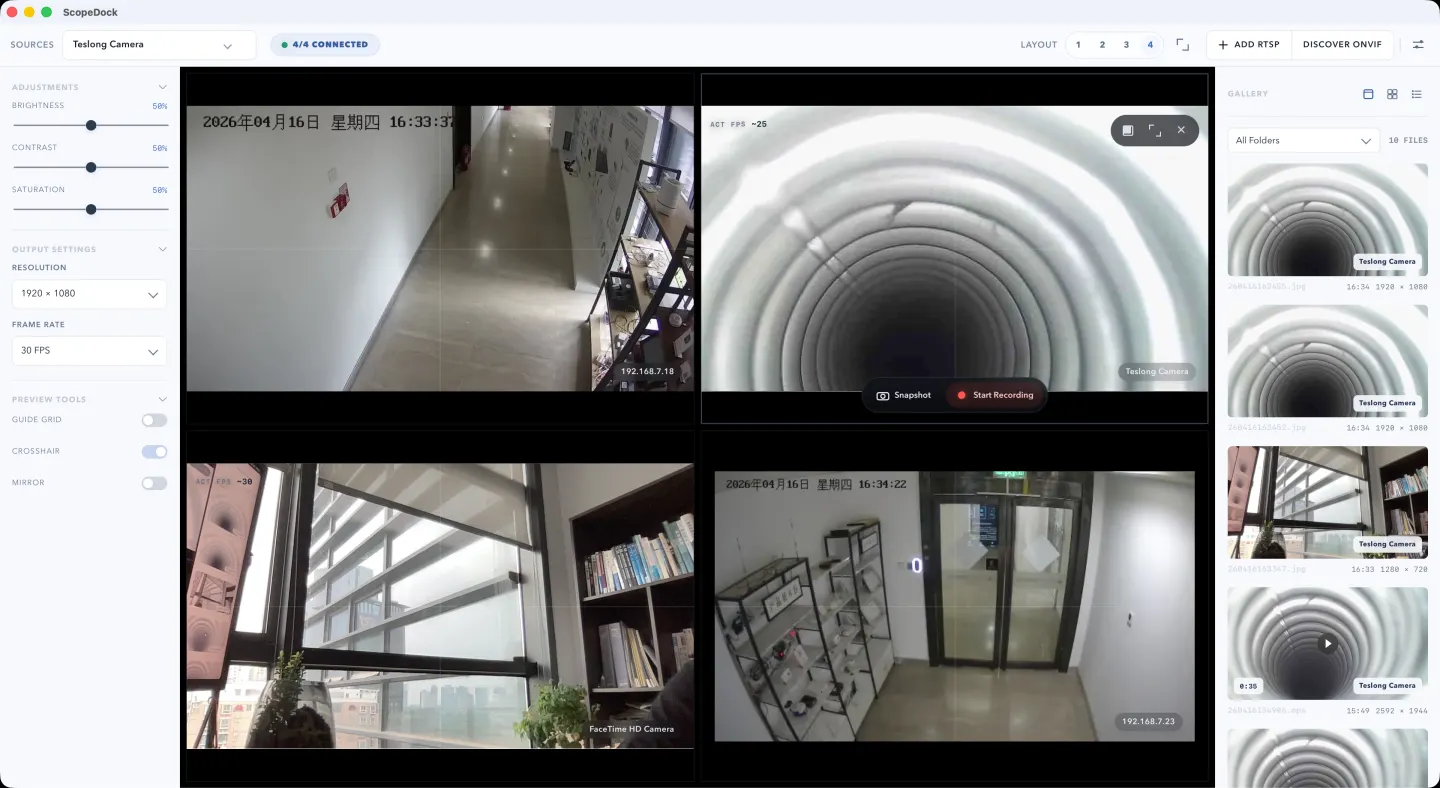
For inspection work, the best RTSP viewer for Mac is usually a lightweight local viewer that opens the stream quickly, keeps preview and capture controls close, and avoids surveillance or broadcast complexity. ScopeDock is built for that category: local preview, snapshots, short recordings, and small multi-source inspection workflows.
Yes, when the need is lightweight local inspection. ScopeDock can fit an RTSP camera viewer for macOS workflow when you already have a reachable stream URL and want preview, snapshots, short recordings, or small-source review on a Mac. It is not positioned as an NVR, enterprise surveillance console, or livestream production tool.
Yes, if your Mac RTSP viewer requirement is local inspection preview, snapshots, short recordings, and a small number of sources. It is the wrong category if you need persistent surveillance operations, large fleet management, or a camera-wall-first interface.
An RTSP viewer for macOS focuses on opening and reviewing a stream on a Mac. An NVR is built for continuous recording, retention policies, many cameras, and security operations. ScopeDock is intentionally closer to the lightweight viewer category.
Yes. If your goal is lightweight local preview and capture, you do not need a full monitoring platform just to open an RTSP source.
Start with the practical checks: URL format, credentials, local network reachability, and whether the camera exposes a standard RTSP stream. Then use the RTSP troubleshooting lane on Support or send compatibility feedback without private credentials, full RTSP URLs, LAN IP addresses, or sensitive media paths.
No. ScopeDock is positioned for local-first inspection, review, and capture workflows, not large surveillance operations.
Yes, but ONVIF discovery and manual RTSP solve different setup problems. Discovery helps when the device supports it; manual RTSP is the direct path when you already know the stream details.
ScopeDock supports lightweight multi-source workflows, which is useful when you need comparison or review across a small number of cameras rather than a full camera wall.
Check whether the stream URL is reachable from the Mac, whether credentials are required, whether the device is on the same local network path, and whether your goal is inspection rather than continuous monitoring. If any of those points are unclear, start with Download and Compatibility or Support before installing.
Use the product page to decide fit, the download page to check compatibility and platform scope, and the support page if your device behavior is still unclear.
Choose the product, support, compatibility, or privacy path that matches what you need next.
Compare Apple Silicon and Intel downloads, macOS requirements, and USB, RTSP, or ONVIF source support.
Follow permission, USB camera, RTSP URL, authentication, and timeout checks before sending feedback.
Review the product workflow, real screenshots, local capture behavior, and current product boundaries.
More NgSense release notes, setup guides, and local-first workflow articles.
Check whether a USB endoscope exposes standard UVC video to macOS, depends on a vendor-only driver, or is limited to a phone app before choosing Mac camera software.
Read article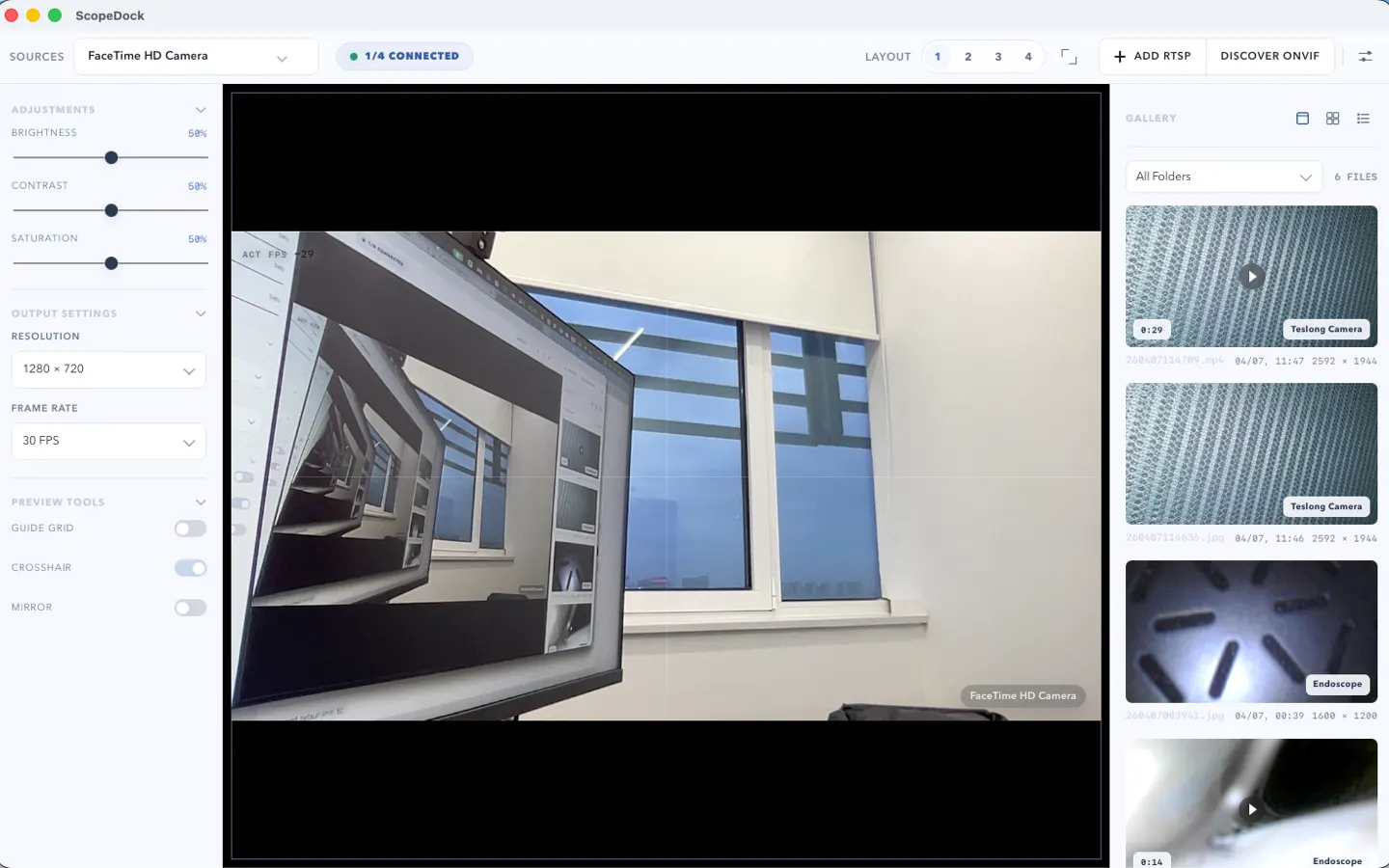
ScopeDock 1.1.1 provides separate direct-download builds for Apple Silicon and Intel Macs while keeping the 1.1 series RTSP preview, snapshot, and recording improvements.
Read article ScopeDock 1.1.0 improves RTSP continuous preview, preview resolution and frame rate choices, recording save reliability, thumbnails, and connection error messages.
Read articleChoose the correct direct download for your Mac, use the Mac App Store, or check compatibility first.