
From a camera source to a record you can check.
Look at how connection, preview, capture, and local file checks fit together. These capabilities support deliberate inspection sessions, not continuous surveillance or broadcast production.
Choose the connection your camera exposes
A microscope, endoscope, or network camera is a device description, not a connection standard. Start with the source your Mac can actually access.
| Path | What you need | What to verify |
|---|---|---|
| USB UVC | A camera macOS exposes as a standard camera source | The source appears, Camera access is allowed, and the live view changes. A vendor-only viewer may prevent access. |
| Manual RTSP | A camera-provided stream address reachable from your Mac | Stream format, authentication, and a working preview. Keep the address and credentials on your device. |
| ONVIF-assisted discovery | A discoverable camera on a reachable network | The suggested stream still needs a successful connection. Discovery is not PTZ or full camera management. |
Use the USB microscope guide, RTSP connection steps, or the ONVIF explanation for the next operation. ScopeDock does not promise compatibility with every model, stream format, or resolution.
Compare the views that matter
Start with one usable view. Add more sources when side-by-side inspection helps you compare a part, angle, or stage of work. ScopeDock can preview up to four sources; that is not a guarantee of a particular frame rate or synchronized multi-camera recording.
Keep the first test simple enough to see whether focus, lighting, and the changing preview are useful. The multi-source workflow article explains when another view helps and when it adds complexity.
Capture a selected source
Take a snapshot when a still detail is enough, or record a selected source for a short clip when motion matters. Stop the recording and inspect the actual saved file before depending on a longer session. A visible recording control is not independent evidence that a particular file decodes or plays correctly.
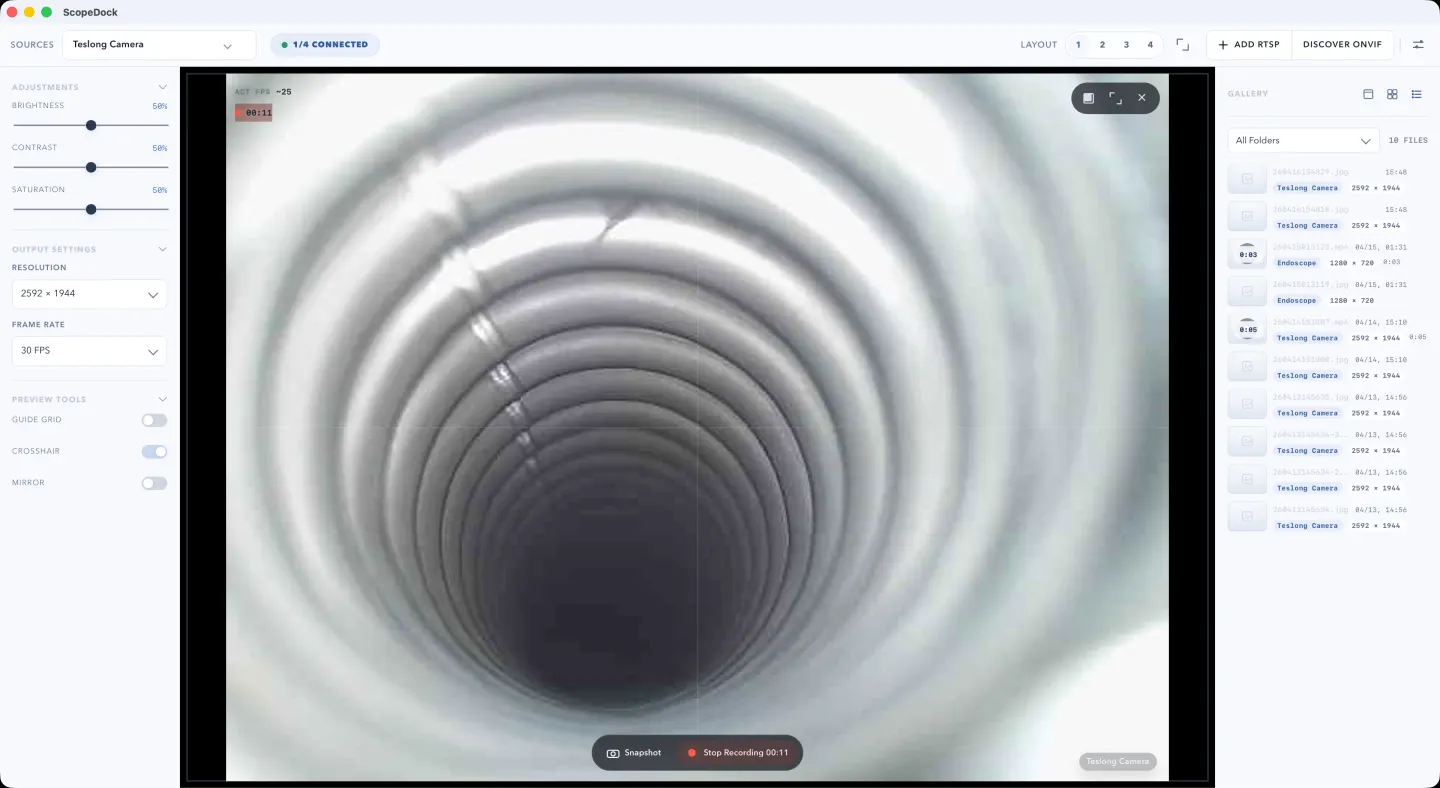
For the operation sequence, follow recording a USB camera without OBS. ScopeDock does not promise synchronized multi-camera recording or replace a livestream production workflow.
Keep the record under your control
Photos and recordings are stored on your Mac. Use the gallery to find an item, reveal its local file, then open it independently. Confirm the subject, duration, and readability before adding it to repair notes or sending a copy.
The file-location guide explains where to look. ScopeDock does not automatically upload videos, images, full RTSP URLs, LAN addresses, or media paths. Privacy details distinguish local capture from feedback you choose to submit.
What the published examples prove
What the USB examples show
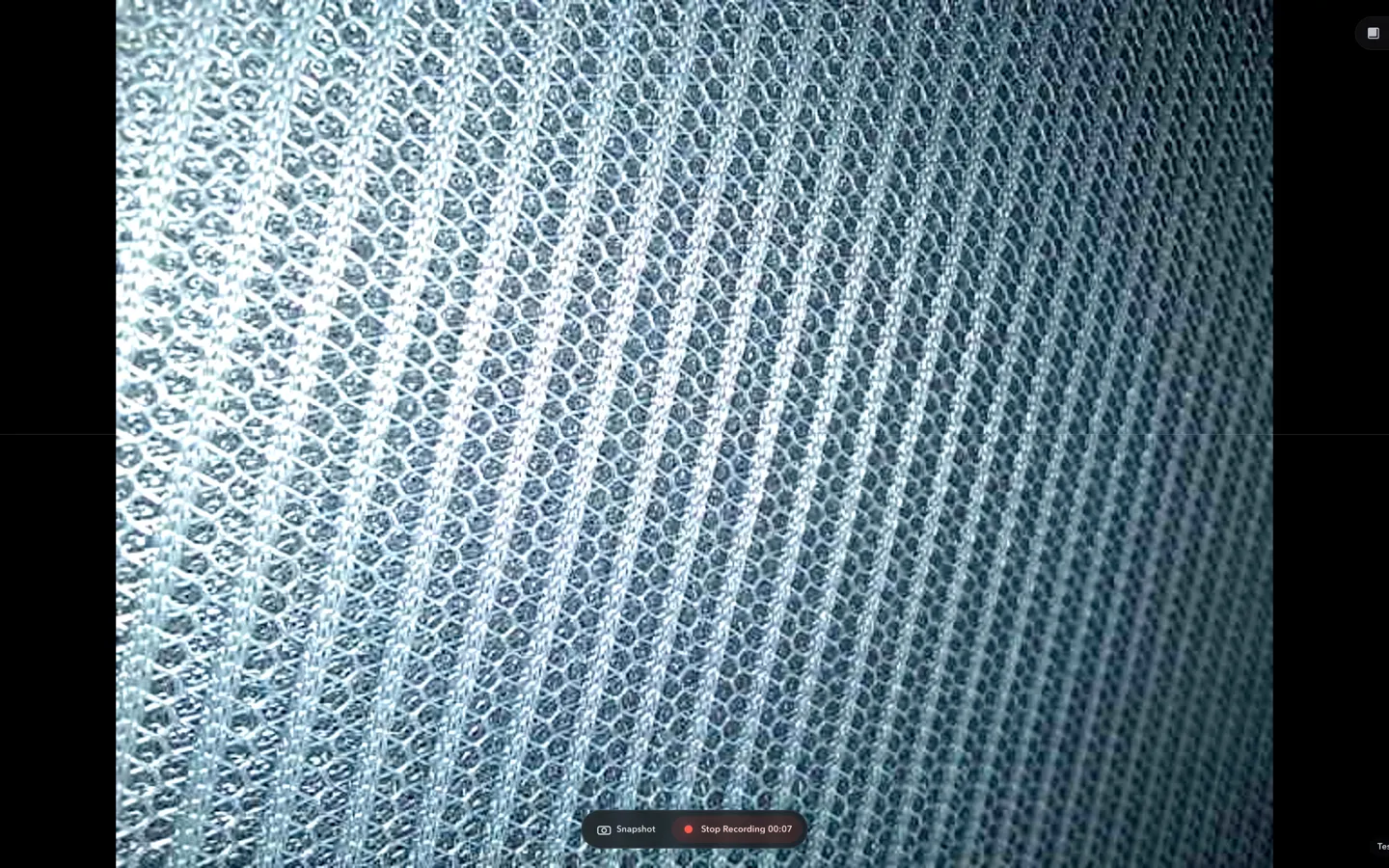
ScopeDock's published screenshots show a fabric sample in a USB microscope preview, selected-source recording controls, and items in the local gallery. They are examples of the workflow, not a device certification.
- The USB preview screenshot shows the fabric detail and the ScopeDock workspace together.
- The recording screenshot shows a selected source with Snapshot and Stop Recording controls. It does not establish the duration or playback quality of the saved clip.
- The gallery example shows local capture items. An item in the gallery is not independent verification of its saved file.
Capture context and test coverage
- Source and subject
- A USB microscope viewing a fabric sample. Device model and USB descriptors were not recorded with the published example.
- App version and build
- Not recorded with these captures. The current download version must not be treated as the version used for the screenshots.
- macOS and Mac architecture
- Not recorded with these captures. The screenshots do not establish an Apple Silicon, Intel, or OS-version test matrix.
- Original capture date
- Not recorded in a complete test log. File modification dates are not used as test dates.
- These screenshots do not establish snapshot decoding, recording duration, saved-file playback, long-session stability, or compatibility with another camera model.
- They are USB examples, not evidence of a connected RTSP stream or successful ONVIF discovery.
Example documentation reviewed 2026-10-11. This is not a new device or export test date.
Check the stream and the saved result
For a usable RTSP setup, confirm a changing live view, then open a saved snapshot and short clip. This guide's screenshot shows USB capture controls, not a connected RTSP test for a camera model.
Capture context and test coverage
- Public evidence scope
- A setup guide, not a published camera-model test. No complete App/macOS/build, stream configuration, preview, snapshot, and playback record is attached to this example.
- Manual RTSP connection and ONVIF-assisted discovery are distinct paths. Discovery alone does not establish authentication, a working preview, or a usable saved recording.
- Confirm the actual stream on your Mac and open a short saved capture before relying on it. No model, codec, resolution, or long-session compatibility guarantee is made here.
Example documentation reviewed 2026-10-11. This is not a new device or export test date.
These notes preserve what was and was not recorded with the original captures. They are not a new device test or a claim about the current download version. ScopeDock is not a medical diagnostic tool, an always-on NVR, or an automatic defect detector.
Start with the source you have.
Choose a Mac download, then follow the guide for your USB or network-camera path. A device name alone does not establish compatibility.