
LoveMarkDown 1.2: Visual Markdown Editing for Local Mac Files
LoveMarkDown 1.2 adds editable Visual Markdown, Source and Split modes, rich technical content, synchronized workflows, and safer local file saving on Mac.
- LoveMarkDown
- August 20, 2026
- Visual Markdown editor
- Markdown editor for Mac
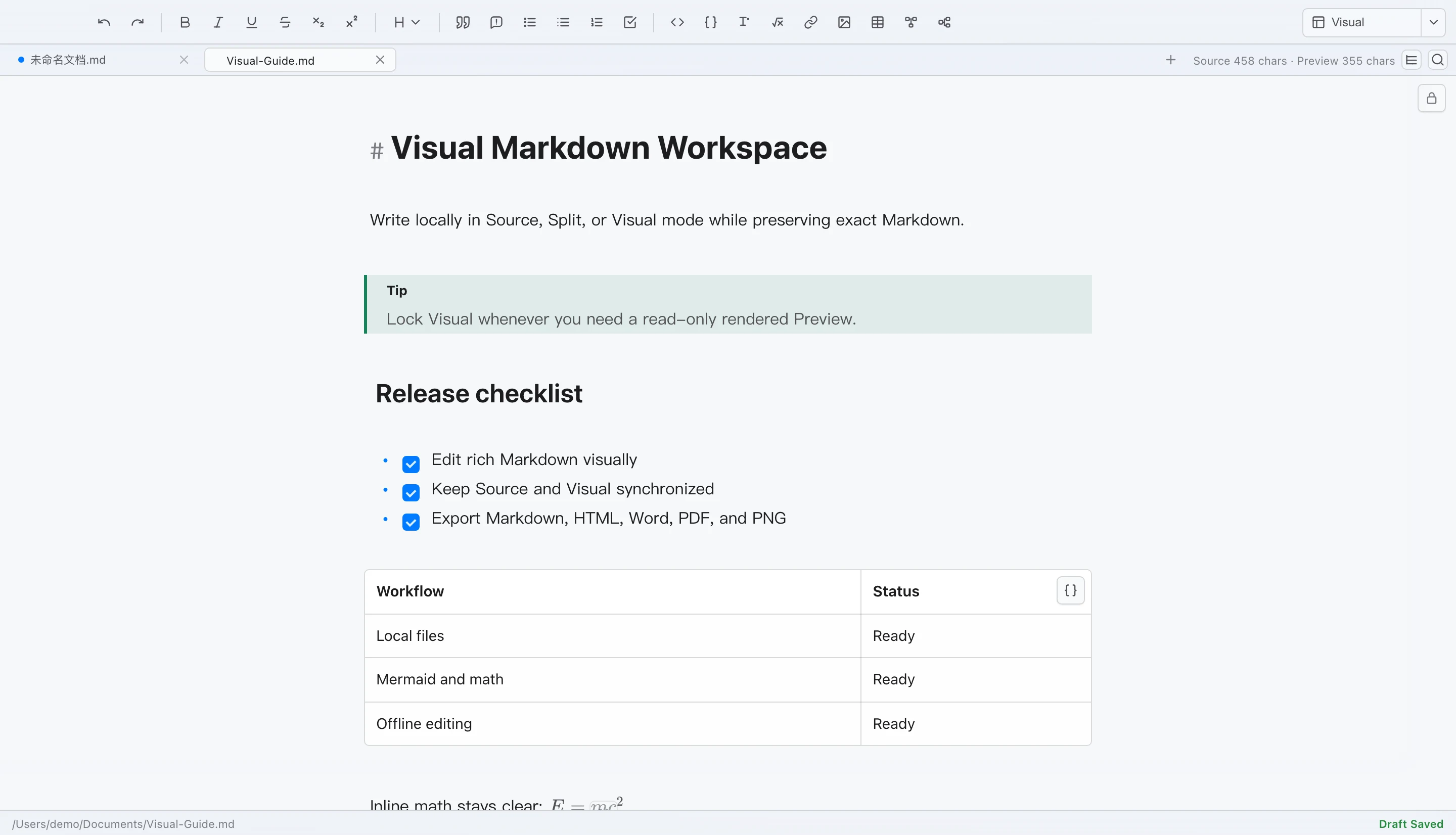
LoveMarkDown combines local Markdown editing with live preview, technical rendering, and portable export.
Jump to a section
LoveMarkDown 1.2 adds an editable Visual Markdown workspace without replacing the local Markdown file as the source of truth. You can work in Source, Split, or Visual mode, lock the rendered area when you need a read-only Preview, and keep saving back to the file you opened.
Version 1.2.5 is public on the Mac App Store. Signed, Apple-notarized Direct 1.2.5 is available in one universal download for Apple Silicon and Intel Macs. Both channels support macOS 12 or later.
What Visual Markdown means in LoveMarkDown
Visual mode formats Markdown structures inside the editing surface while the document remains Markdown. Headings look like headings, emphasis looks emphasized, and lists, task items, tables, callouts, footnotes, images, math, Mermaid, and Markmap can be understood without reading every punctuation mark first.
This is a Markdown-first visual editor, not a word processor that converts the file into a private document format. Source remains available, and the same canonical Markdown text drives saving, Preview, Find and Replace, document outline navigation, and export.
Choose Source, Split, or Visual for the task
The three workspace modes solve different parts of the same document workflow.
| Mode | Best for | What you see |
|---|---|---|
| Source | Exact syntax, code fences, paths, and text-level review | Raw Markdown with line numbers |
| Split | Writing while checking structure and appearance together | Source on the left and editable Visual Markdown on the right |
| Visual | Reading and editing with less syntax noise | Editable Visual Markdown across the workspace |
Switching modes does not create another copy of the document. A change in Source or Visual updates the same document state, so Undo, Redo, Save, recovery, and export do not need separate histories.
Use Source when exact delimiters matter. Use Split when you want syntax and appearance visible together. Use Visual when the structure of the document is more important than seeing every Markdown marker.
Lock Visual when you need a read-only Preview
Visual is editable by default. The lock control changes that same workspace into a read-only rendered Preview.
This distinction is useful during review. Edit in Visual while shaping the document, then lock it to check what a reader will see without accidentally changing the text. Unlocking returns to Visual editing without opening another window or changing files.
The locked Preview also remains connected to Find results and document outline navigation. It is a review state of the current document, not a separate export.
Work with technical Markdown in place
LoveMarkDown 1.2 extends Visual editing beyond plain headings and paragraphs. The workspace understands:
- Headings, emphasis, inline code, links, quotes, and separators
- Ordered and unordered lists
- Task items that can update the underlying Markdown
- GFM tables, callouts, footnotes, and table-of-contents markers
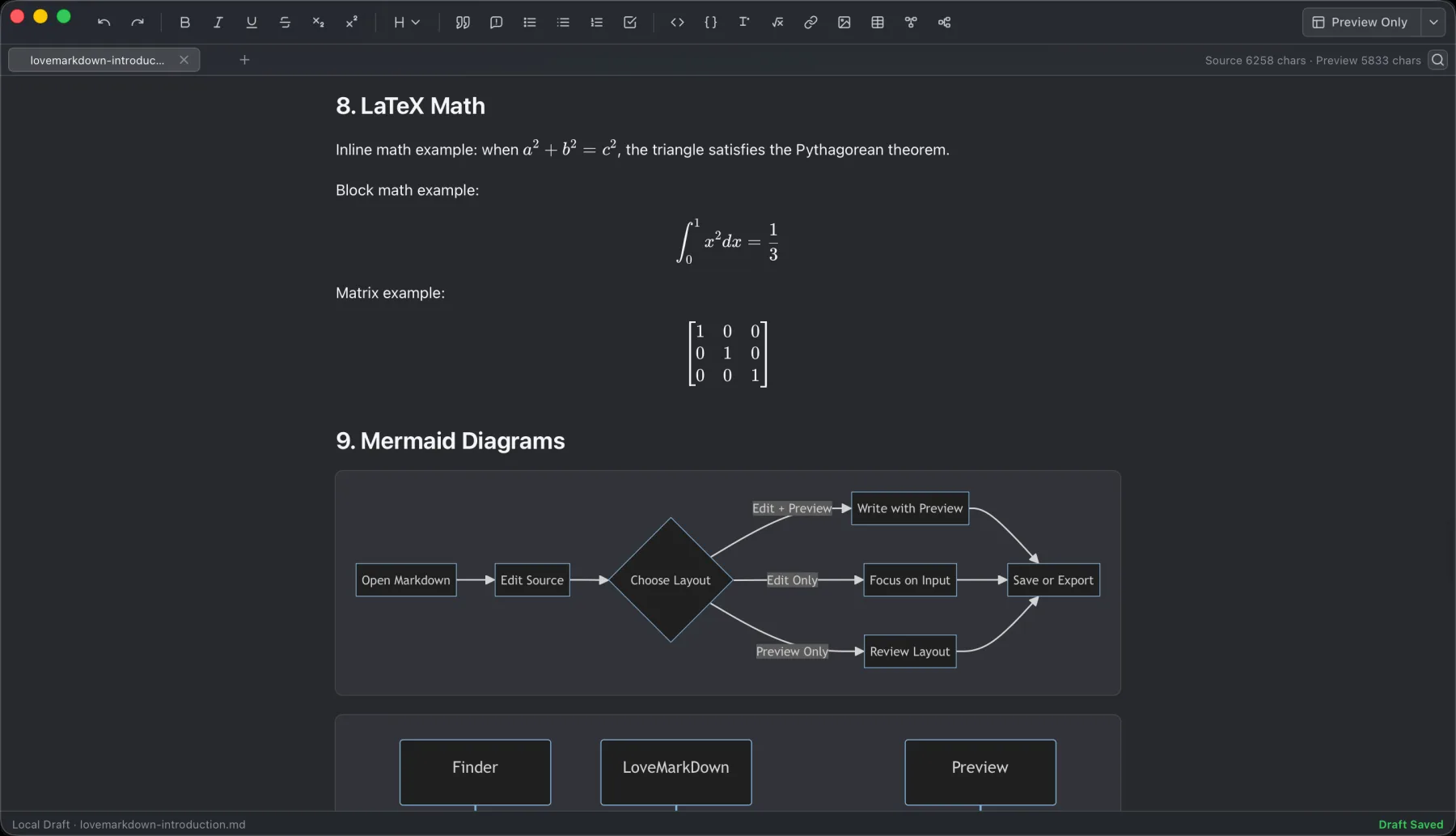
- Relative local images and LaTeX math
- Mermaid and Markmap fenced blocks
Rich structures remain bounded by the source. Selecting or opening a complex widget can reveal the exact Markdown that produced it, which is important when a diagram, formula, path, or table must be corrected precisely.
Keep editing tools synchronized
Visual editing is useful only when the rest of the application follows the same document. LoveMarkDown 1.2 keeps these workflows connected across Source, Split, Visual, and locked Preview:
- Find and Replace, including visible match highlighting
- H1-H6 document outline and heading navigation
- Formatting and insertion tools
- Multiple document tabs
- Draft recovery and external-file reload
- Markdown, HTML, Word DOCX, PDF, and PNG export
Exports are generated from a stable snapshot of the current Markdown. Preview and export share the same active-content safety boundary, while local images are resolved from the opened document when the selected format can embed them.
Version 1.2.1 protects file identity and Save targets
The 1.2.1 maintenance update fixes a file-safety problem discovered after the Visual release. Opening or switching documents could show the wrong filename in a tab and leave Save pointing at a previously opened file.
LoveMarkDown now binds each tab to its own filename and disk path before the editor refreshes. Save remains attached to the active document. If a restored session contains conflicting copies of the same file target, the app preserves their contents as drafts and requires Save As instead of guessing which file to overwrite.
This is a narrow fix, but it matters more than adding another formatting option: a local-file editor must make the destination of Save predictable.
App Store 1.2.2 adds explicit default-editor setup
LoveMarkDown 1.2.2 lets users start a request from the App menu or Settings to make LoveMarkDown the default editor for Markdown files. The change is never automatic: macOS presents the system confirmation and the user decides whether to proceed.
The update also improves Markdown file registration for .md, .markdown,
.mdown, and .mkd. This helps Finder show LoveMarkDown more reliably in Open
With on clean installations and older supported macOS versions.
At the 1.2.2 release, the App Store update did not change the Direct downloads, their checksums, or the signed Direct updater feed, which then remained at 1.2.1.
The update does not add an account, a new permission, a new analytics field, an App Privacy data type, or an external service.
Large documents and input methods remain part of the release
The Visual workspace avoids unbounded rich projection for very large Markdown files. Large documents keep an editable surface and basic Markdown styling while expensive structures fall back to source-oriented representation when needed.
The 1.2 release was also validated with Chinese, English, and mixed input methods, keyboard navigation, accessibility semantics, offline operation, and repeated Source/Visual transitions. These constraints shape the feature: Visual editing should remain an optional view of the Markdown, not a reason to make the whole application depend on a continuously rendered document.
Who the 1.2 workflow is for
LoveMarkDown 1.2 fits work where the file itself is the unit of work:
- README and repository documentation opened outside a full IDE
- Product manuals with nearby image assets
- Technical notes containing tables, formulas, diagrams, or code
- Local Markdown that must be delivered as DOCX, PDF, HTML, or PNG
- Documents that benefit from visual editing but still require exact source
It is not a replacement for a linked knowledge base, collaborative cloud workspace, academic citation manager, publishing library, or repository-scale development environment. It does not require a Vault or account, but it also does not provide those collection-level systems.
Frequently asked questions
Is LoveMarkDown 1.2 a WYSIWYG Markdown editor?
It provides editable Visual Markdown, but it remains Markdown-first. Source is always available, complex structures can reveal their exact Markdown, and the app does not convert the file into a private word-processing format.
Does Visual mode change the Markdown file format?
No. Source, Split, and Visual work with the same canonical Markdown document. Saving writes Markdown back to the selected local file.
Can Visual mode show Mermaid, Markmap, images, and math?
Yes. LoveMarkDown can project local images, LaTeX math, Mermaid, and Markmap in the Visual workspace. Complex widgets retain a path back to their Markdown source for exact editing.
Which LoveMarkDown version is on the Mac App Store?
LoveMarkDown 1.2.5 is the current public Mac App Store version.
Is LoveMarkDown 1.2.2 available as a Direct download?
No. Version 1.2.2 is an App Store release. The current signed Direct release is 1.2.5 in one universal package for Apple Silicon and Intel.
Does Visual editing upload my Markdown document?
No. Ordinary opening, editing, Preview, saving, and export use user-selected local files. LoveMarkDown does not automatically upload Markdown content, file names, or full local paths.